
Funciona con lo que tiene. Listo para lo que sigue.

Acceda a sus datos desde la pantalla que tenga más cerca: un navegador web o una aplicación en su teléfono o tableta. Importaremos y organizaremos sus registros sin costo, y sus datos nunca quedarán bloqueados. Descárguelos en cualquier momento.

  • Navegador web
  • iPhone y iPad
  • Android
  • Importe desde cualquier lugar

Los detalles.

Lo que tomamos en serio para que usted no tenga que preocuparse.

Aplicación web

El producto completo en cualquier navegador moderno, en cualquier sistema operativo.

Aplicaciones móviles

Aplicaciones nativas para iPhone, iPad y Android. No es una aplicación de escritorio redimensionada: está diseñada para el teléfono, para que pueda trabajar desde cualquier lugar.

Todos los dispositivos sincronizados

Una cuenta, dondequiera que trabaje. Reserve la próxima cita desde su teléfono en la casa del cliente y ya estará en su calendario de escritorio, esperándolo.

Importación de datos gratuita

¿Cambia de otro sistema? Importamos y organizamos sus registros existentes sin costo al unirse.

Sus datos son suyos

Creemos que sus datos son suyos. Exporte todos sus datos cuando quiera. Estarán más limpios que cuando los importó.

Sin punto único de falla

Varios servidores y bases de datos funcionan en paralelo en múltiples ubicaciones para garantizar redundancia. Si uno falla, otro toma el control de inmediato y usted sigue trabajando.

Seguridad

Sus datos se cifran desde su pantalla hasta el disco del servidor, tanto en tránsito como almacenados. Nuestro equipo supervisa los sistemas las 24 horas del día.

Privacidad

Su lista de clientes es su negocio, no el nuestro. Nunca vendemos ni compartimos sus datos, y todos los miembros de nuestro equipo incluso firman un acuerdo de confidencialidad.

Copias de seguridad

Varias capas de copias de seguridad cifradas, almacenadas en varios continentes, mantienen sus datos protegidos y seguros.

Los pianos sobreviven a la tecnología. Planifique para eso.

Los pianos están hechos para servir durante generaciones, y las herramientas con las que maneja su negocio también deben pensar en décadas. Gazelle ha estado aquí por más de diez años, evolucionando a través de muchas generaciones de dispositivos, mientras una larga lista de herramientas de programación y aplicaciones de afinación basadas en tecnología obsoleta desaparecieron silenciosamente y se llevaron consigo los registros de sus usuarios.

Respaldamos la tecnología que usa hoy y respaldaremos la que use en el futuro.
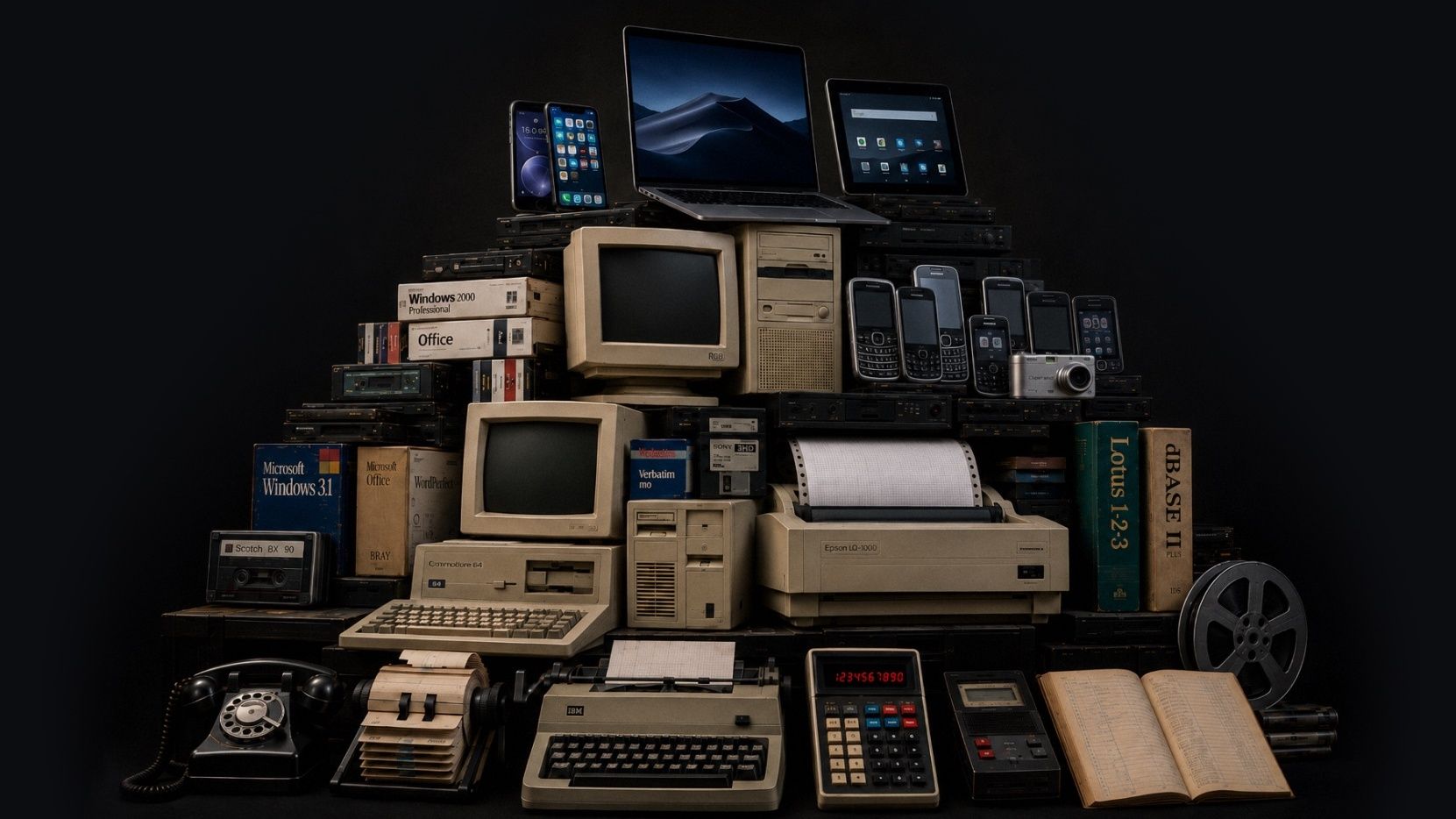
Capas de tecnología apiladas como en una excavación arqueológica: teléfonos de disco y máquinas de escribir en la parte inferior, seguidos por las primeras computadoras y, en la parte superior, los teléfonos y tabletas actuales
Esta imagen fue generada con IA. La visión artística, el concepto y el diseño fueron nuestros. Creemos que la IA puede ser una herramienta útil para expresar nuestras ideas cuando se usa de manera responsable.

Actualizaciones recientes

Mejoramos constantemente. Cada mes publicamos un resumen de las novedades. Estas son las más recientes.

  • August 2026

    Attachments is the headline this month, with photos, video, and audio living together on both pianos and client records (more file types coming soon). Scheduling also got smarter about how it fits your floating downtime into the shape of your day. And a good bit of this month went into the quieter work behind the scenes, so things load and recover more dependably across web and mobile.

    Aspectos destacados

    Piano Photos are now known as Attachments and now hold photos, video, and audio

    The Photos section is now called Attachments, and it holds photos, video, and audio in one place. You can add those files from mobile or drag them into the web app, and play them back without downloading first. We also added client-level Attachments, so you can keep things like access notes, paperwork photos, or a recording with the client instead of tying it to one piano.

    Client records can now have Attachments and a primary photo as well

    We expanded attachments to client records, and you can also select one photo as the client's primary photo, the same way a piano's primary photo can represent that instrument. Use a picture of the house, or of the client, or whatever jogs your memory of who they are when their name comes up.

    Floating downtime is improved

    Floating downtime rules got smarter this month. When Gazelle looks for open times, it now takes your whole day into account before deciding where your break lands, so your breaks and your available times work together more naturally. If you like giving yourself a wide downtime window, you'll see the difference right away.

    Calendar & Scheduling

    Corregido: Appointment List view keeps your filters and sort after reloads

    Corregido: Firefox drag and resize works on the right day and time

    Corregido: The small-phone appointment editor is steadier

    “Completed, But Not Tuned” now shows the tuning checkbox clearly

    Messaging

    Corregido: Scheduled custom messages can be sent right away

    Send a custom message from the client map

    Reliability

    Corregido: Invoices recover properly after a dropped connection

    Corregido: Connection problems now show an error instead of an endless spinner

    Corregido: Toggle switches are easier to see when they’re off

    Corregido: The dashboard itinerary is faster for all-technicians views

    Corregido: Changing a synced Google Calendar event to recurring no longer leaves a stale copy behind

    Corregido: Search no longer spins forever on unreliable network connections

  • July 2026

    June has been a month of quiet updates and focused planning. We're excited to see settings for reminders and messages come to mobile, but even more for the behind the scenes work to keep your data secure in the ever changing tech world.

    Aspectos destacados

    Reminders and Messages Settings Now on Mobile

    Reminder and Messages settings now live in the new mobile. The full editor is built in, so you can adjust timing, message templates, and other reminder settings without bouncing out to the web app. This is a big day-to-day workflow change if reminders are part of your workflow.

    Edit your Coordinates!

    You can now paste GPS coordinates along with finding the spot on a map. That helps when a client sends lat/long for a rural or off-grid location or you want to use an external map to find them. Works in the web app, mobile app, and online self-scheduler.

    Security

    We’ve been making ongoing security updates in the background to keep your data protected.

    These changes aren’t the kind you’ll usually see in a monthly update, but they’re part of the work we keep doing to stay current and keep your account data secure.

    Clients

    Corregido: The last client in the list no longer gets hidden behind the List view and Map view bar.

    Dutch translations for piano types were cleaned up.

  • May 2026

    We made a lot of improvements last month. Two that we are really excited about are the new Client Map and massive improvements to the mobile app performance but be sure to scan through them all to keep up-to-date on recent changes. We're always working to make Gazelle faster and more useful, so keep an eye out for what's next.

    Aspectos destacados

    Client List map view

    You can now switch the Client List into a map view and see clients plotted as pins. The same filters you use on the list work on the map, so it’s easier to narrow to the right clients before you start planning a route, checking coverage, or filling a cancellation.

    UK QuickBooks Online support

    Gazelle now connects to QuickBooks Online for technicians in the United Kingdom. You can map VAT codes and sync invoices and payments, with Gazelle suggesting the most likely VAT code when you open tax mapping for the first time.

    Tag calendar events

    It is now possible to add tags to events and appointments on your calendar, and you can filter events by tag when searching for them.

    • Appointments, personal events, and memos can now be tagged, filtered by tag, and bulk-tagged from the calendar list view.

    Client emails have a fresh design that looks great in any inbox

    All automated client emails now feature a completely rebuilt design that displays cleanly on mobile devices and across every major email client. From appointment confirmations and reminders to invoices and estimates, your outgoing messages will look polished and professional in any inbox.

    Taxes

    Tax-inclusive pricing now available on Self Scheduler, Invoicing and Estimates

    Show clients pricing the way you want. Self Scheduler, Invoices, and Estimates now support tax-inclusive pricing. That gives you a cleaner way to bill in places where clients expect VAT or GST to be built into the price, and it helps keep pricing consistent across documents and self-scheduler settings.

    Clients can be marked tax exempt

    The app now uses the right tax term for your region

    Clients and Pianos

    Add up to 20 custom piano fields

    Bulk timeline comments for clients and pianos

    Bulk tuning interval changes for pianos

    Filter clients by company name

    Irish Eircode-only addresses are supported

    Self-Scheduler and Branding

    Company logo size is adjustable

    Service duration can now be hidden on the self-scheduler

    Invoices And Estimates

    Link invoices to an estimate

    Corregido: Sending an invoice or estimate now defaults to the primary email address

    Corregido: Scheduling from an estimate now carries the right service amounts and tax settings

    Corregido: The invoice editor now keeps the right piano selected for single-piano clients

    Corregido: Adding items from an estimate no longer hangs on a black screen

    Mobile App

    Updated mobile performance! Faster startup and offline performance

    Whenever there are performance issues, we take it seriously. If you see slow downs in service, let us know!

    Corregido: Pinch-to-zoom works again on saved piano photos

    Corregido: Photo cropping keeps the box where you put it

    Corregido: The app uses less memory during a session

    Corregido: Multiline text fields scroll the form again

    Corregido: Android back now returns you to the previous screen

    Corregido: Customize Email Message screens are readable in dark mode

    Corregido: Popup edit panels stay above the keyboard

    Corregido: Multi-day events show the right portion on each day

    Corregido: Bulk action progress now appears correctly on iOS

    Corregido: Selecting All Technicians on the dashboard itinerary no longer crashes

    Corregido: Changing an invoice to Paid no longer freezes iOS

Ver todos los resúmenes mensuales

¿Tiene una configuración poco común?

Hablemos por teléfono para ver si Gazelle es adecuado para usted.