
Werkt op wat je hebt. Klaar voor wat komt.

Toegang tot je gegevens op elk scherm dat het dichtstbij is: een webbrowser of een app op je telefoon of tablet. We importeren en schonen je gegevens gratis op, en je gegevens worden nooit vastgezet. Download ze wanneer je wilt.

  • Webbrowser
  • iPhone en iPad
  • Android
  • Importeren vanuit elk systeem

De details.

Dingen die wij serieus nemen, zodat jij ze als vanzelfsprekend kunt beschouwen.

Webapp

Het volledige product in elke moderne browser, op elk besturingssysteem.

Mobiele apps

Native apps voor iPhone, iPad en Android. Geen verkleinde desktopapp: ontworpen voor de telefoon, zodat je overal kunt werken.

Alle apparaten gesynchroniseerd

Eén account, overal waar je werkt. Reserveer de volgende afspraak vanaf je telefoon bij de klant thuis en hij staat al in je agenda op je bureau, op je te wachten.

Gratis gegevensimport

Stap je over van een ander systeem? We importeren en schonen je bestaande gegevens gratis op wanneer je lid wordt.

Jij bent eigenaar van je gegevens

Wij vinden dat je gegevens van jou zijn. Exporteer alles wanneer je maar wilt. Ze zijn schoner dan toen je ze importeerde.

Geen Single Point of Failure

Meerdere servers en databases draaien parallel op meerdere locaties voor redundantie. Als er één uitvalt, neemt een andere het direct over en kun je doorwerken.

Beveiliging

Je gegevens worden versleuteld van je scherm tot de schijf van de server, tijdens verzending en opslag. Ons team bewaakt de systemen dag en nacht.

Privacy

Je klantenlijst is van jou, niet van ons. We verkopen of delen je gegevens nooit, en elk lid van ons team ondertekent zelfs een geheimhoudingsovereenkomst.

Back-ups

Meerdere lagen versleutelde back-ups die op meerdere continenten zijn opgeslagen, houden je gegevens veilig en beveiligd.

Piano's gaan langer mee dan technologie. Plan daarop.

Piano's zijn gebouwd om generaties lang mee te gaan, en de tools waarmee je je bedrijf runt, moeten ook in decennia denken. Gazelle bestaat al meer dan tien jaar en groeide mee met vele generaties apparaten, terwijl een lange reeks planningstools en stemapps op verouderde technologie stilletjes verdween en de gegevens van hun gebruikers meenam.

We ondersteunen je huidige technologie en ook je toekomstige technologie.
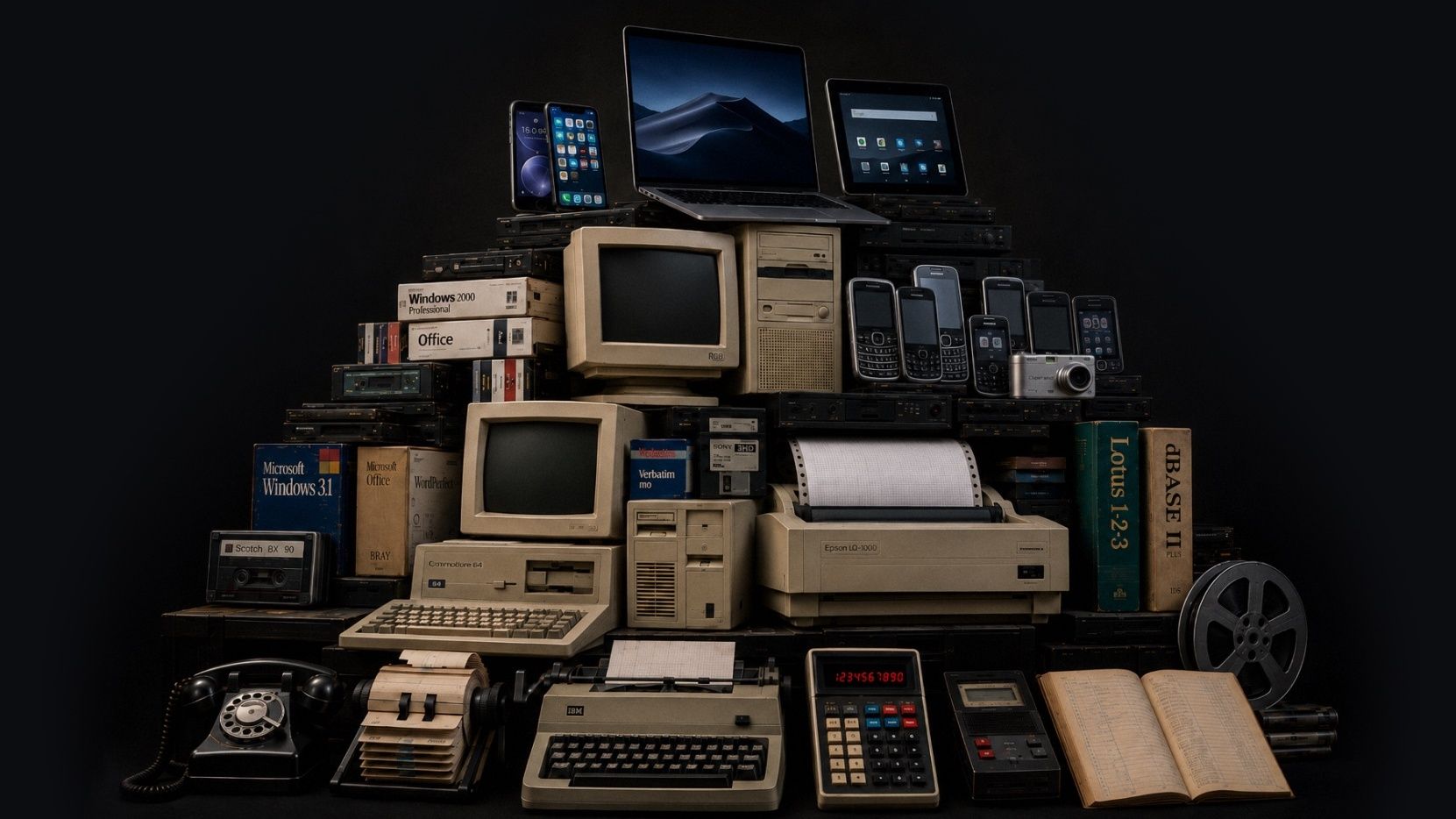
Technologielagen opgestapeld als bij een archeologische opgraving: draaischijftelefoons en typemachines onderaan, oplopend via vroege computers naar de telefoons en tablets van nu
Deze afbeelding is gegenereerd met AI. De artistieke visie, het concept en het ontwerp waren van ons. We geloven dat AI een nuttig hulpmiddel kan zijn om onze ideeën uit te drukken, mits het verantwoord wordt gebruikt.

Recente updates

We verbeteren voortdurend. Elke maand publiceren we een overzicht van wat er nieuw is. Dit is het nieuwste.

  • August 2026

    Attachments is the headline this month, with photos, video, and audio living together on both pianos and client records (more file types coming soon). Scheduling also got smarter about how it fits your floating downtime into the shape of your day. And a good bit of this month went into the quieter work behind the scenes, so things load and recover more dependably across web and mobile.

    Hoogtepunten

    Piano Photos are now known as Attachments and now hold photos, video, and audio

    The Photos section is now called Attachments, and it holds photos, video, and audio in one place. You can add those files from mobile or drag them into the web app, and play them back without downloading first. We also added client-level Attachments, so you can keep things like access notes, paperwork photos, or a recording with the client instead of tying it to one piano.

    Client records can now have Attachments and a primary photo as well

    We expanded attachments to client records, and you can also select one photo as the client's primary photo, the same way a piano's primary photo can represent that instrument. Use a picture of the house, or of the client, or whatever jogs your memory of who they are when their name comes up.

    Floating downtime is improved

    Floating downtime rules got smarter this month. When Gazelle looks for open times, it now takes your whole day into account before deciding where your break lands, so your breaks and your available times work together more naturally. If you like giving yourself a wide downtime window, you'll see the difference right away.

    Calendar & Scheduling

    Opgelost: Appointment List view keeps your filters and sort after reloads

    Opgelost: Firefox drag and resize works on the right day and time

    Opgelost: The small-phone appointment editor is steadier

    “Completed, But Not Tuned” now shows the tuning checkbox clearly

    Messaging

    Opgelost: Scheduled custom messages can be sent right away

    Send a custom message from the client map

    Reliability

    Opgelost: Invoices recover properly after a dropped connection

    Opgelost: Connection problems now show an error instead of an endless spinner

    Opgelost: Toggle switches are easier to see when they’re off

    Opgelost: The dashboard itinerary is faster for all-technicians views

    Opgelost: Changing a synced Google Calendar event to recurring no longer leaves a stale copy behind

    Opgelost: Search no longer spins forever on unreliable network connections

  • July 2026

    June has been a month of quiet updates and focused planning. We're excited to see settings for reminders and messages come to mobile, but even more for the behind the scenes work to keep your data secure in the ever changing tech world.

    Hoogtepunten

    Reminders and Messages Settings Now on Mobile

    Reminder and Messages settings now live in the new mobile. The full editor is built in, so you can adjust timing, message templates, and other reminder settings without bouncing out to the web app. This is a big day-to-day workflow change if reminders are part of your workflow.

    Edit your Coordinates!

    You can now paste GPS coordinates along with finding the spot on a map. That helps when a client sends lat/long for a rural or off-grid location or you want to use an external map to find them. Works in the web app, mobile app, and online self-scheduler.

    Security

    We’ve been making ongoing security updates in the background to keep your data protected.

    These changes aren’t the kind you’ll usually see in a monthly update, but they’re part of the work we keep doing to stay current and keep your account data secure.

    Clients

    Opgelost: The last client in the list no longer gets hidden behind the List view and Map view bar.

    Dutch translations for piano types were cleaned up.

  • May 2026

    We made a lot of improvements last month. Two that we are really excited about are the new Client Map and massive improvements to the mobile app performance but be sure to scan through them all to keep up-to-date on recent changes. We're always working to make Gazelle faster and more useful, so keep an eye out for what's next.

    Hoogtepunten

    Client List map view

    You can now switch the Client List into a map view and see clients plotted as pins. The same filters you use on the list work on the map, so it’s easier to narrow to the right clients before you start planning a route, checking coverage, or filling a cancellation.

    UK QuickBooks Online support

    Gazelle now connects to QuickBooks Online for technicians in the United Kingdom. You can map VAT codes and sync invoices and payments, with Gazelle suggesting the most likely VAT code when you open tax mapping for the first time.

    Tag calendar events

    It is now possible to add tags to events and appointments on your calendar, and you can filter events by tag when searching for them.

    • Appointments, personal events, and memos can now be tagged, filtered by tag, and bulk-tagged from the calendar list view.

    Client emails have a fresh design that looks great in any inbox

    All automated client emails now feature a completely rebuilt design that displays cleanly on mobile devices and across every major email client. From appointment confirmations and reminders to invoices and estimates, your outgoing messages will look polished and professional in any inbox.

    Taxes

    Tax-inclusive pricing now available on Self Scheduler, Invoicing and Estimates

    Show clients pricing the way you want. Self Scheduler, Invoices, and Estimates now support tax-inclusive pricing. That gives you a cleaner way to bill in places where clients expect VAT or GST to be built into the price, and it helps keep pricing consistent across documents and self-scheduler settings.

    Clients can be marked tax exempt

    The app now uses the right tax term for your region

    Clients and Pianos

    Add up to 20 custom piano fields

    Bulk timeline comments for clients and pianos

    Bulk tuning interval changes for pianos

    Filter clients by company name

    Irish Eircode-only addresses are supported

    Self-Scheduler and Branding

    Company logo size is adjustable

    Service duration can now be hidden on the self-scheduler

    Invoices And Estimates

    Link invoices to an estimate

    Opgelost: Sending an invoice or estimate now defaults to the primary email address

    Opgelost: Scheduling from an estimate now carries the right service amounts and tax settings

    Opgelost: The invoice editor now keeps the right piano selected for single-piano clients

    Opgelost: Adding items from an estimate no longer hangs on a black screen

    Mobile App

    Updated mobile performance! Faster startup and offline performance

    Whenever there are performance issues, we take it seriously. If you see slow downs in service, let us know!

    Opgelost: Pinch-to-zoom works again on saved piano photos

    Opgelost: Photo cropping keeps the box where you put it

    Opgelost: The app uses less memory during a session

    Opgelost: Multiline text fields scroll the form again

    Opgelost: Android back now returns you to the previous screen

    Opgelost: Customize Email Message screens are readable in dark mode

    Opgelost: Popup edit panels stay above the keyboard

    Opgelost: Multi-day events show the right portion on each day

    Opgelost: Bulk action progress now appears correctly on iOS

    Opgelost: Selecting All Technicians on the dashboard itinerary no longer crashes

    Opgelost: Changing an invoice to Paid no longer freezes iOS

Bekijk alle maandelijkse overzichten

Heb je een ongebruikelijke opzet?

Laten we bellen om te kijken of Gazelle bij je past.