
今ある環境で使え、これからにも対応します。

最も近くにある画面でデータにアクセスできます。ウェブブラウザでも、スマートフォンやタブレットのアプリでも利用できます。記録のインポートと整理は無料で行い、データがロックされることはありません。いつでもダウンロードできます。

  • Webブラウザ
  • iPhoneとiPad
  • Android
  • どこからでもインポート

詳細。

安心してお任せいただくために、私たちが真剣に取り組むこと。

Webアプリ

あらゆる最新ブラウザとOSで、すべての機能を利用できます。

モバイルアプリ

iPhone、iPad、Android向けのネイティブアプリ。縮小したデスクトップアプリではなく、スマートフォン向けに設計されているため、どこでも作業できます。

すべてのデバイスで同期

どこで作業していても、1つのアカウントで利用できます。顧客宅でスマートフォンから次の訪問予定を予約すれば、デスクのカレンダーにも表示され、すぐに確認できます。

無料データ移行

他のシステムからの移行ですか?ご加入時に、既存の記録を無料でインポートし、整理します。

データの所有権はお客様にあります

データはお客様のものだと考えています。いつでもすべてのデータをエクスポートできます。持ち込んだときよりも整理された状態になります。

単一障害点なし

冗長性を確保するため、複数のサーバーとデータベースが複数の拠点で並行稼働しています。1つが停止しても、別のシステムが直ちに引き継ぐため、作業を継続できます。

セキュリティ

データは画面からサーバーのディスクまで、転送中も保存中も暗号化されています。チームが24時間体制でシステムを監視しています。

プライバシー

顧客リストはお客様の事業のものです。私たちのものではありません。お客様のデータを販売または共有することはなく、チームの全メンバーが秘密保持契約にも署名しています。

バックアップ

複数の大陸に保存された多層の暗号化バックアップにより、データを安全に保護します。

ピアノは技術より長く使えます。 そのために備えましょう。

ピアノは何世代にもわたって使われるよう作られており、事業運営に使うツールも何十年先を見据えるべきです。Gazelleは10年以上にわたり、多くのデバイスの変遷を経て成長してきました。その間、時代遅れの技術で作られた数多くの予約管理ツールや調律アプリがひっそりとサービスを終了し、利用者の記録もともに失われました。

現在お使いのテクノロジーにも、今後お使いになるテクノロジーにも対応します。
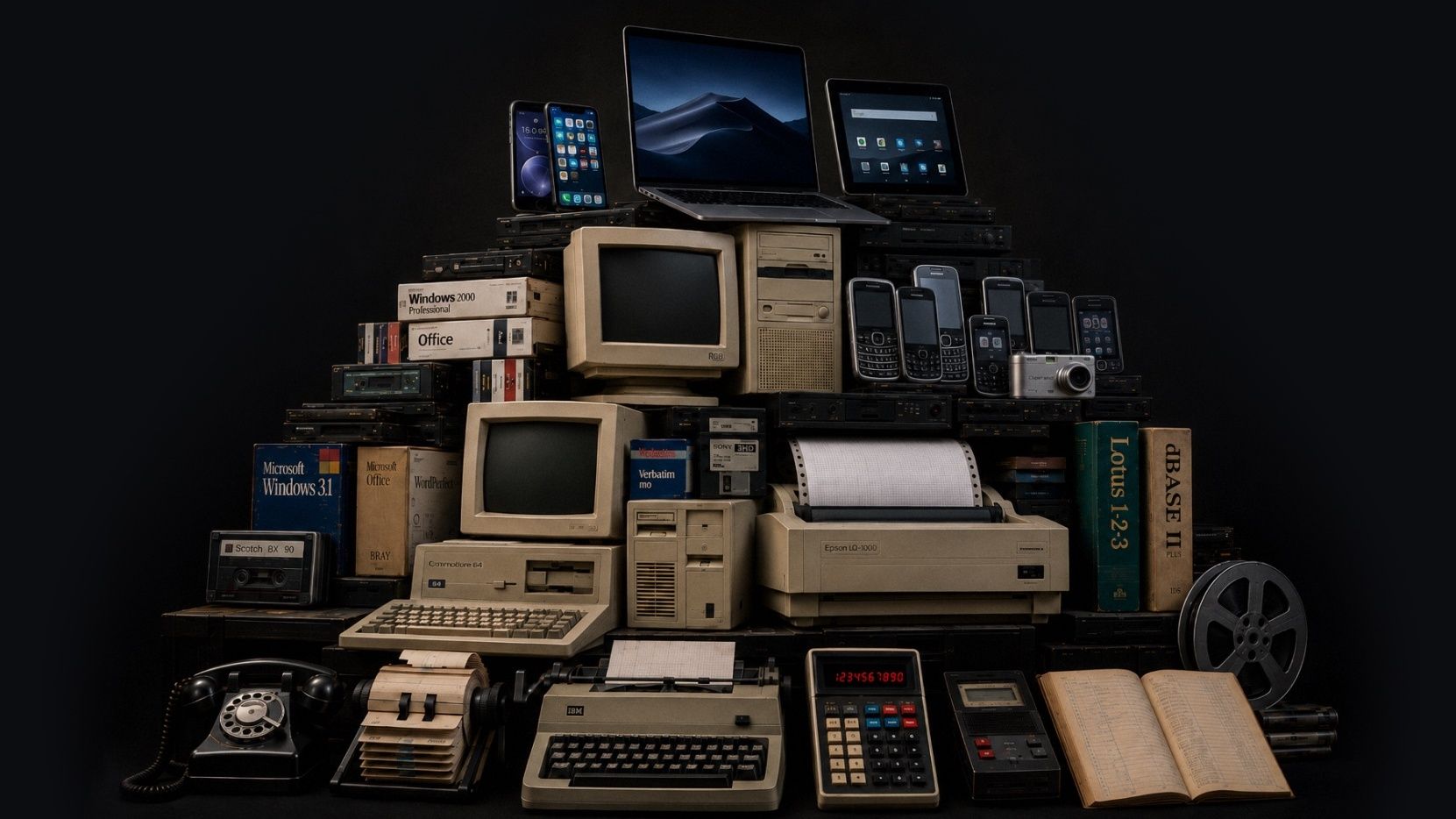
考古学の発掘現場のように積み重なった技術の層。最下層にはダイヤル式電話とタイプライター、その上に初期のコンピューター、最上層には今日のスマートフォンとタブレット
この画像はAIで生成されました。芸術的なビジョン、コンセプト、デザインは私たちによるものです。AIは、責任をもって使えば、アイデアを表現するための有用なツールになると考えています。

最近の更新

Gazelleは常に改善を続けています。毎月、新機能の概要を公開しています。最新情報はこちらです。

  • August 2026

    Attachments is the headline this month, with photos, video, and audio living together on both pianos and client records (more file types coming soon). Scheduling also got smarter about how it fits your floating downtime into the shape of your day. And a good bit of this month went into the quieter work behind the scenes, so things load and recover more dependably across web and mobile.

    主な変更点

    Piano Photos are now known as Attachments and now hold photos, video, and audio

    The Photos section is now called Attachments, and it holds photos, video, and audio in one place. You can add those files from mobile or drag them into the web app, and play them back without downloading first. We also added client-level Attachments, so you can keep things like access notes, paperwork photos, or a recording with the client instead of tying it to one piano.

    Client records can now have Attachments and a primary photo as well

    We expanded attachments to client records, and you can also select one photo as the client's primary photo, the same way a piano's primary photo can represent that instrument. Use a picture of the house, or of the client, or whatever jogs your memory of who they are when their name comes up.

    Floating downtime is improved

    Floating downtime rules got smarter this month. When Gazelle looks for open times, it now takes your whole day into account before deciding where your break lands, so your breaks and your available times work together more naturally. If you like giving yourself a wide downtime window, you'll see the difference right away.

    Calendar & Scheduling

    修正: Appointment List view keeps your filters and sort after reloads

    修正: Firefox drag and resize works on the right day and time

    修正: The small-phone appointment editor is steadier

    “Completed, But Not Tuned” now shows the tuning checkbox clearly

    Messaging

    修正: Scheduled custom messages can be sent right away

    Send a custom message from the client map

    Reliability

    修正: Invoices recover properly after a dropped connection

    修正: Connection problems now show an error instead of an endless spinner

    修正: Toggle switches are easier to see when they’re off

    修正: The dashboard itinerary is faster for all-technicians views

    修正: Changing a synced Google Calendar event to recurring no longer leaves a stale copy behind

    修正: Search no longer spins forever on unreliable network connections

  • July 2026

    June has been a month of quiet updates and focused planning. We're excited to see settings for reminders and messages come to mobile, but even more for the behind the scenes work to keep your data secure in the ever changing tech world.

    主な変更点

    Reminders and Messages Settings Now on Mobile

    Reminder and Messages settings now live in the new mobile. The full editor is built in, so you can adjust timing, message templates, and other reminder settings without bouncing out to the web app. This is a big day-to-day workflow change if reminders are part of your workflow.

    Edit your Coordinates!

    You can now paste GPS coordinates along with finding the spot on a map. That helps when a client sends lat/long for a rural or off-grid location or you want to use an external map to find them. Works in the web app, mobile app, and online self-scheduler.

    Security

    We’ve been making ongoing security updates in the background to keep your data protected.

    These changes aren’t the kind you’ll usually see in a monthly update, but they’re part of the work we keep doing to stay current and keep your account data secure.

    Clients

    修正: The last client in the list no longer gets hidden behind the List view and Map view bar.

    Dutch translations for piano types were cleaned up.

  • May 2026

    We made a lot of improvements last month. Two that we are really excited about are the new Client Map and massive improvements to the mobile app performance but be sure to scan through them all to keep up-to-date on recent changes. We're always working to make Gazelle faster and more useful, so keep an eye out for what's next.

    主な変更点

    Client List map view

    You can now switch the Client List into a map view and see clients plotted as pins. The same filters you use on the list work on the map, so it’s easier to narrow to the right clients before you start planning a route, checking coverage, or filling a cancellation.

    UK QuickBooks Online support

    Gazelle now connects to QuickBooks Online for technicians in the United Kingdom. You can map VAT codes and sync invoices and payments, with Gazelle suggesting the most likely VAT code when you open tax mapping for the first time.

    Tag calendar events

    It is now possible to add tags to events and appointments on your calendar, and you can filter events by tag when searching for them.

    • Appointments, personal events, and memos can now be tagged, filtered by tag, and bulk-tagged from the calendar list view.

    Client emails have a fresh design that looks great in any inbox

    All automated client emails now feature a completely rebuilt design that displays cleanly on mobile devices and across every major email client. From appointment confirmations and reminders to invoices and estimates, your outgoing messages will look polished and professional in any inbox.

    Taxes

    Tax-inclusive pricing now available on Self Scheduler, Invoicing and Estimates

    Show clients pricing the way you want. Self Scheduler, Invoices, and Estimates now support tax-inclusive pricing. That gives you a cleaner way to bill in places where clients expect VAT or GST to be built into the price, and it helps keep pricing consistent across documents and self-scheduler settings.

    Clients can be marked tax exempt

    The app now uses the right tax term for your region

    Clients and Pianos

    Add up to 20 custom piano fields

    Bulk timeline comments for clients and pianos

    Bulk tuning interval changes for pianos

    Filter clients by company name

    Irish Eircode-only addresses are supported

    Self-Scheduler and Branding

    Company logo size is adjustable

    Service duration can now be hidden on the self-scheduler

    Invoices And Estimates

    Link invoices to an estimate

    修正: Sending an invoice or estimate now defaults to the primary email address

    修正: Scheduling from an estimate now carries the right service amounts and tax settings

    修正: The invoice editor now keeps the right piano selected for single-piano clients

    修正: Adding items from an estimate no longer hangs on a black screen

    Mobile App

    Updated mobile performance! Faster startup and offline performance

    Whenever there are performance issues, we take it seriously. If you see slow downs in service, let us know!

    修正: Pinch-to-zoom works again on saved piano photos

    修正: Photo cropping keeps the box where you put it

    修正: The app uses less memory during a session

    修正: Multiline text fields scroll the form again

    修正: Android back now returns you to the previous screen

    修正: Customize Email Message screens are readable in dark mode

    修正: Popup edit panels stay above the keyboard

    修正: Multi-day events show the right portion on each day

    修正: Bulk action progress now appears correctly on iOS

    修正: Selecting All Technicians on the dashboard itinerary no longer crashes

    修正: Changing an invoice to Paid no longer freezes iOS

すべての月次スナップショットを見る

特殊な環境をお使いですか?

お電話で、Gazelleがお客様に合うかどうかを一緒に確認しましょう。