
Fungerer på det du har. Klar for det som kommer.

Få tilgang til dataene dine på den skjermen som er nærmest: i en nettleser eller i en app på telefonen eller nettbrettet. Vi importerer og rydder opp i opplysningene dine gratis, og dataene dine blir aldri låst inne. Last dem ned når som helst.

  • Nettleser
  • iPhone og iPad
  • Android
  • Importer fra hvor som helst

Detaljene.

Ting vi tar på alvor, så du kan ta dem som en selvfølge.

Nettapp

Hele produktet i enhver moderne nettleser, på ethvert operativsystem.

Mobilapper

Egne apper for iPhone, iPad og Android. Ikke en nedskalert skrivebordsapp: utformet for telefonen, så du kan jobbe hvor som helst.

Alle enheter synkronisert

Én konto, overalt der du jobber. Bestill neste avtale fra telefonen hjemme hos kunden, så ligger den i kalenderen din ved skrivebordet og venter på deg.

Gratis dataimport

Bytter du fra et annet system? Vi importerer og rydder opp i de eksisterende registreringene dine gratis når du blir med.

Du eier dataene dine

Vi mener at dataene dine er dine. Eksporter alt når du vil. De vil være ryddigere enn da du tok dem med.

Ingen enkeltfeilpunkter

Flere servere og databaser kjører parallelt på flere steder for redundans. Hvis én går ned, overtar en annen umiddelbart, og du kan fortsette å jobbe.

Sikkerhet

Dataene dine krypteres fra skjermen din til serverens disk, under overføring og lagring. Teamet vårt overvåker systemene døgnet rundt.

Personvern

Kundelisten din er din virksomhet, ikke vår. Vi selger eller deler aldri dataene dine, og alle i teamet vårt signerer til og med en konfidensialitetsavtale.

Sikkerhetskopier

Flere lag med krypterte sikkerhetskopier lagret på flere kontinenter holder dataene dine trygge og sikre.

Pianoer overlever teknologi. Planlegg for det.

Pianoer er bygget for å tjene i generasjoner, og verktøyene du driver virksomheten din med, bør også tenke i tiår. Gazelle har vært her i mer enn ti år og har utviklet seg gjennom mange generasjoner av enheter, mens en lang rekke planleggingsverktøy og stemmeapper bygget på foreldet teknologi i det stille har forsvunnet og tatt brukernes oppføringer med seg.

Vi støtter teknologien du bruker nå, og vi vil støtte teknologien du bruker i fremtiden.
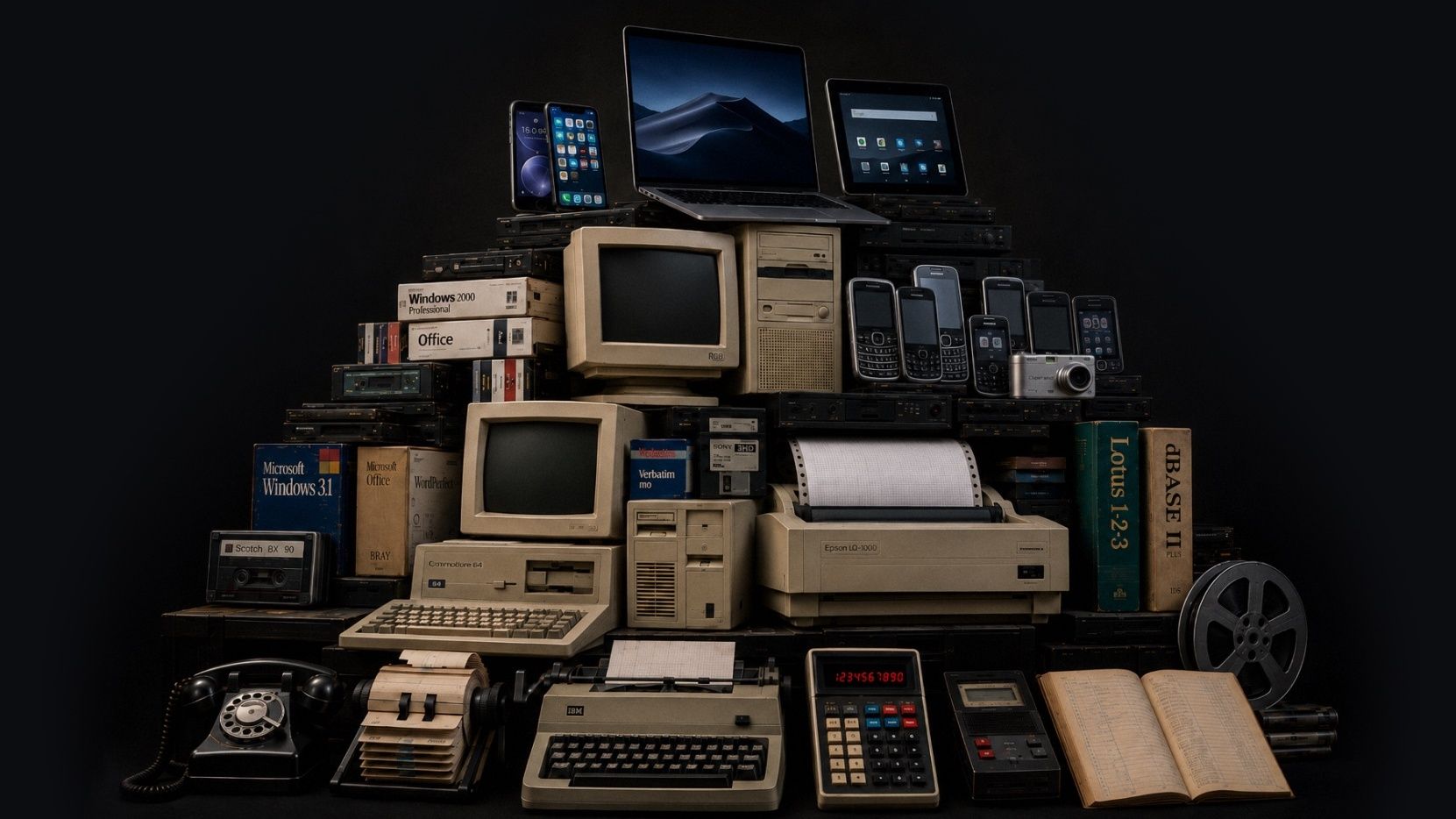
Lag med teknologi stablet som en arkeologisk utgravning: dreieskivetelefoner og skrivemaskiner nederst, videre gjennom tidlige datamaskiner til dagens telefoner og nettbrett
Dette bildet ble generert med KI. Den kunstneriske visjonen, konseptet og designet var våre egne. Vi mener at KI kan være et nyttig verktøy for å uttrykke ideene våre når det brukes på en ansvarlig måte.

Nylige oppdateringer

Vi forbedrer oss stadig. Hver måned publiserer vi en oppsummering av hva som er nytt. Her er det siste.

  • August 2026

    Attachments is the headline this month, with photos, video, and audio living together on both pianos and client records (more file types coming soon). Scheduling also got smarter about how it fits your floating downtime into the shape of your day. And a good bit of this month went into the quieter work behind the scenes, so things load and recover more dependably across web and mobile.

    Høydepunkter

    Piano Photos are now known as Attachments and now hold photos, video, and audio

    The Photos section is now called Attachments, and it holds photos, video, and audio in one place. You can add those files from mobile or drag them into the web app, and play them back without downloading first. We also added client-level Attachments, so you can keep things like access notes, paperwork photos, or a recording with the client instead of tying it to one piano.

    Client records can now have Attachments and a primary photo as well

    We expanded attachments to client records, and you can also select one photo as the client's primary photo, the same way a piano's primary photo can represent that instrument. Use a picture of the house, or of the client, or whatever jogs your memory of who they are when their name comes up.

    Floating downtime is improved

    Floating downtime rules got smarter this month. When Gazelle looks for open times, it now takes your whole day into account before deciding where your break lands, so your breaks and your available times work together more naturally. If you like giving yourself a wide downtime window, you'll see the difference right away.

    Calendar & Scheduling

    Rettet: Appointment List view keeps your filters and sort after reloads

    Rettet: Firefox drag and resize works on the right day and time

    Rettet: The small-phone appointment editor is steadier

    “Completed, But Not Tuned” now shows the tuning checkbox clearly

    Messaging

    Rettet: Scheduled custom messages can be sent right away

    Send a custom message from the client map

    Reliability

    Rettet: Invoices recover properly after a dropped connection

    Rettet: Connection problems now show an error instead of an endless spinner

    Rettet: Toggle switches are easier to see when they’re off

    Rettet: The dashboard itinerary is faster for all-technicians views

    Rettet: Changing a synced Google Calendar event to recurring no longer leaves a stale copy behind

    Rettet: Search no longer spins forever on unreliable network connections

  • July 2026

    June has been a month of quiet updates and focused planning. We're excited to see settings for reminders and messages come to mobile, but even more for the behind the scenes work to keep your data secure in the ever changing tech world.

    Høydepunkter

    Reminders and Messages Settings Now on Mobile

    Reminder and Messages settings now live in the new mobile. The full editor is built in, so you can adjust timing, message templates, and other reminder settings without bouncing out to the web app. This is a big day-to-day workflow change if reminders are part of your workflow.

    Edit your Coordinates!

    You can now paste GPS coordinates along with finding the spot on a map. That helps when a client sends lat/long for a rural or off-grid location or you want to use an external map to find them. Works in the web app, mobile app, and online self-scheduler.

    Security

    We’ve been making ongoing security updates in the background to keep your data protected.

    These changes aren’t the kind you’ll usually see in a monthly update, but they’re part of the work we keep doing to stay current and keep your account data secure.

    Clients

    Rettet: The last client in the list no longer gets hidden behind the List view and Map view bar.

    Dutch translations for piano types were cleaned up.

  • May 2026

    We made a lot of improvements last month. Two that we are really excited about are the new Client Map and massive improvements to the mobile app performance but be sure to scan through them all to keep up-to-date on recent changes. We're always working to make Gazelle faster and more useful, so keep an eye out for what's next.

    Høydepunkter

    Client List map view

    You can now switch the Client List into a map view and see clients plotted as pins. The same filters you use on the list work on the map, so it’s easier to narrow to the right clients before you start planning a route, checking coverage, or filling a cancellation.

    UK QuickBooks Online support

    Gazelle now connects to QuickBooks Online for technicians in the United Kingdom. You can map VAT codes and sync invoices and payments, with Gazelle suggesting the most likely VAT code when you open tax mapping for the first time.

    Tag calendar events

    It is now possible to add tags to events and appointments on your calendar, and you can filter events by tag when searching for them.

    • Appointments, personal events, and memos can now be tagged, filtered by tag, and bulk-tagged from the calendar list view.

    Client emails have a fresh design that looks great in any inbox

    All automated client emails now feature a completely rebuilt design that displays cleanly on mobile devices and across every major email client. From appointment confirmations and reminders to invoices and estimates, your outgoing messages will look polished and professional in any inbox.

    Taxes

    Tax-inclusive pricing now available on Self Scheduler, Invoicing and Estimates

    Show clients pricing the way you want. Self Scheduler, Invoices, and Estimates now support tax-inclusive pricing. That gives you a cleaner way to bill in places where clients expect VAT or GST to be built into the price, and it helps keep pricing consistent across documents and self-scheduler settings.

    Clients can be marked tax exempt

    The app now uses the right tax term for your region

    Clients and Pianos

    Add up to 20 custom piano fields

    Bulk timeline comments for clients and pianos

    Bulk tuning interval changes for pianos

    Filter clients by company name

    Irish Eircode-only addresses are supported

    Self-Scheduler and Branding

    Company logo size is adjustable

    Service duration can now be hidden on the self-scheduler

    Invoices And Estimates

    Link invoices to an estimate

    Rettet: Sending an invoice or estimate now defaults to the primary email address

    Rettet: Scheduling from an estimate now carries the right service amounts and tax settings

    Rettet: The invoice editor now keeps the right piano selected for single-piano clients

    Rettet: Adding items from an estimate no longer hangs on a black screen

    Mobile App

    Updated mobile performance! Faster startup and offline performance

    Whenever there are performance issues, we take it seriously. If you see slow downs in service, let us know!

    Rettet: Pinch-to-zoom works again on saved piano photos

    Rettet: Photo cropping keeps the box where you put it

    Rettet: The app uses less memory during a session

    Rettet: Multiline text fields scroll the form again

    Rettet: Android back now returns you to the previous screen

    Rettet: Customize Email Message screens are readable in dark mode

    Rettet: Popup edit panels stay above the keyboard

    Rettet: Multi-day events show the right portion on each day

    Rettet: Bulk action progress now appears correctly on iOS

    Rettet: Selecting All Technicians on the dashboard itinerary no longer crashes

    Rettet: Changing an invoice to Paid no longer freezes iOS

Se alle månedlige øyeblikksbilder

Har du et uvanlig oppsett?

La oss ta en prat og finne ut om Gazelle passer for deg.