
Fonctionne avec ce que vous avez. Prêt pour la suite.

Accédez à vos données sur l’écran le plus près de vous : dans un navigateur Web ou une application sur votre téléphone ou votre tablette. Nous importerons et nettoierons vos dossiers gratuitement, et vos données ne sont jamais verrouillées. Téléchargez-les en tout temps.

  • Navigateur Web
  • iPhone et iPad
  • Android
  • Importez de partout

Les détails.

Ce que nous prenons au sérieux pour que vous n’ayez pas à y penser.

Application Web

Le produit complet dans tout navigateur moderne, sur tout système d’exploitation.

Applications mobiles

Applications natives pour iPhone, iPad et Android. Pas une application de bureau redimensionnée : conçues pour le téléphone, pour vous permettre de travailler de partout.

Tous vos appareils synchronisés

Un seul compte, partout où vous travaillez. Réservez le prochain rendez-vous depuis votre téléphone chez le client, et il est déjà dans votre calendrier à votre bureau, à vous attendre.

Importation gratuite des données

Vous passez d’un autre système? Nous importons et nettoyons gratuitement vos dossiers existants lorsque vous vous joignez à nous.

Vos données vous appartiennent

Nous croyons que vos données vous appartiennent. Exportez toutes vos données quand vous le voulez. Elles seront plus propres qu’au moment où vous nous les avez fournies.

Aucun point de défaillance unique

Plusieurs serveurs et bases de données fonctionnent en parallèle à plusieurs endroits pour assurer la redondance. Si l’un tombe en panne, un autre prend immédiatement le relais et vous continuez à travailler.

Sécurité

Vos données sont chiffrées de votre écran jusqu’au disque du serveur, en transit et au repos. Notre équipe surveille les systèmes 24 heures sur 24.

Confidentialité

Votre liste de clients est votre affaire, pas la nôtre. Nous ne vendons ni ne partageons jamais vos données, et chaque membre de notre équipe signe même une entente de confidentialité.

Sauvegardes

Plusieurs couches de sauvegardes chiffrées stockées sur plusieurs continents assurent la sécurité de vos données.

Les pianos survivent à la technologie. Planifiez en conséquence.

Les pianos sont conçus pour servir pendant des générations, et les outils avec lesquels vous gérez votre entreprise devraient aussi penser en décennies. Gazelle est là depuis plus de dix ans et a évolué au fil de nombreuses générations d’appareils, tandis qu’une longue liste d’outils de planification et d’applications d’accord reposant sur des technologies désuètes ont discrètement disparu, emportant les dossiers de leurs utilisateurs avec eux.

Nous prenons en charge votre technologie actuelle et celle que vous utiliserez demain.
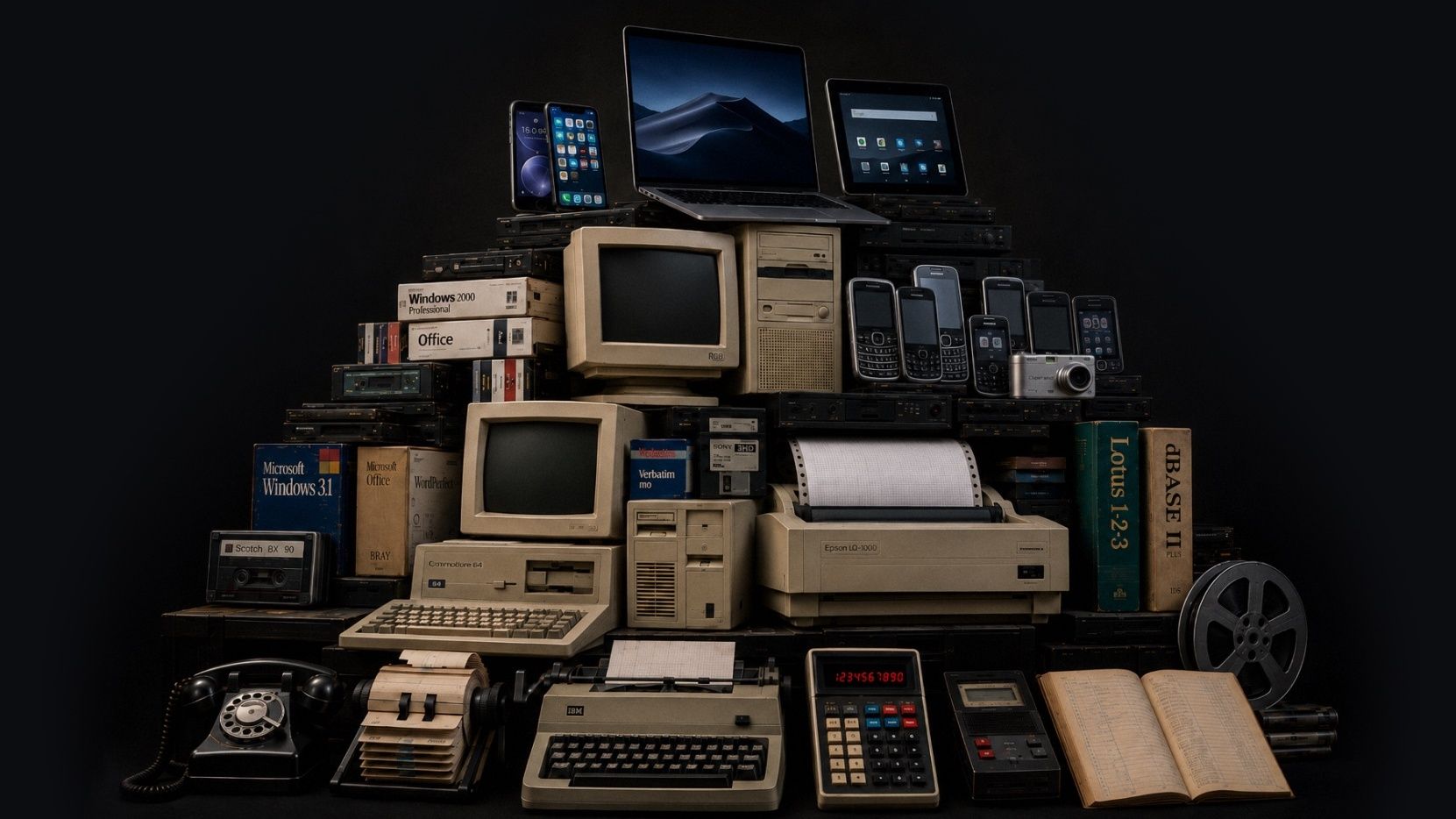
Des couches de technologie empilées comme une fouille archéologique : téléphones à cadran et machines à écrire au bas, puis premiers ordinateurs, jusqu’aux téléphones et tablettes d’aujourd’hui
Cette image a été générée par l’IA. La vision artistique, le concept et la conception sont les nôtres. Nous croyons que l’IA peut être un outil utile pour exprimer nos idées lorsqu’elle est utilisée de façon responsable.

Mises à jour récentes

Nous nous améliorons constamment. Chaque mois, nous publions un résumé des nouveautés. Voici le plus récent.

  • August 2026

    Attachments is the headline this month, with photos, video, and audio living together on both pianos and client records (more file types coming soon). Scheduling also got smarter about how it fits your floating downtime into the shape of your day. And a good bit of this month went into the quieter work behind the scenes, so things load and recover more dependably across web and mobile.

    Points saillants

    Piano Photos are now known as Attachments and now hold photos, video, and audio

    The Photos section is now called Attachments, and it holds photos, video, and audio in one place. You can add those files from mobile or drag them into the web app, and play them back without downloading first. We also added client-level Attachments, so you can keep things like access notes, paperwork photos, or a recording with the client instead of tying it to one piano.

    Client records can now have Attachments and a primary photo as well

    We expanded attachments to client records, and you can also select one photo as the client's primary photo, the same way a piano's primary photo can represent that instrument. Use a picture of the house, or of the client, or whatever jogs your memory of who they are when their name comes up.

    Floating downtime is improved

    Floating downtime rules got smarter this month. When Gazelle looks for open times, it now takes your whole day into account before deciding where your break lands, so your breaks and your available times work together more naturally. If you like giving yourself a wide downtime window, you'll see the difference right away.

    Calendar & Scheduling

    Corrigé: Appointment List view keeps your filters and sort after reloads

    Corrigé: Firefox drag and resize works on the right day and time

    Corrigé: The small-phone appointment editor is steadier

    “Completed, But Not Tuned” now shows the tuning checkbox clearly

    Messaging

    Corrigé: Scheduled custom messages can be sent right away

    Send a custom message from the client map

    Reliability

    Corrigé: Invoices recover properly after a dropped connection

    Corrigé: Connection problems now show an error instead of an endless spinner

    Corrigé: Toggle switches are easier to see when they’re off

    Corrigé: The dashboard itinerary is faster for all-technicians views

    Corrigé: Changing a synced Google Calendar event to recurring no longer leaves a stale copy behind

    Corrigé: Search no longer spins forever on unreliable network connections

  • July 2026

    June has been a month of quiet updates and focused planning. We're excited to see settings for reminders and messages come to mobile, but even more for the behind the scenes work to keep your data secure in the ever changing tech world.

    Points saillants

    Reminders and Messages Settings Now on Mobile

    Reminder and Messages settings now live in the new mobile. The full editor is built in, so you can adjust timing, message templates, and other reminder settings without bouncing out to the web app. This is a big day-to-day workflow change if reminders are part of your workflow.

    Edit your Coordinates!

    You can now paste GPS coordinates along with finding the spot on a map. That helps when a client sends lat/long for a rural or off-grid location or you want to use an external map to find them. Works in the web app, mobile app, and online self-scheduler.

    Security

    We’ve been making ongoing security updates in the background to keep your data protected.

    These changes aren’t the kind you’ll usually see in a monthly update, but they’re part of the work we keep doing to stay current and keep your account data secure.

    Clients

    Corrigé: The last client in the list no longer gets hidden behind the List view and Map view bar.

    Dutch translations for piano types were cleaned up.

  • May 2026

    We made a lot of improvements last month. Two that we are really excited about are the new Client Map and massive improvements to the mobile app performance but be sure to scan through them all to keep up-to-date on recent changes. We're always working to make Gazelle faster and more useful, so keep an eye out for what's next.

    Points saillants

    Client List map view

    You can now switch the Client List into a map view and see clients plotted as pins. The same filters you use on the list work on the map, so it’s easier to narrow to the right clients before you start planning a route, checking coverage, or filling a cancellation.

    UK QuickBooks Online support

    Gazelle now connects to QuickBooks Online for technicians in the United Kingdom. You can map VAT codes and sync invoices and payments, with Gazelle suggesting the most likely VAT code when you open tax mapping for the first time.

    Tag calendar events

    It is now possible to add tags to events and appointments on your calendar, and you can filter events by tag when searching for them.

    • Appointments, personal events, and memos can now be tagged, filtered by tag, and bulk-tagged from the calendar list view.

    Client emails have a fresh design that looks great in any inbox

    All automated client emails now feature a completely rebuilt design that displays cleanly on mobile devices and across every major email client. From appointment confirmations and reminders to invoices and estimates, your outgoing messages will look polished and professional in any inbox.

    Taxes

    Tax-inclusive pricing now available on Self Scheduler, Invoicing and Estimates

    Show clients pricing the way you want. Self Scheduler, Invoices, and Estimates now support tax-inclusive pricing. That gives you a cleaner way to bill in places where clients expect VAT or GST to be built into the price, and it helps keep pricing consistent across documents and self-scheduler settings.

    Clients can be marked tax exempt

    The app now uses the right tax term for your region

    Clients and Pianos

    Add up to 20 custom piano fields

    Bulk timeline comments for clients and pianos

    Bulk tuning interval changes for pianos

    Filter clients by company name

    Irish Eircode-only addresses are supported

    Self-Scheduler and Branding

    Company logo size is adjustable

    Service duration can now be hidden on the self-scheduler

    Invoices And Estimates

    Link invoices to an estimate

    Corrigé: Sending an invoice or estimate now defaults to the primary email address

    Corrigé: Scheduling from an estimate now carries the right service amounts and tax settings

    Corrigé: The invoice editor now keeps the right piano selected for single-piano clients

    Corrigé: Adding items from an estimate no longer hangs on a black screen

    Mobile App

    Updated mobile performance! Faster startup and offline performance

    Whenever there are performance issues, we take it seriously. If you see slow downs in service, let us know!

    Corrigé: Pinch-to-zoom works again on saved piano photos

    Corrigé: Photo cropping keeps the box where you put it

    Corrigé: The app uses less memory during a session

    Corrigé: Multiline text fields scroll the form again

    Corrigé: Android back now returns you to the previous screen

    Corrigé: Customize Email Message screens are readable in dark mode

    Corrigé: Popup edit panels stay above the keyboard

    Corrigé: Multi-day events show the right portion on each day

    Corrigé: Bulk action progress now appears correctly on iOS

    Corrigé: Selecting All Technicians on the dashboard itinerary no longer crashes

    Corrigé: Changing an invoice to Paid no longer freezes iOS

Voir tous les aperçus mensuels

Votre configuration est inhabituelle?

Organisons un appel pour voir si Gazelle vous convient.