
Workflow deep-dive
More Service Calls, Fewer Miles
How do I spend less time driving between appointments?
The windshield doesn't pay. Tell Gazelle where you work, when you work, and what you offer, and Smart Routes ranks every open slot by the driving it actually adds, whether you found the slot or your client did. Bookings land on days you already have, and your itinerary tells you when to leave the house and when you'll be home.
This workflow touches: 2-Way External Calendar SyncMaster Service ListSmart SchedulingOnline Self Scheduler and ReservationsCalendar and ItineraryMobile App with Offline Mode
How it works, step by step
-
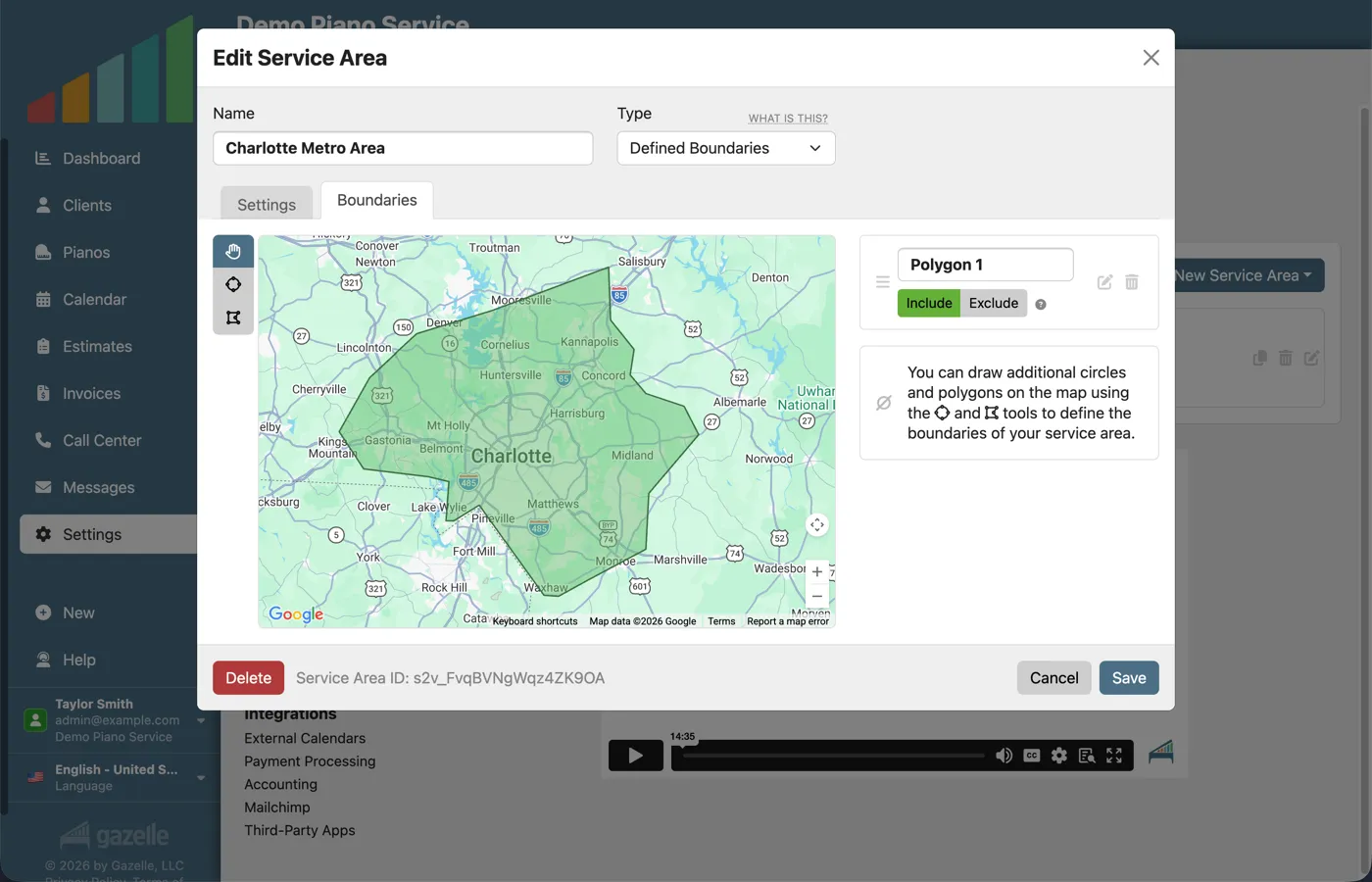
Draw your service area.
You decide where you work, once. Circle your area right on the map, or set a travel-time radius around your home base, and Gazelle enforces it: clients outside the area simply can't book. You can even carve out exclusions, like the neighborhood across the bridge you'd rather not cross.
Smart Scheduling
-
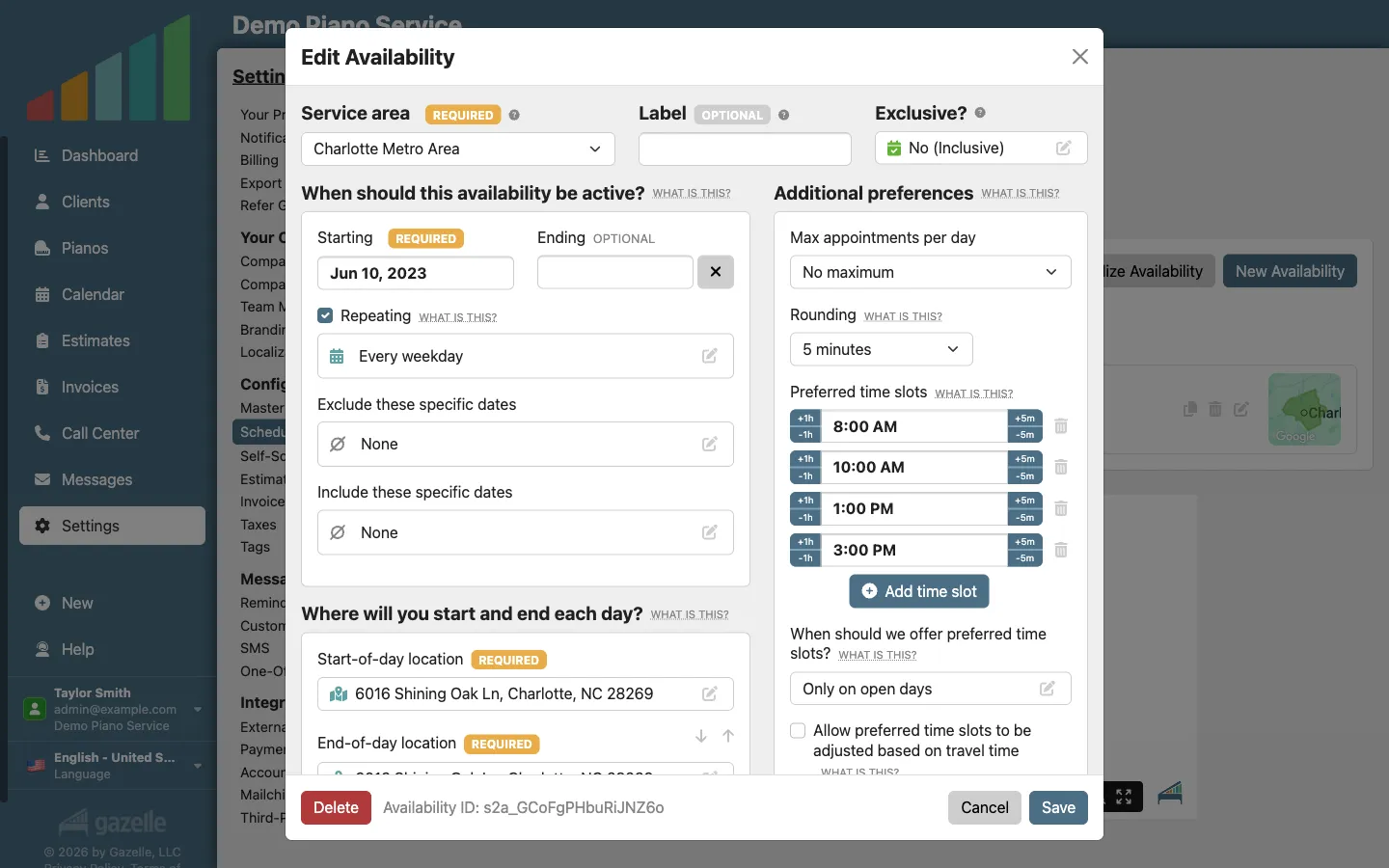
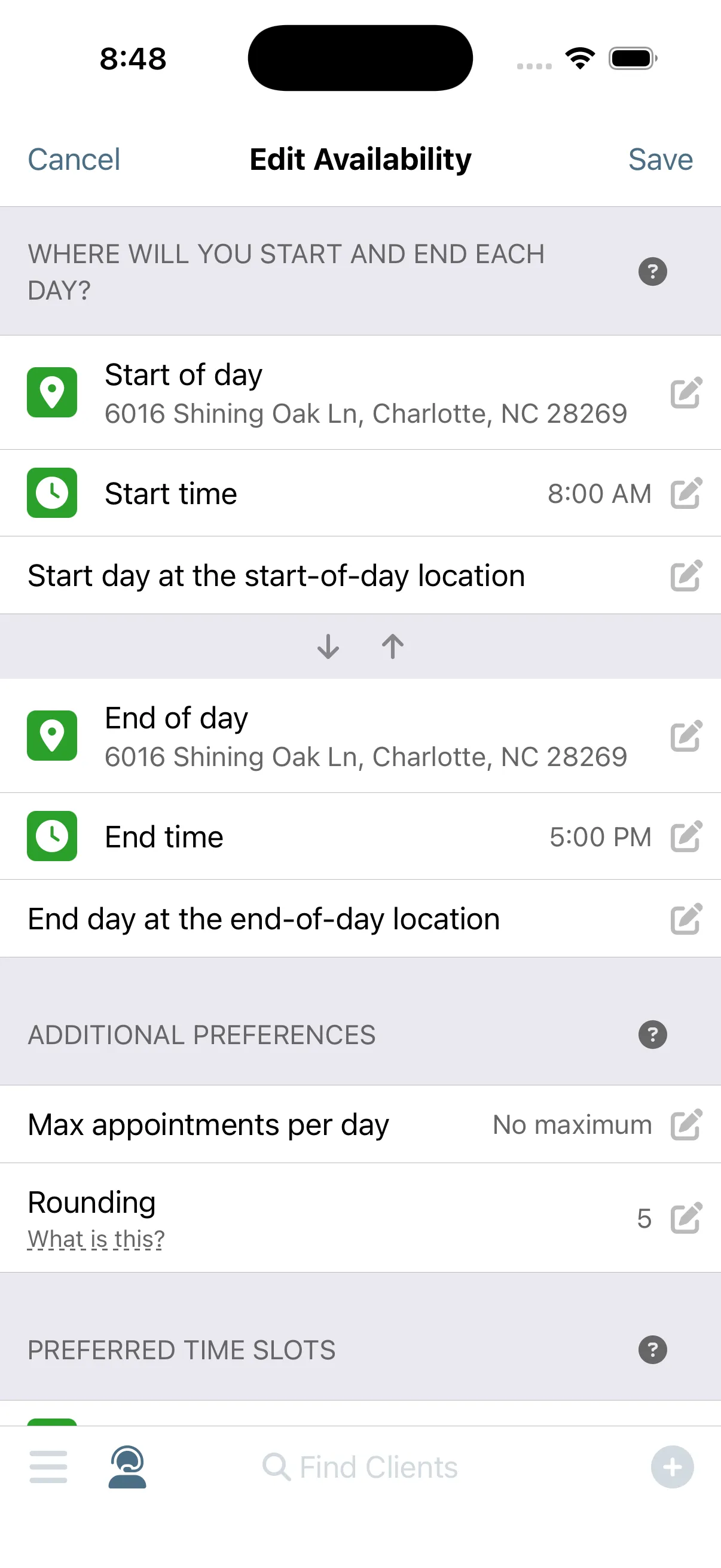
Set your availability.
When do you want to work? Tell Gazelle. Set the days and hours you take appointments, and no booking lands outside them. Your synced personal calendar counts too: Thursday's dentist appointment blocks that slot before anyone can ask for it.
2-Way External Calendar SyncSmart Scheduling
-
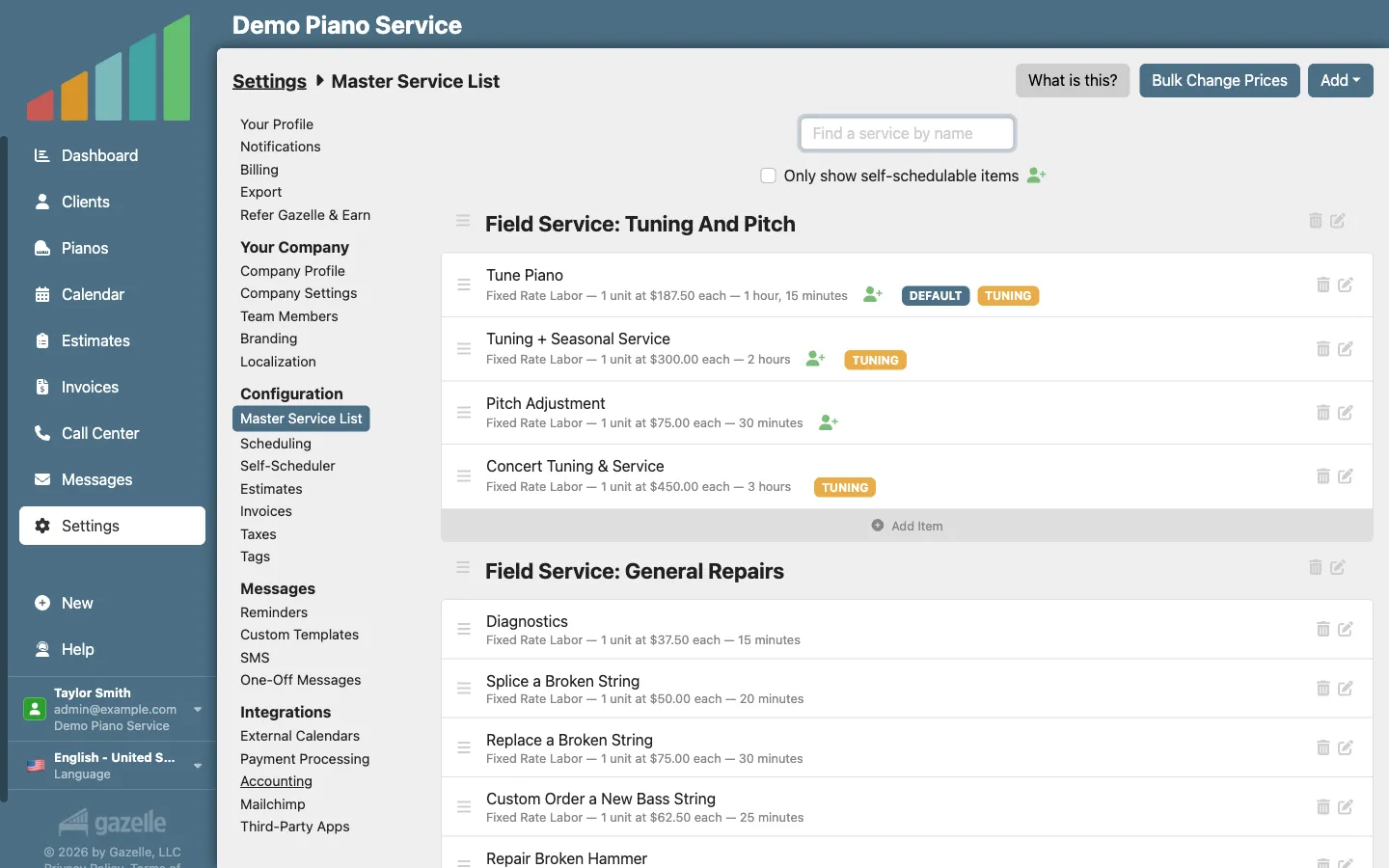
Define your services.
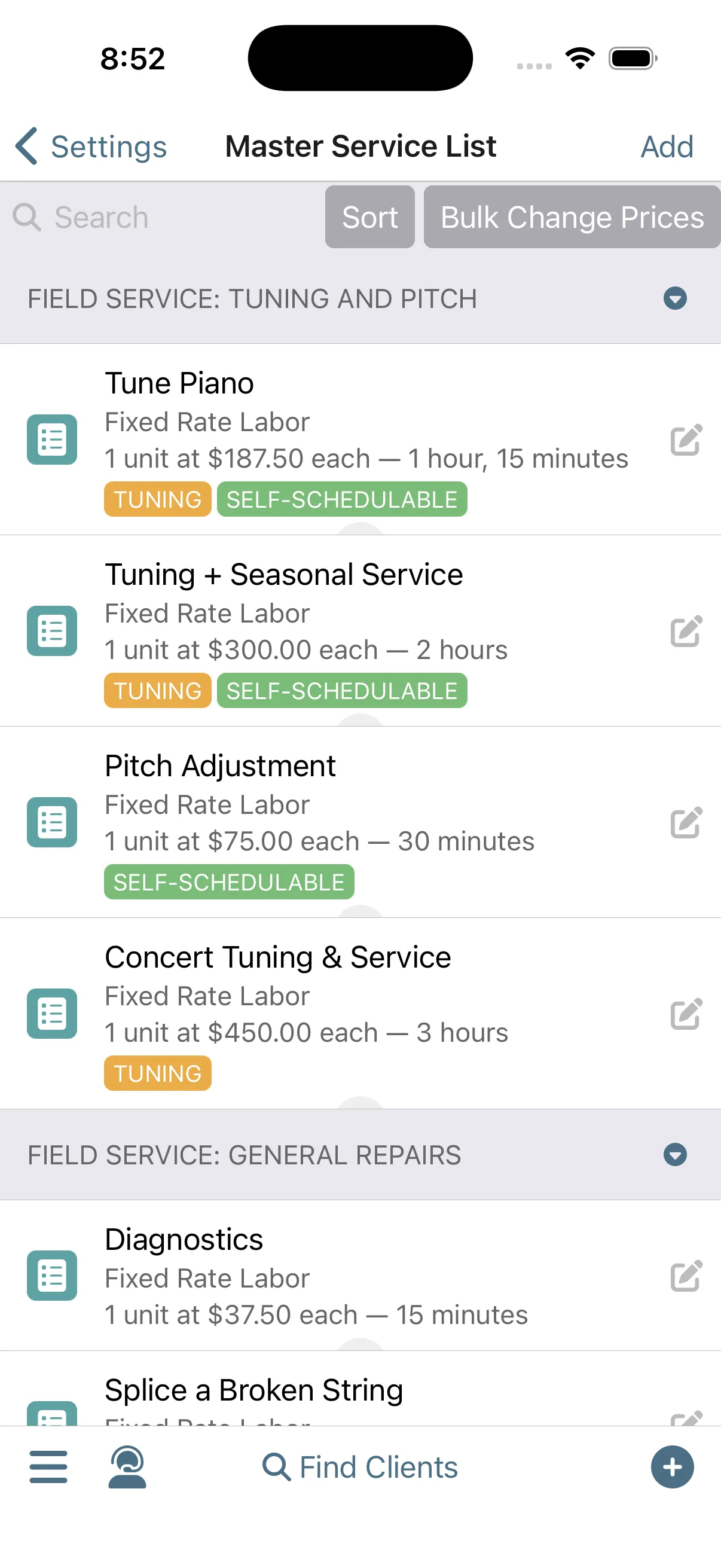
List what you offer and how long each service takes. Those durations are how Gazelle plans a real day: a tuning and a minor repair need a 90-minute opening, and the scheduler knows it before offering the slot.
Master Service List
-
Smart Routes ranks every open slot.
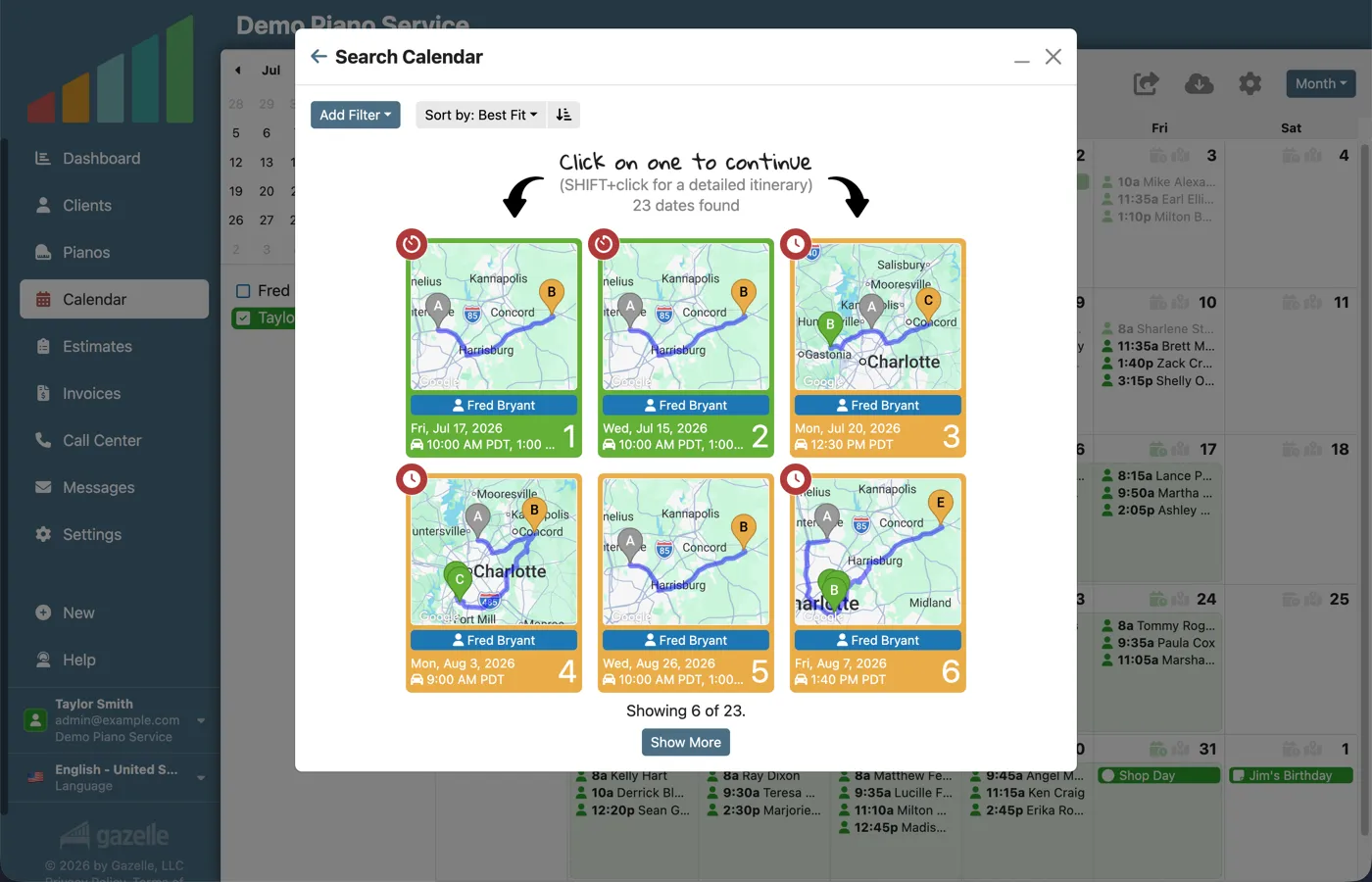
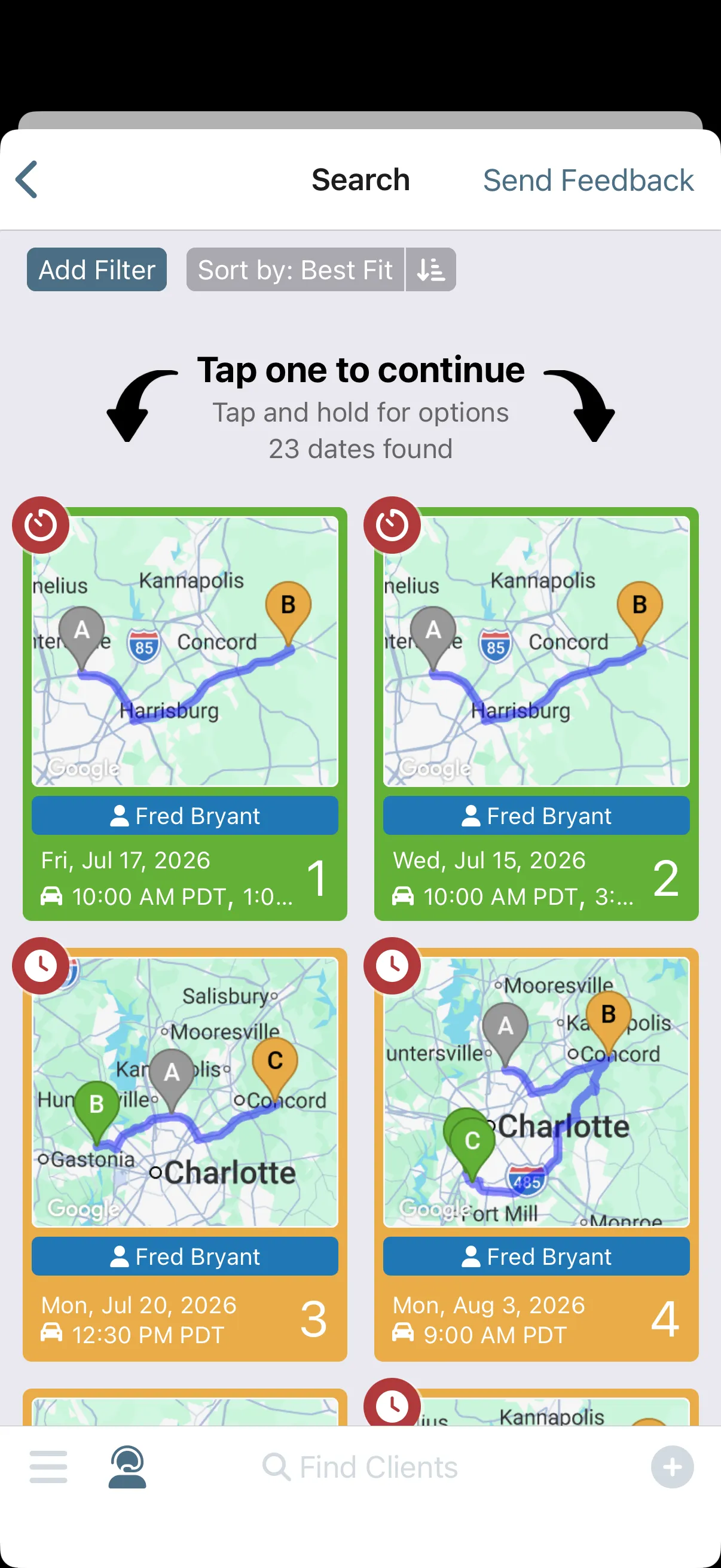
That setup is everything Smart Routes needs. Search for an opening, or let a client search your online scheduler, and every candidate slot is checked against the day's actual route, weighing more than you could ever hold in your head mid phone call. The answer comes back simplified to green, yellow, or red. Offer any green slot with confidence: it's already on your way.
Smart SchedulingOnline Self Scheduler and Reservations
-
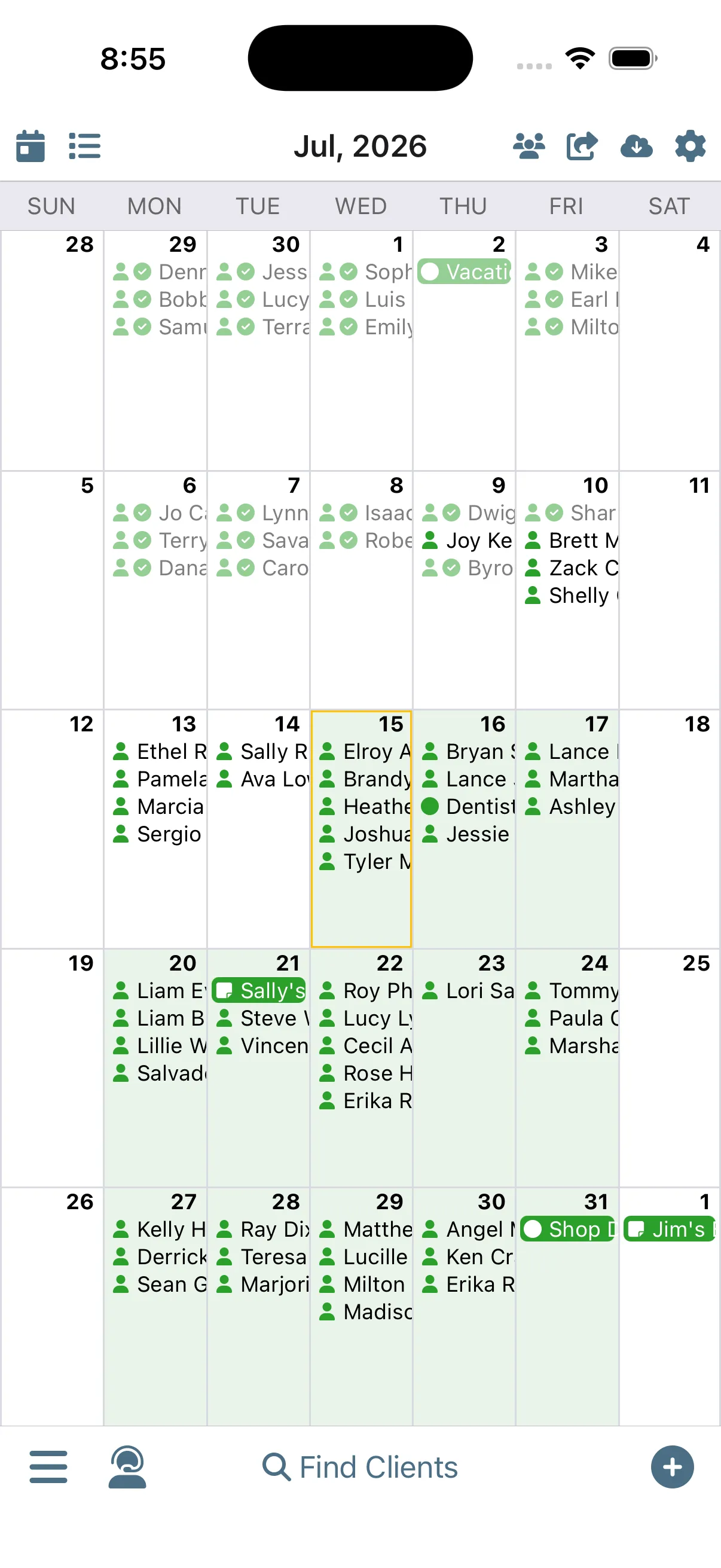
Your monthly calendar is efficiently filled.
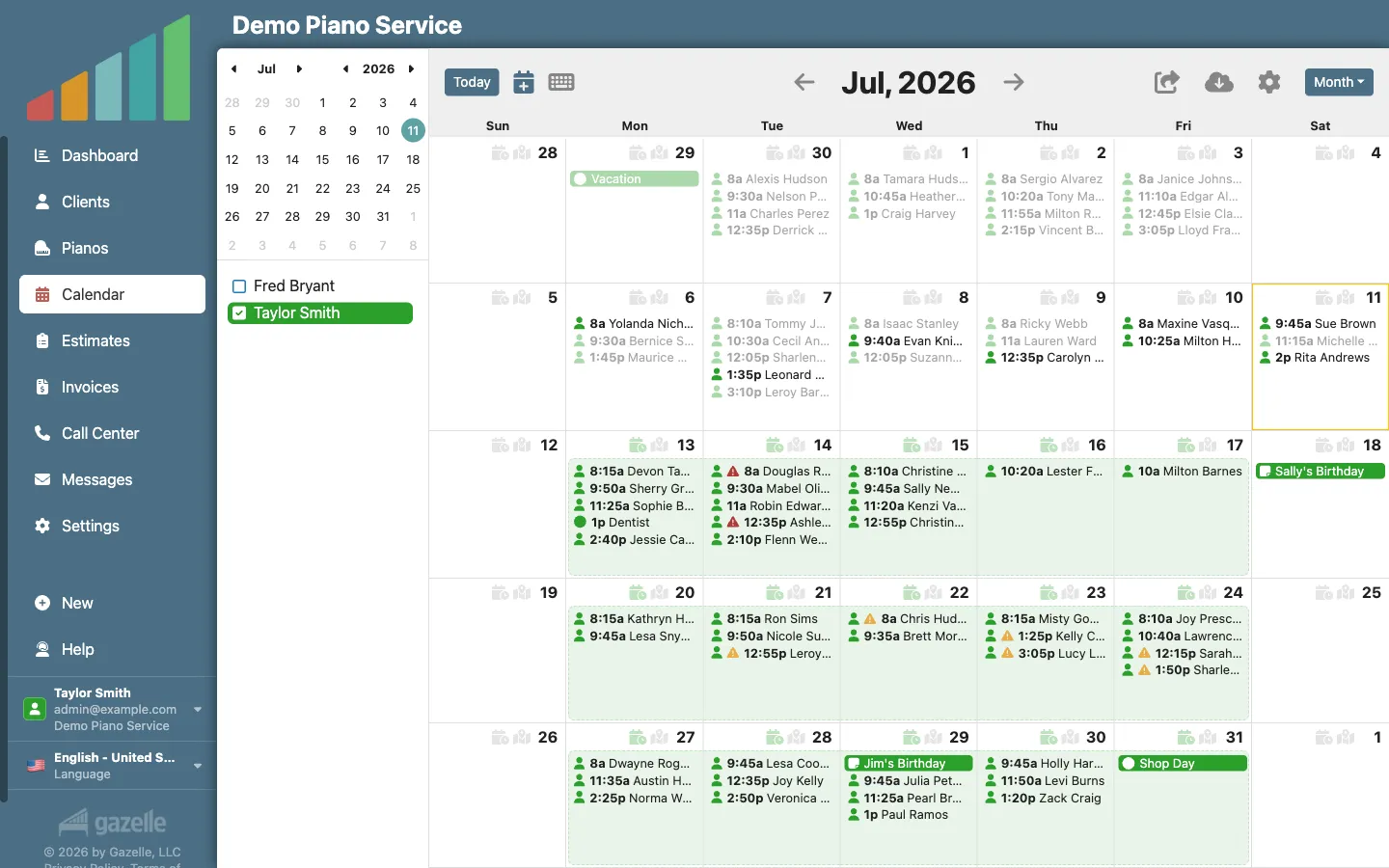
Every small green choice compounds. New bookings chain onto days you already have instead of landing across town, so whole neighborhoods end up sharing a day on your calendar. You didn't plan any of it; you just kept picking green.
Smart SchedulingOnline Self Scheduler and ReservationsCalendar and Itinerary
-
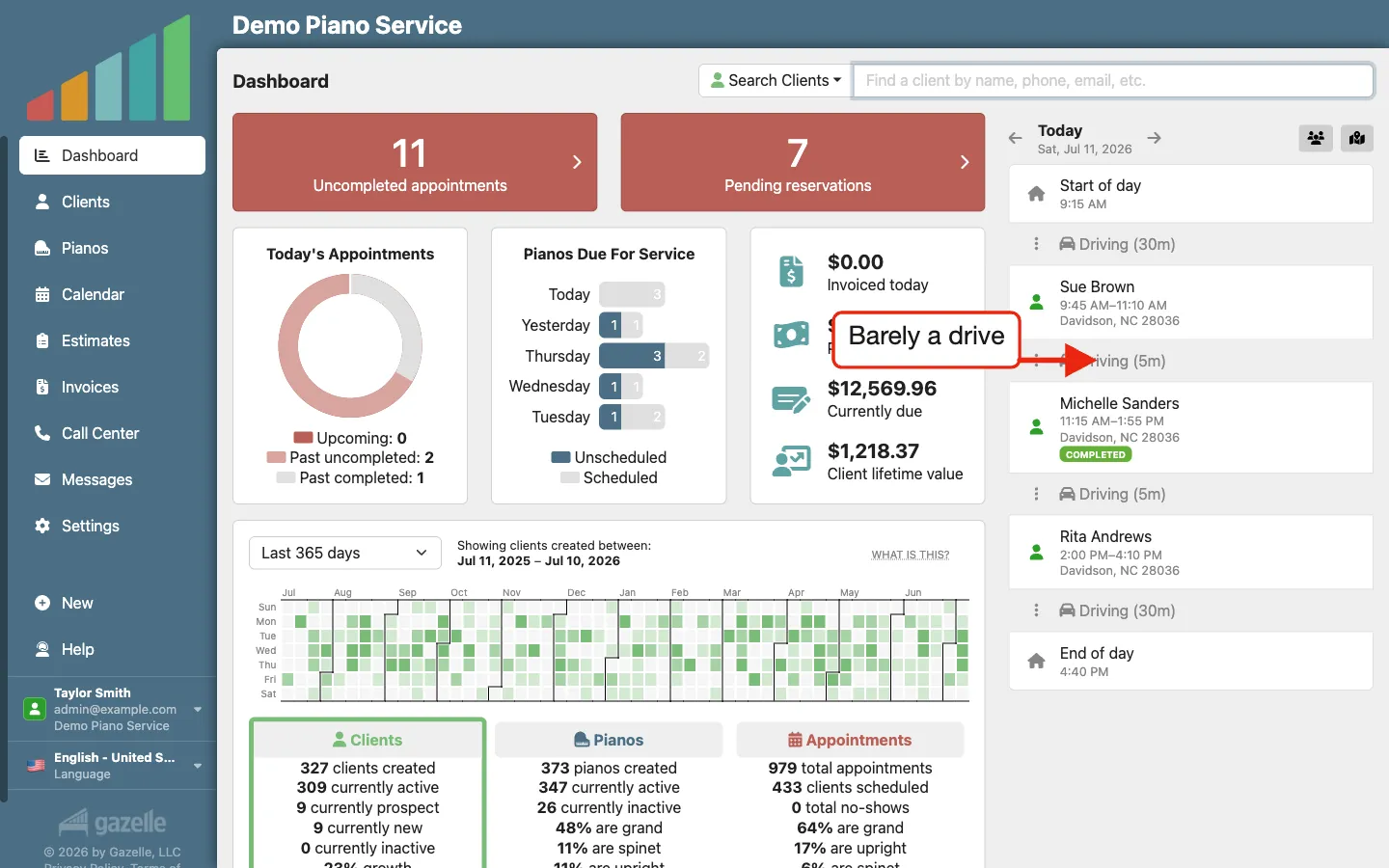
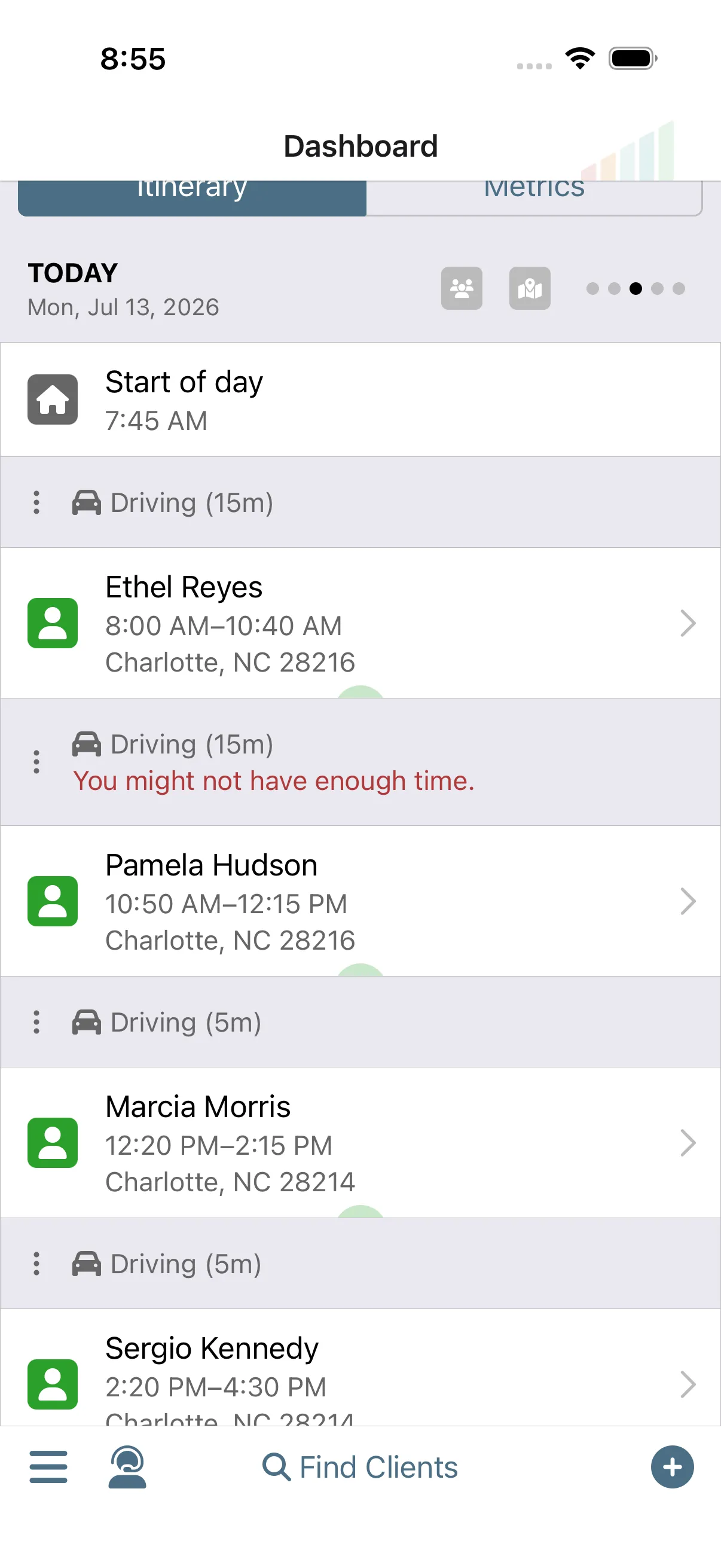
A short drive to the next appointment.
The payoff shows up every morning. Your itinerary lays out the day's stops in driving order, with travel time between each one, when to leave the house, and when you'll be home. One tap opens directions in the maps app you already use.
Calendar and ItineraryMobile App with Offline Mode
Run this workflow on your own clients.
Every feature this workflow touches is included in your free trial. Free for 30 days, cancel anytime.
Features used in this workflow: 2-Way External Calendar SyncMaster Service ListSmart SchedulingOnline Self Scheduler and ReservationsCalendar and ItineraryMobile App with Offline Mode
Related workflows
A Well-Planned Day in the Field
Run your whole day from your phone, from when to leave the house to closing every visit paid.
Turn a Gap into a Paid Visit
When a hole opens in your schedule, filter for who's due, see who's nearby on the Client Map, and make the calls that fill the gap.
Prevent the No-Show
Gazelle asks every client to confirm ahead of time, follows up when nobody answers, and flags the holdouts on your calendar before you drive.