
Simplify your processes.
For over a decade, Gazelle has worked alongside thousands of piano technicians, and we've seen what works and what doesn't. Each workflow on this page takes one job in your business and lays out the steps that get it done well. We automate what we can, and make what has to be done manually easy to do.
Keep Clients Coming Back
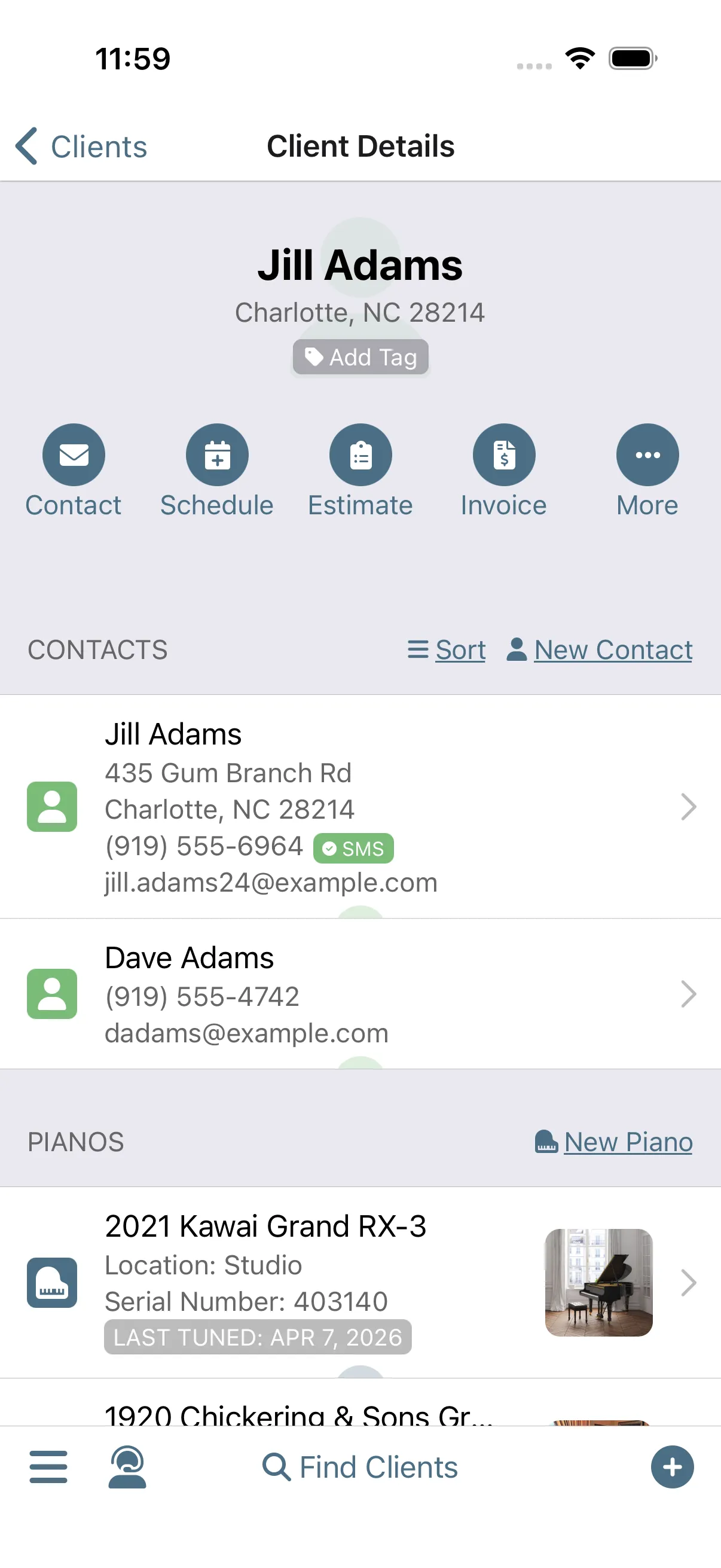
They come back, year after year. Complete an appointment and Gazelle takes it from there: it tracks when the piano comes due and sends reminders that keep following up until the client books. Every completed visit starts the countdown to the next one.
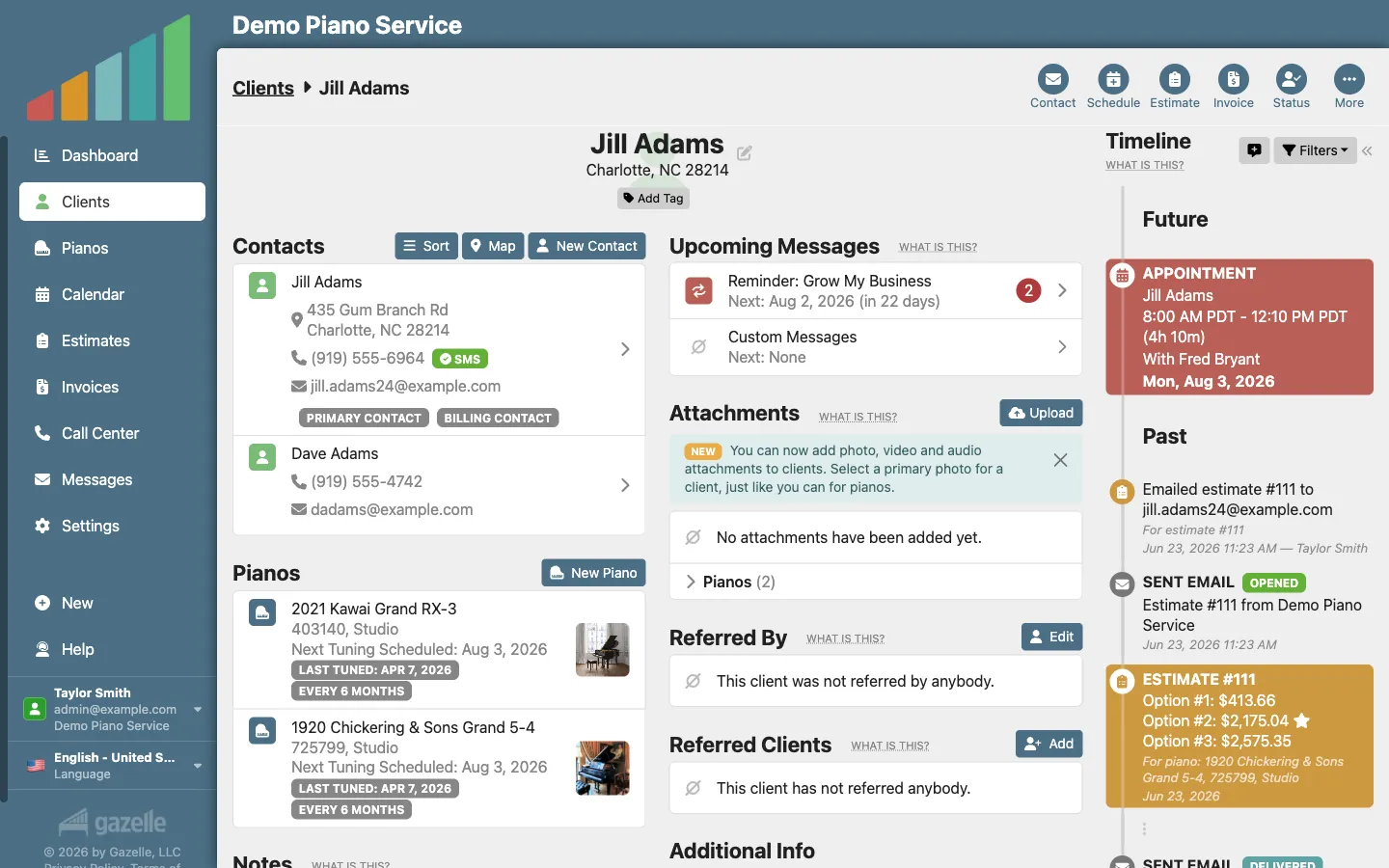
Booked While You Sleep
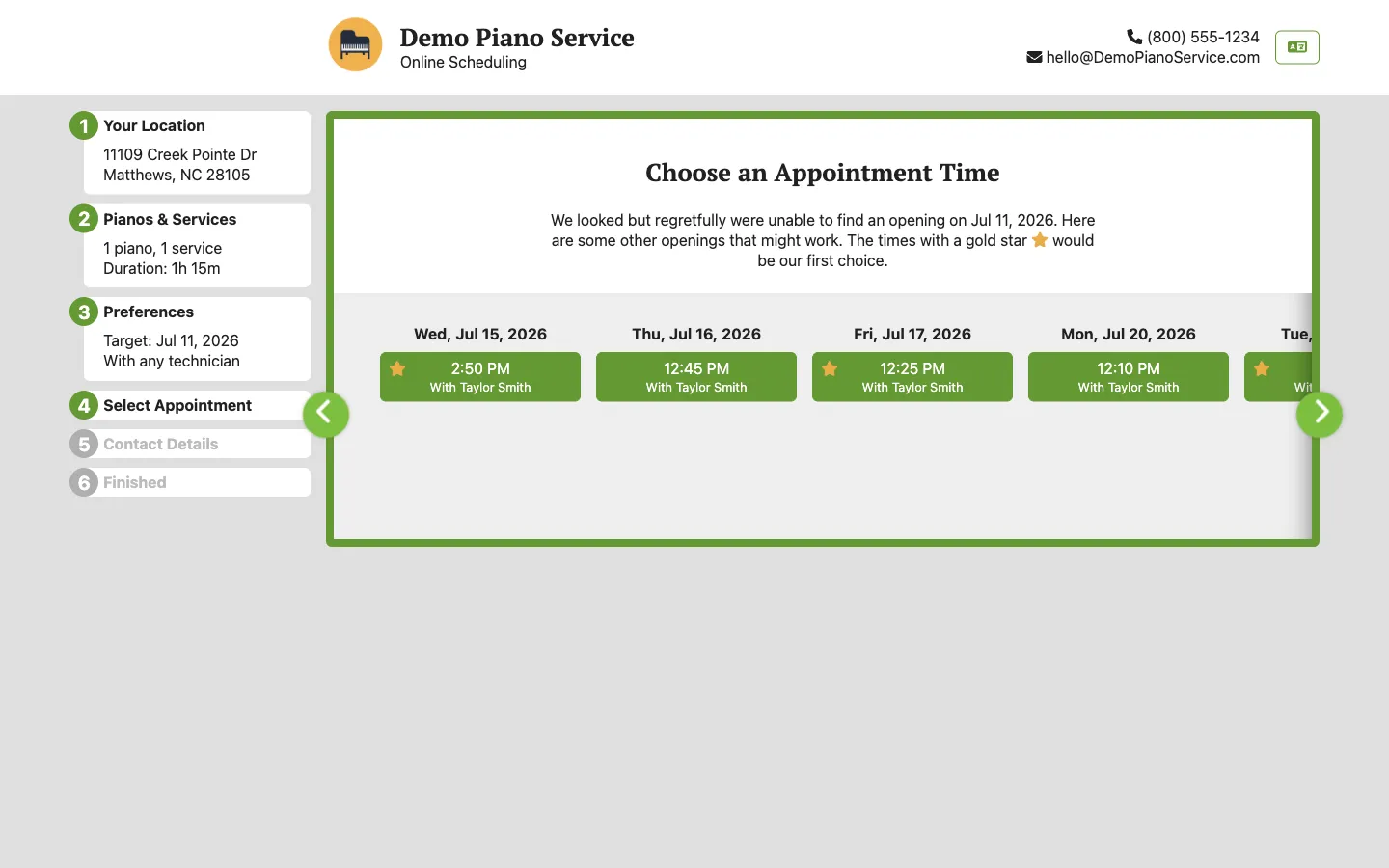
Your calendar is filled without you having to pick up the phone. A new client finds your booking link on your website or your Google profile, and the self-scheduler offers only times that fit your day: their preference, your rules. One approval later, the stranger is a client on your calendar.
Resurrecting Ghosted Clients
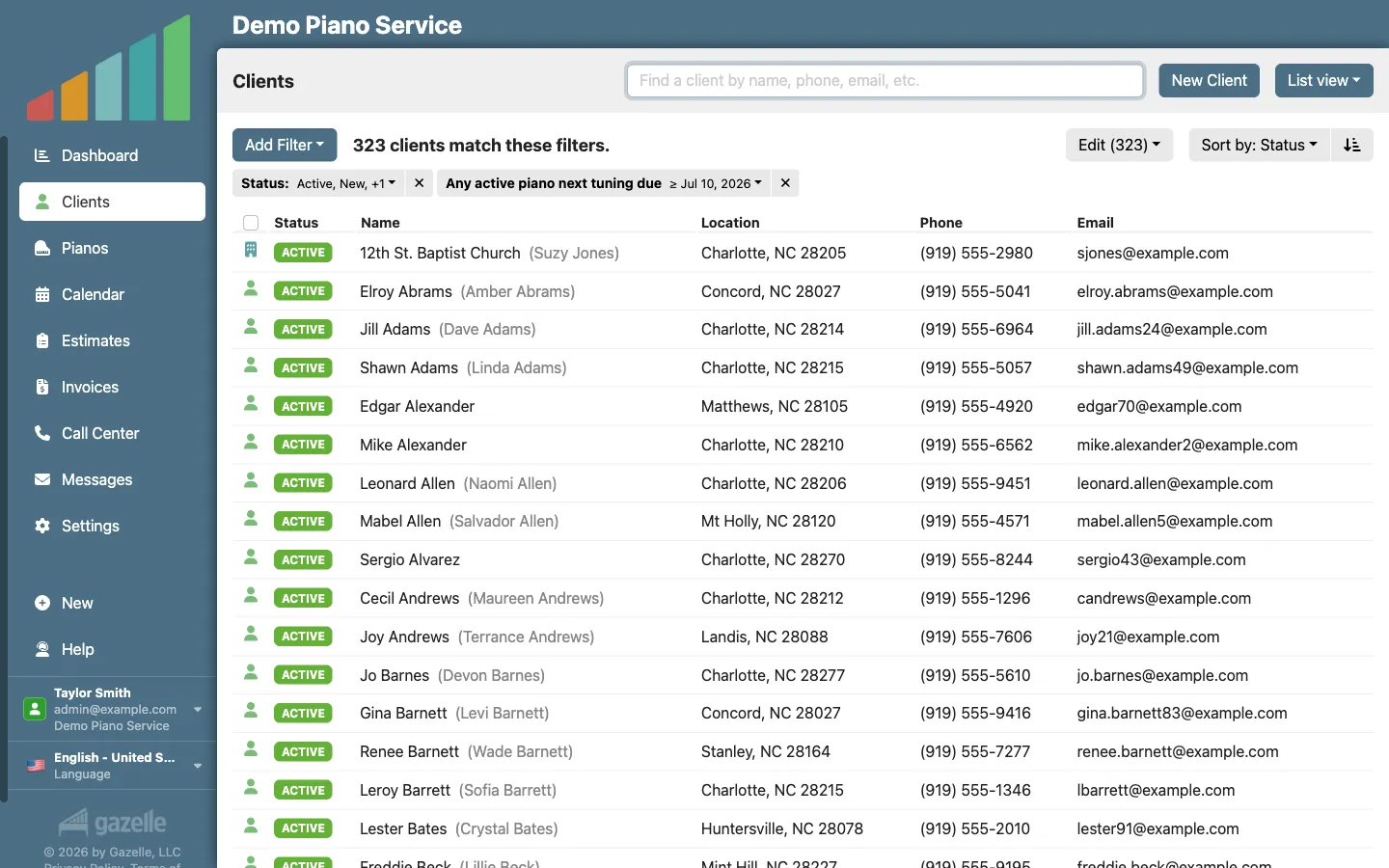
Some clients quietly ghost you. Filter to everyone you haven't serviced in years, send each their own booking link in one campaign, and inactivate them so you don't pay for clients you may never see again. When one books, your approval brings them back, history and all.
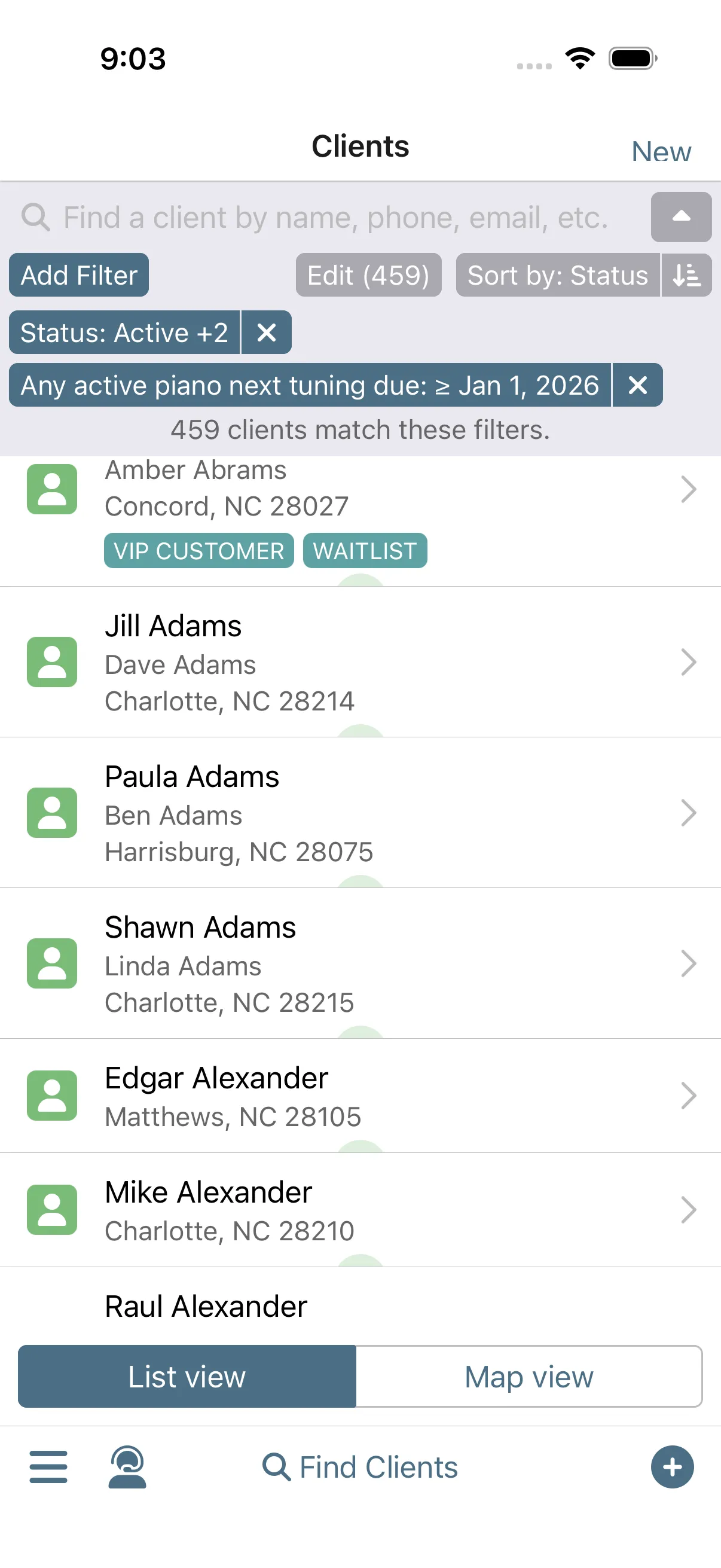
Turn a Gap into a Paid Visit
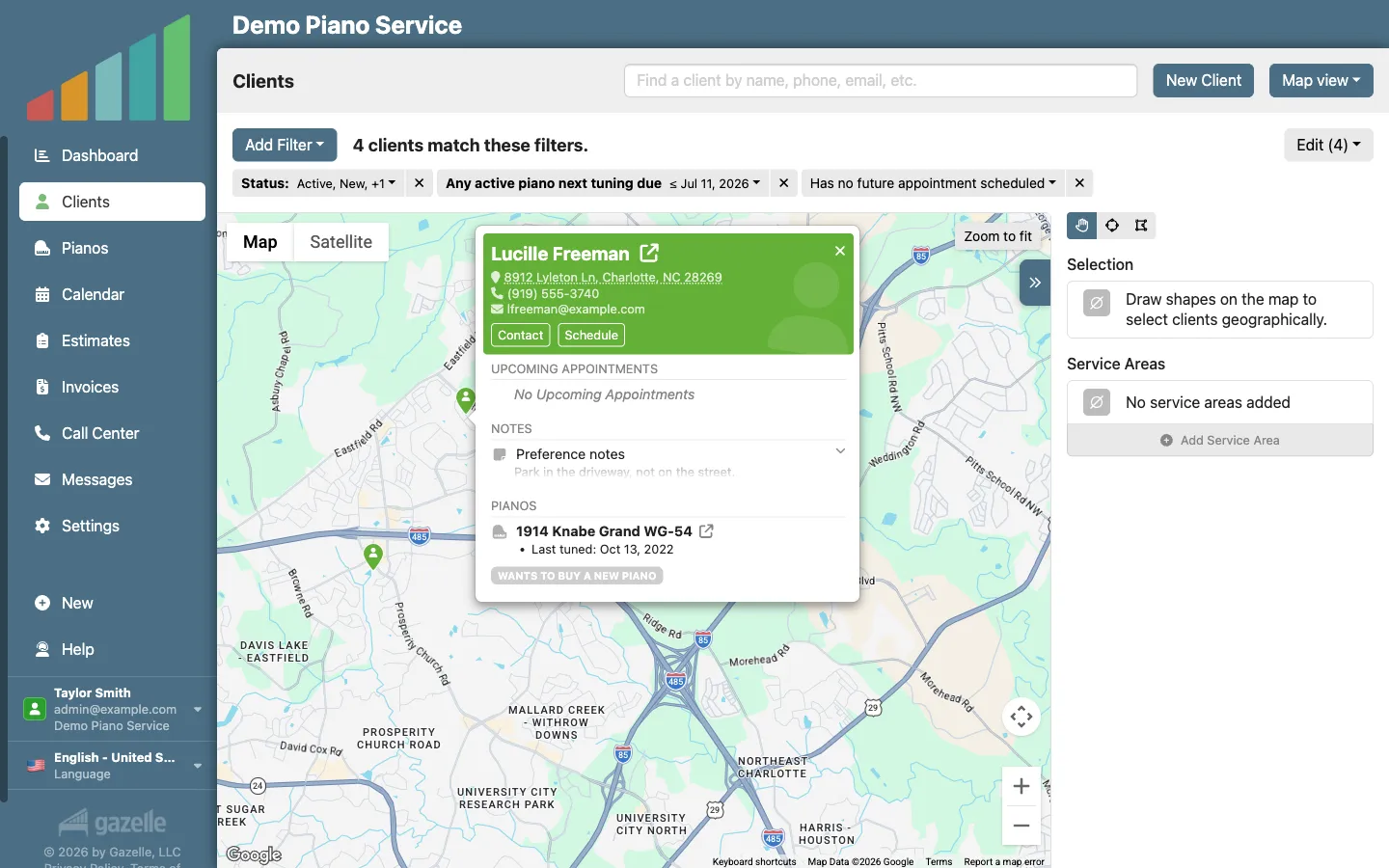
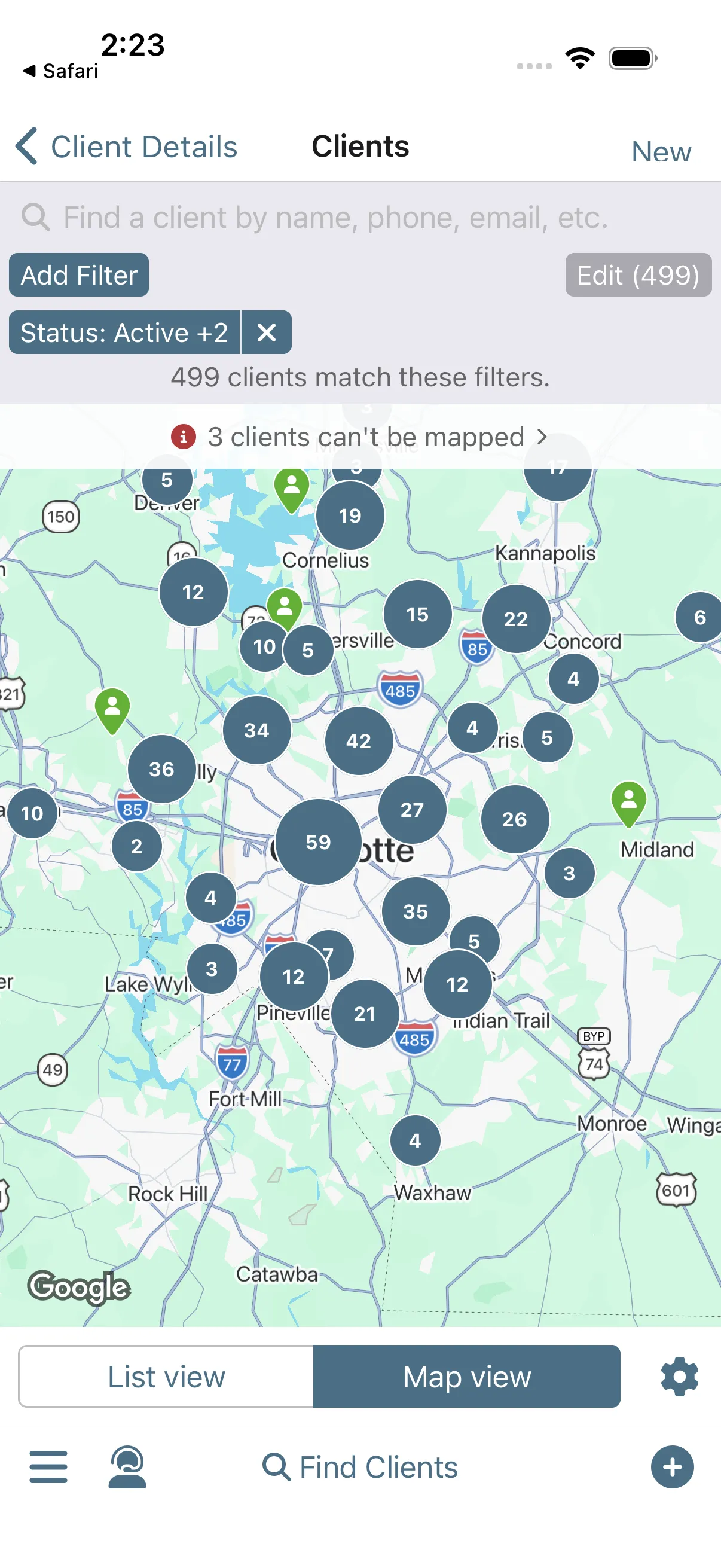
A gap opens in your week and you'd rather not wait for the self-scheduler to fill it. Filter for who's due, and their pins are sitting on the map right around your other stops. Reach out straight from the pin, and an empty slot becomes a paid visit.
Techs will tell you themselves.
One-Button Invoicing
Paid before you pull out of the driveway. One button turns the completed appointment into an invoice, taxes calculated and ready to send. The client pays from their device, and you're notified the moment the money lands.
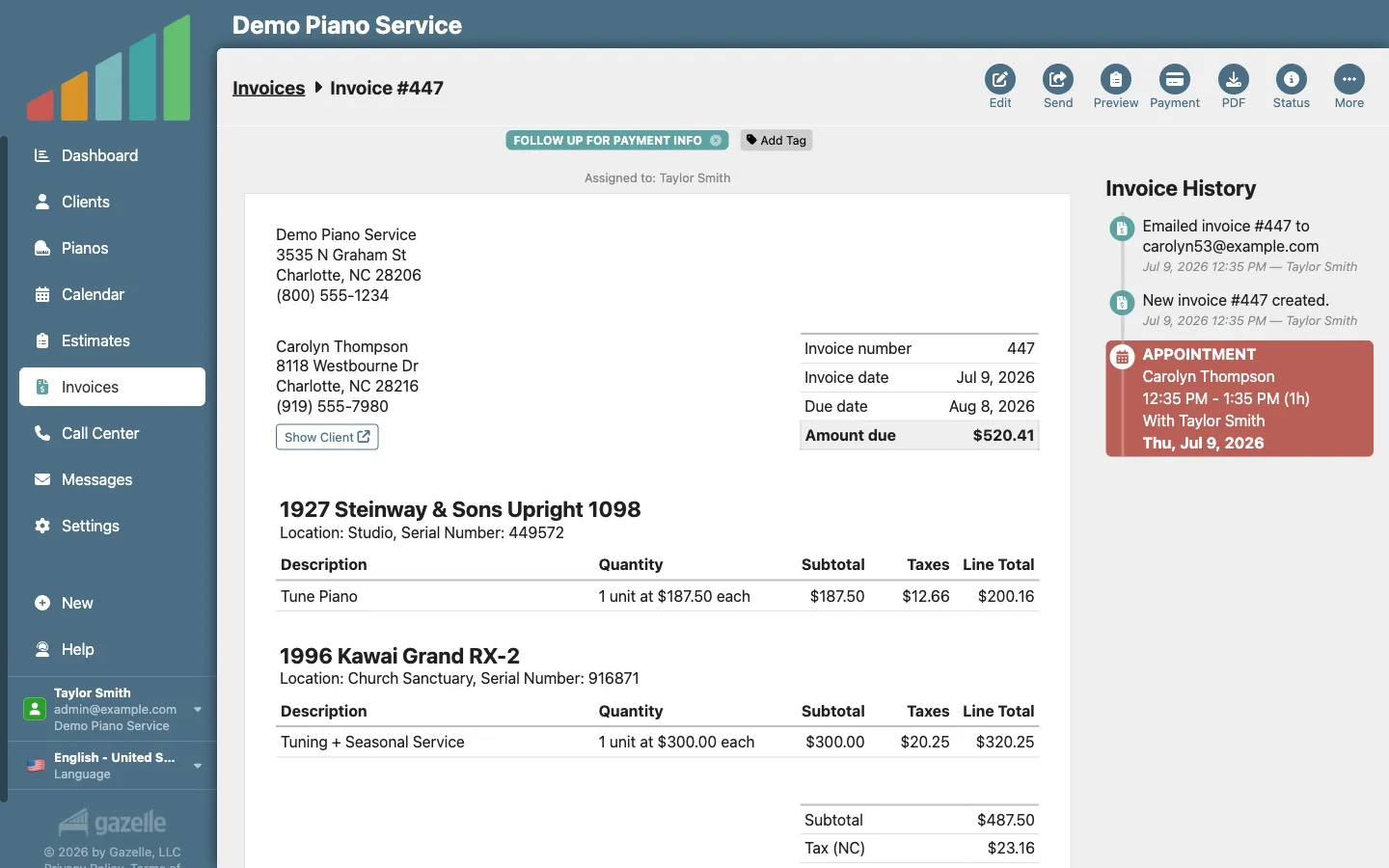
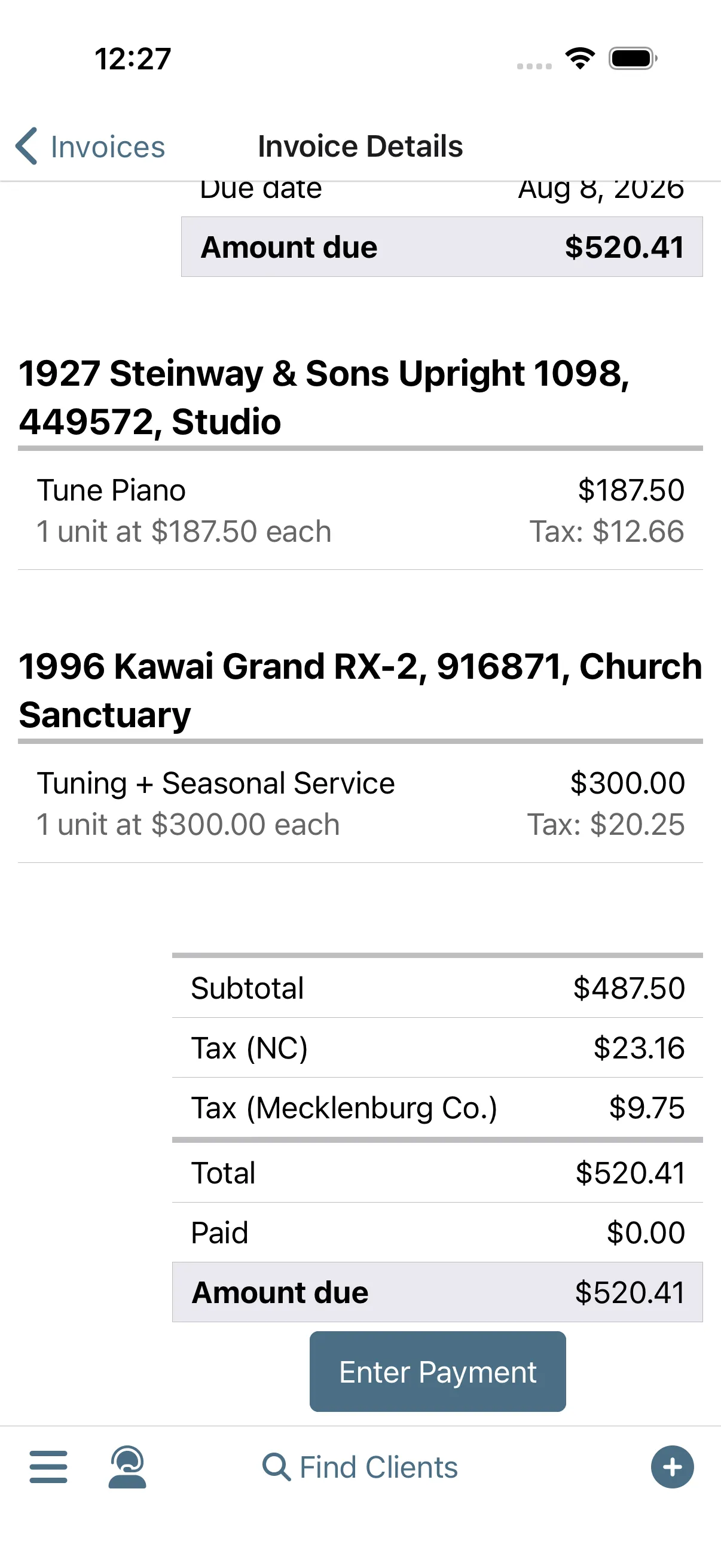
Get Paid Faster
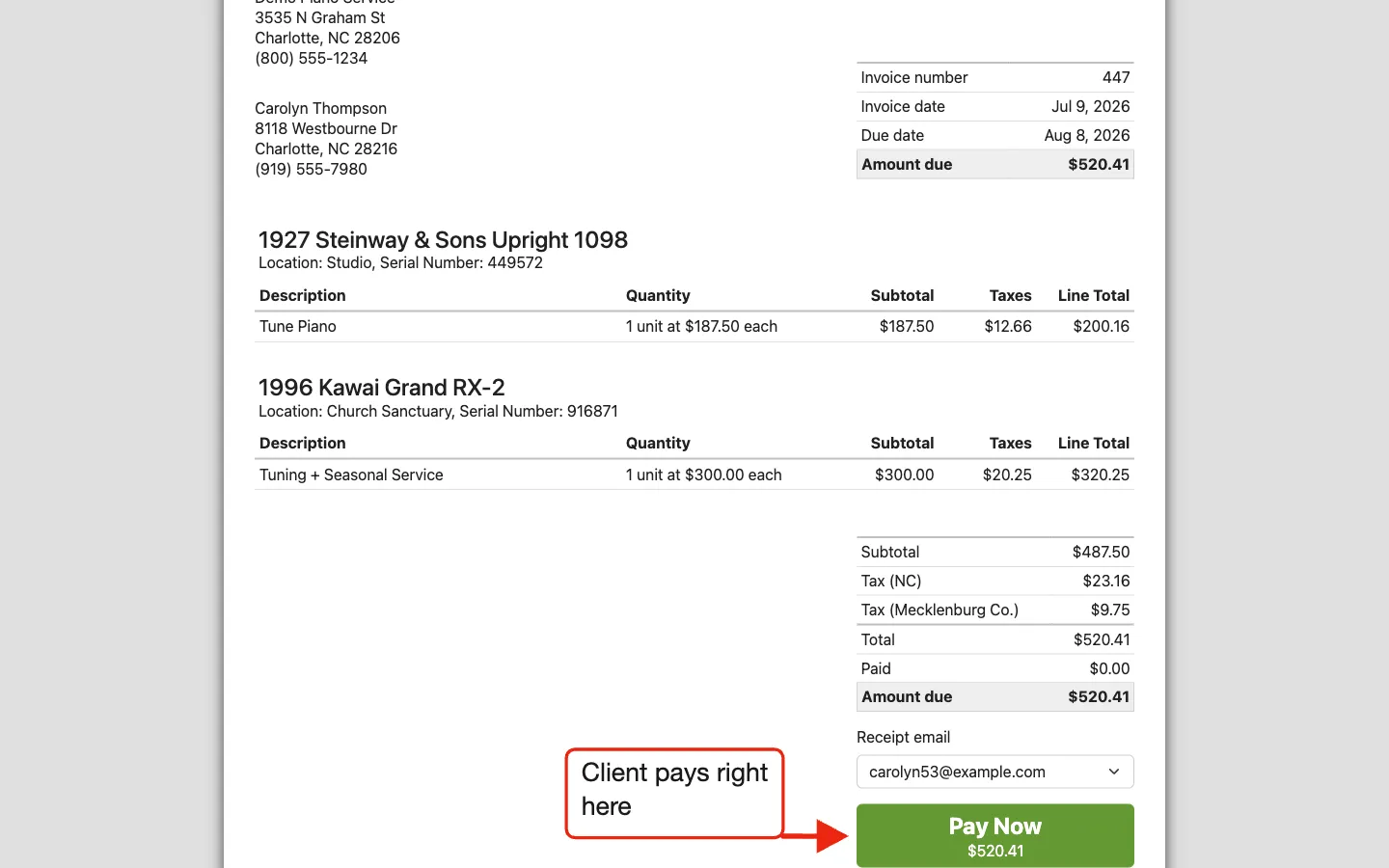
The check in the mail is optional now. Send the invoice, and the client taps Pay Now right on their own device: the payment is recorded on the invoice, you're notified, and Stripe deposits the money straight into your bank account.
From Quote to Cash
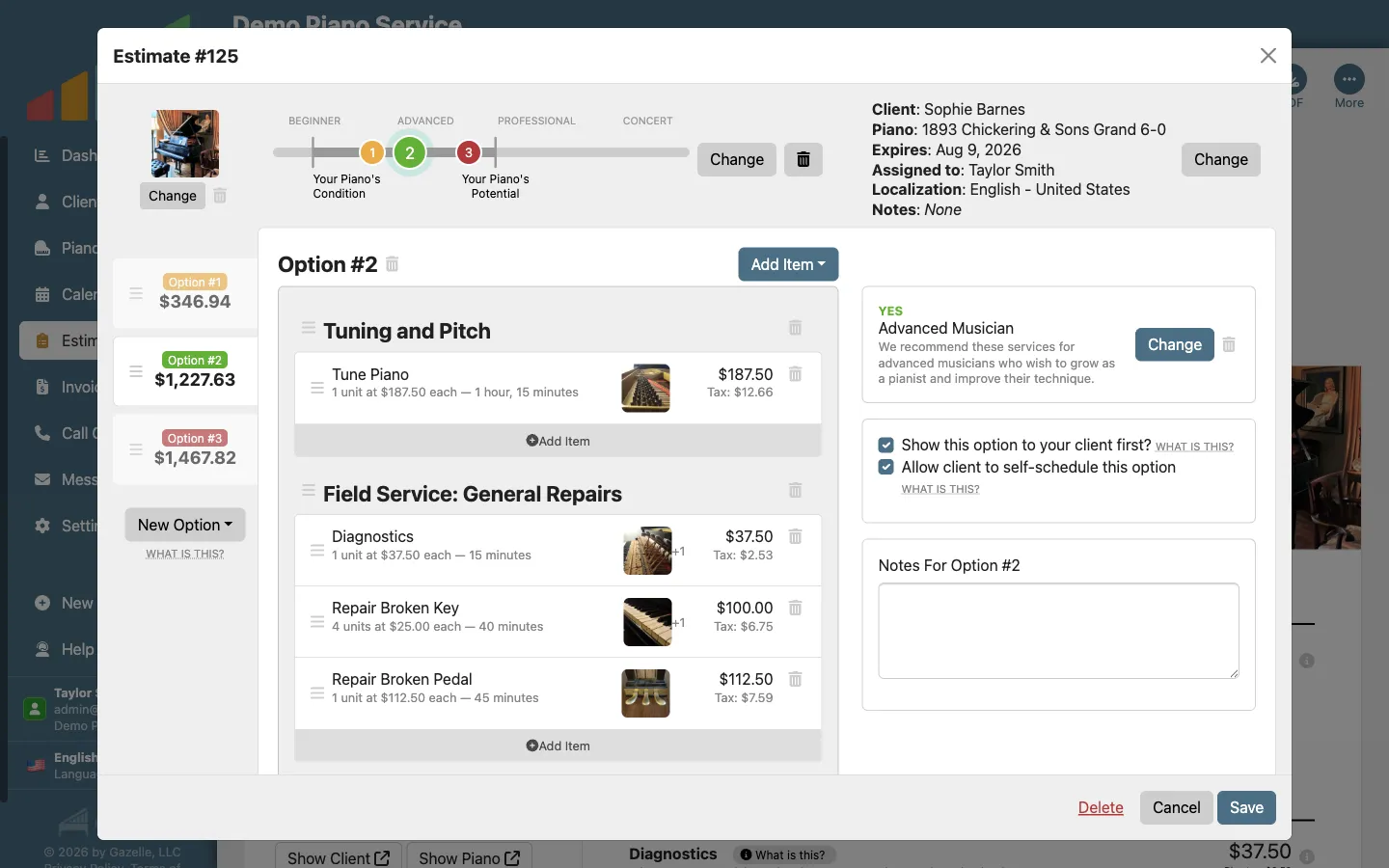
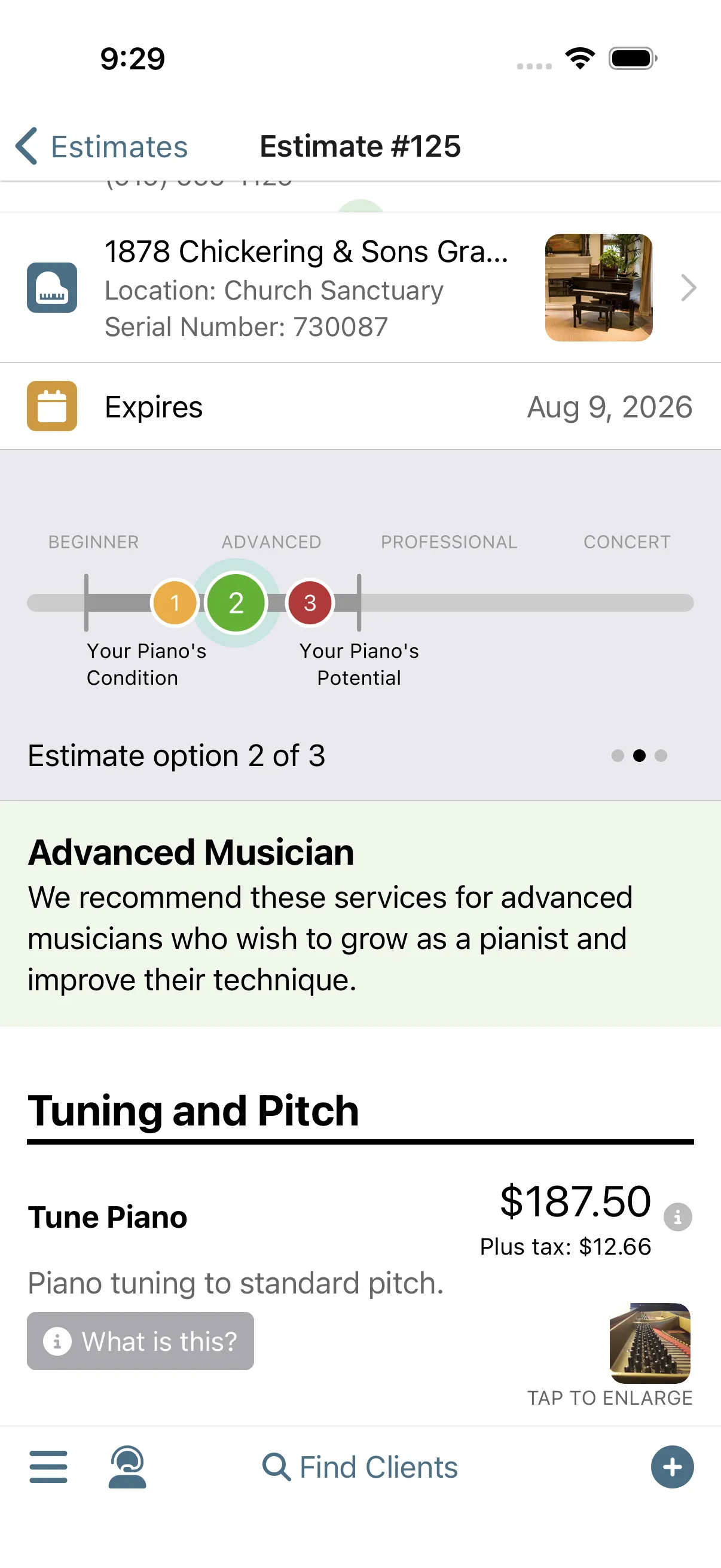
Quote bigger work and win more of it. Build a good-better-best estimate right at the piano and let the estimate do the selling. The client books the work from their kitchen table, and the invoice comes straight from the estimate.
Make Your Accountant Happy
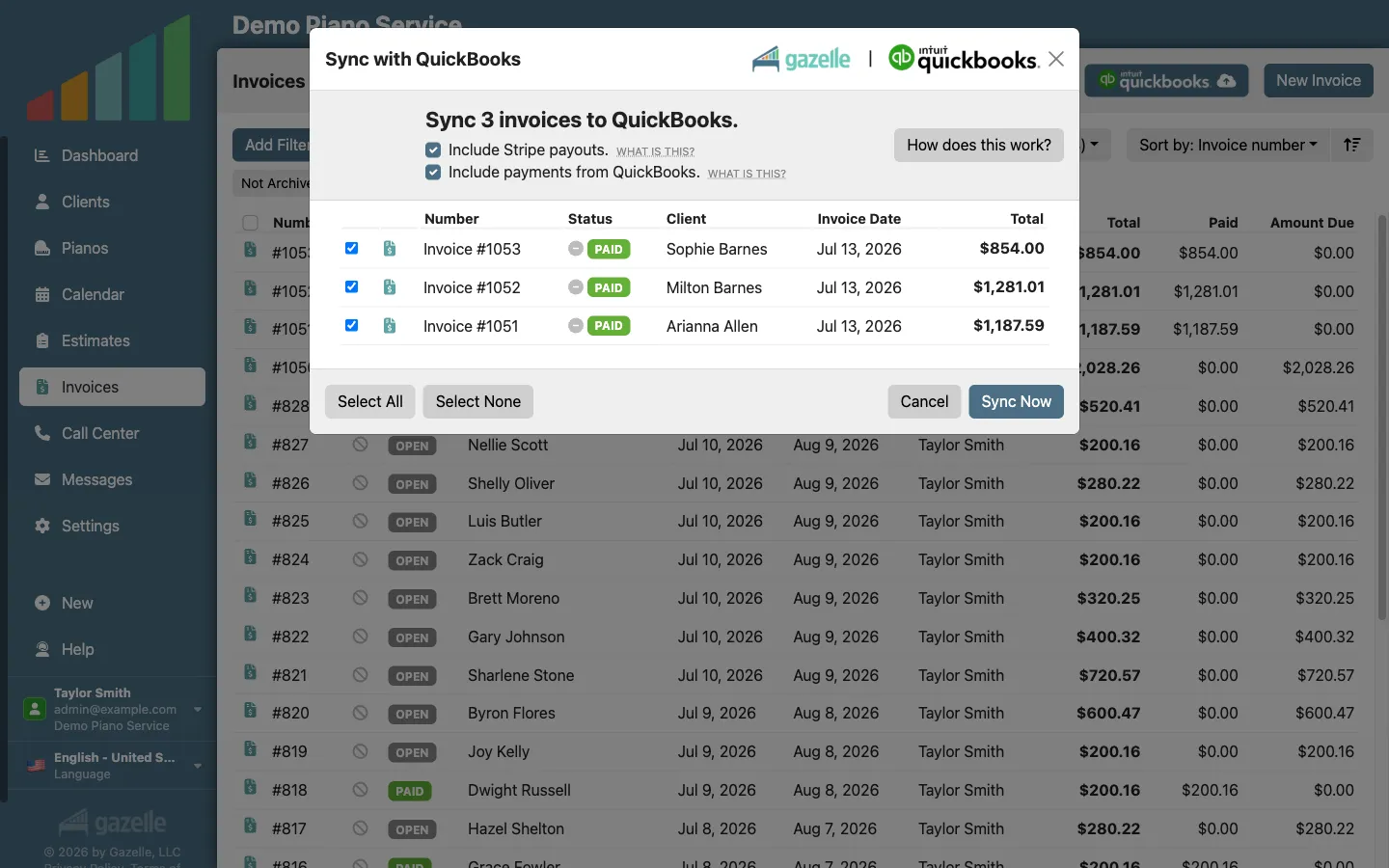
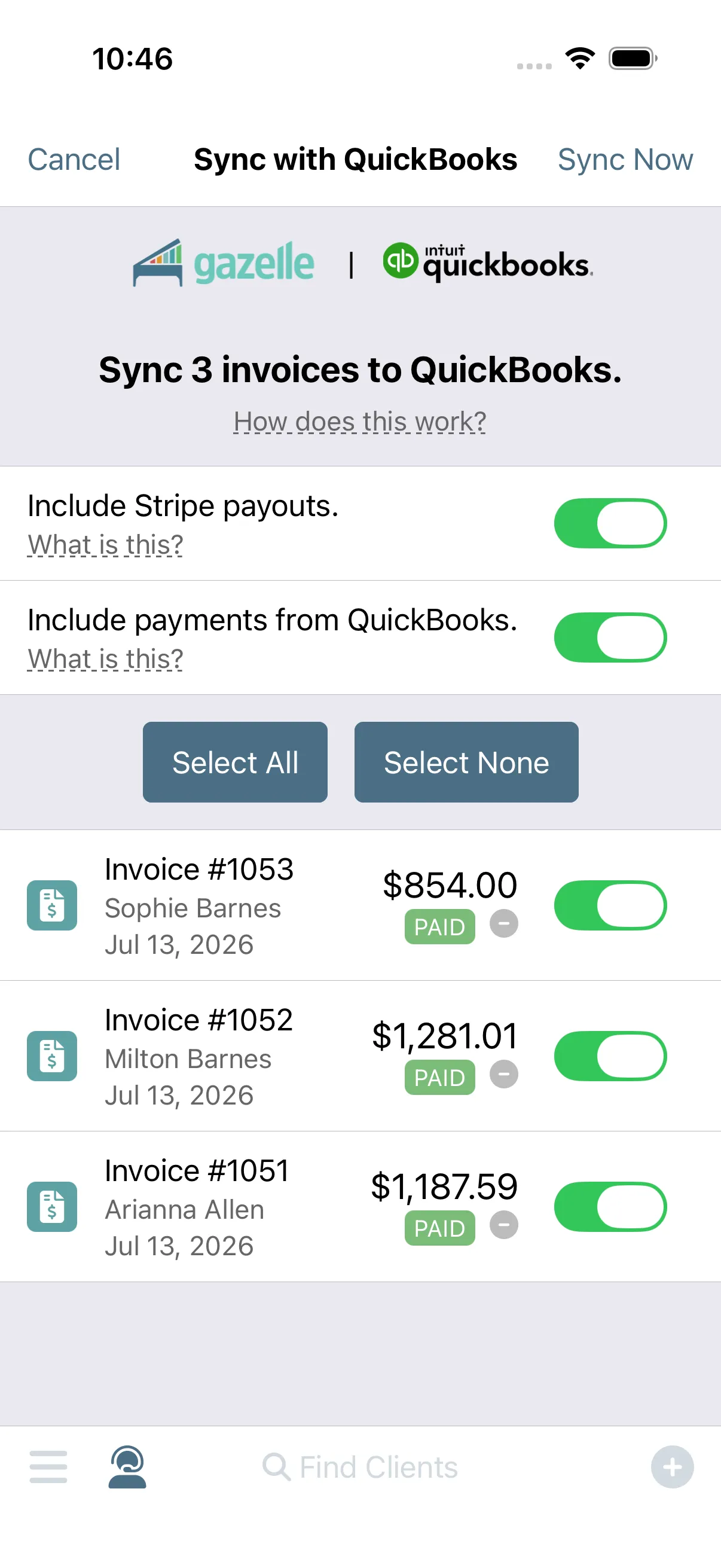
Sync your invoices, payments, and Stripe payouts to QuickBooks Online in two clicks: taxes mapped, fees broken out, no duplicates. Your books are current before you're home.
Want to stop reading and just try it?
Free for 30 days, cancel anytime. We'll import and clean up your client list for free.
A Well-Planned Day in the Field
Your day is planned before breakfast. Open the app to today's itinerary in driving order: when to leave the house, what each piano needs, and directions one button away. End each visit paid and closed out, then drive away knowing the reminders will bring the client back.
More Service Calls, Fewer Miles
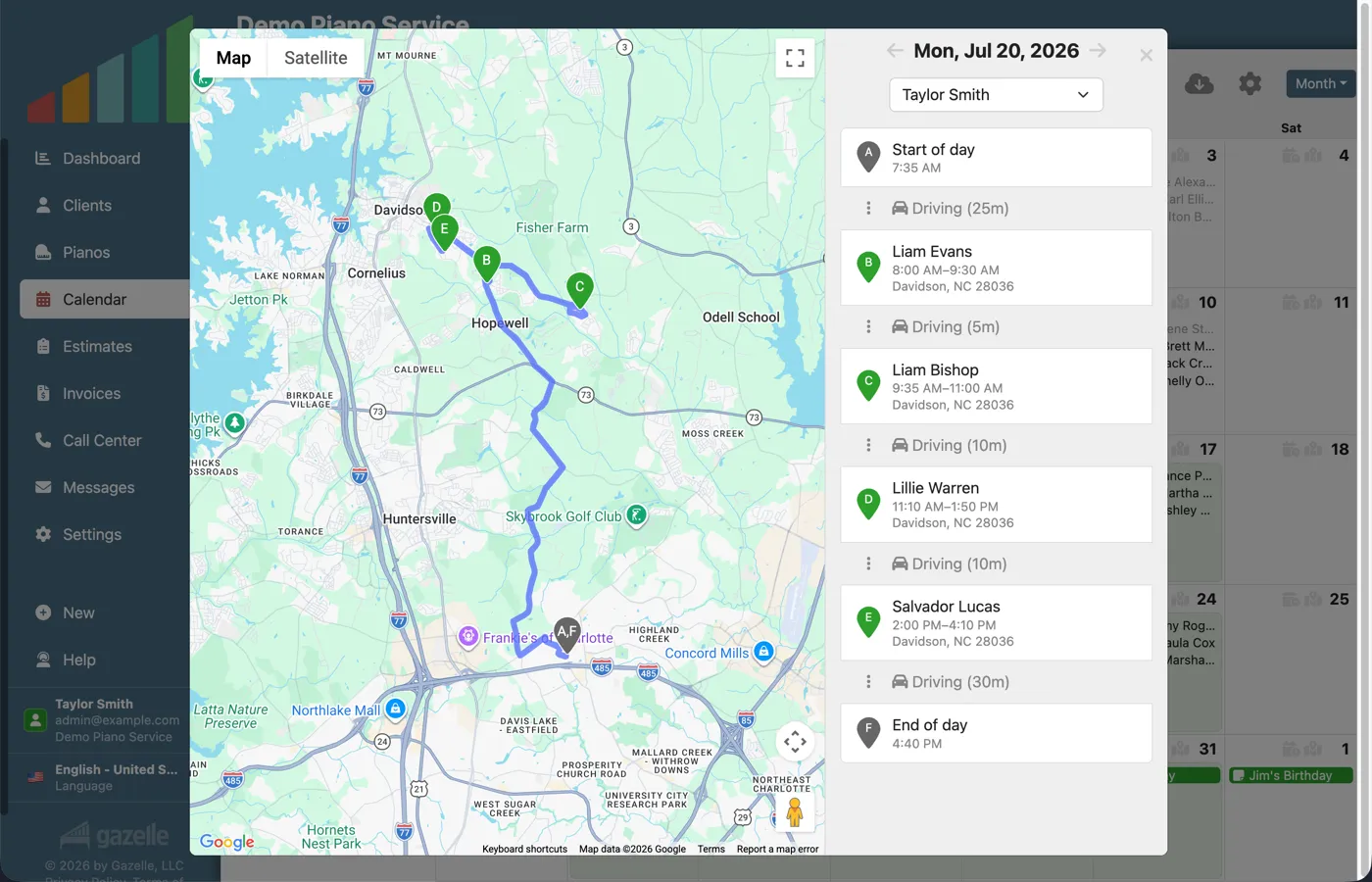
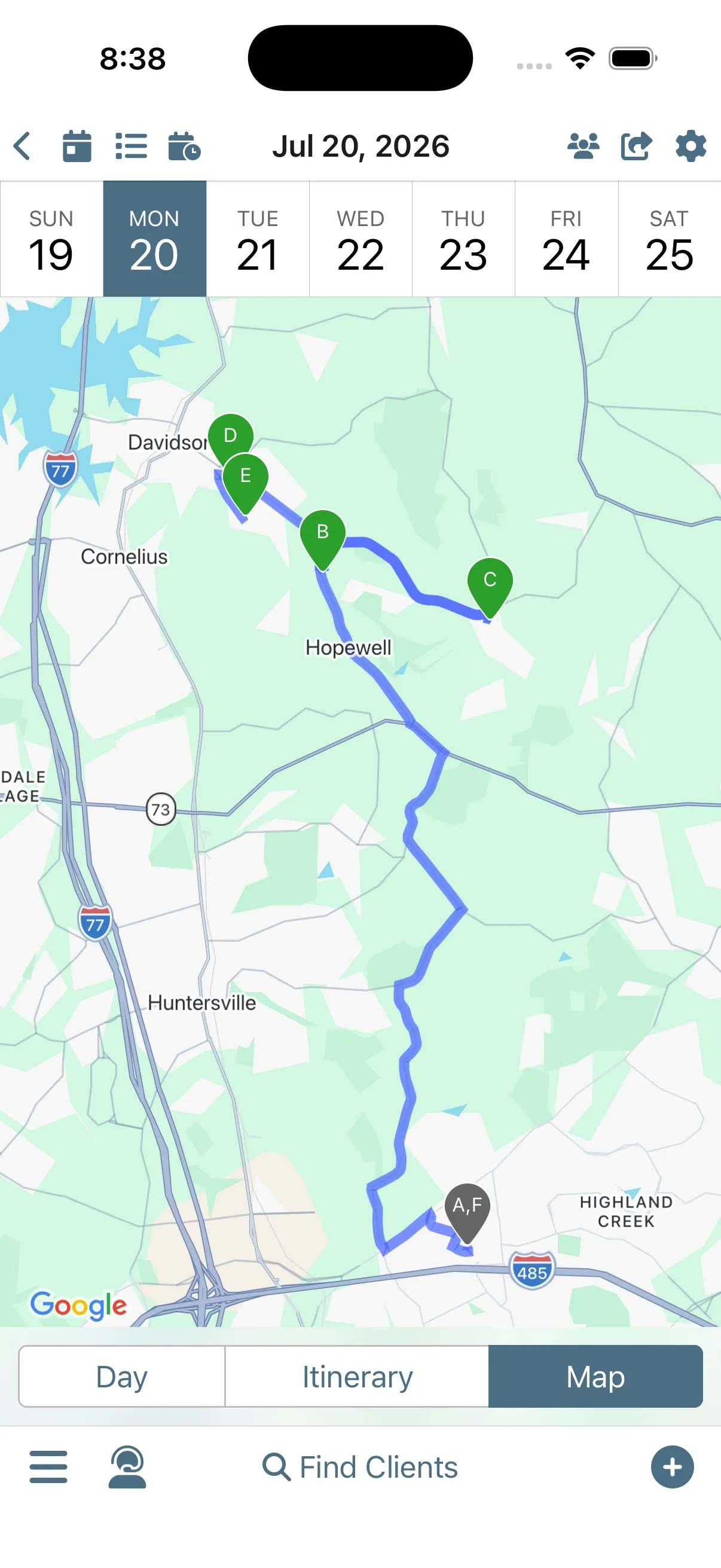
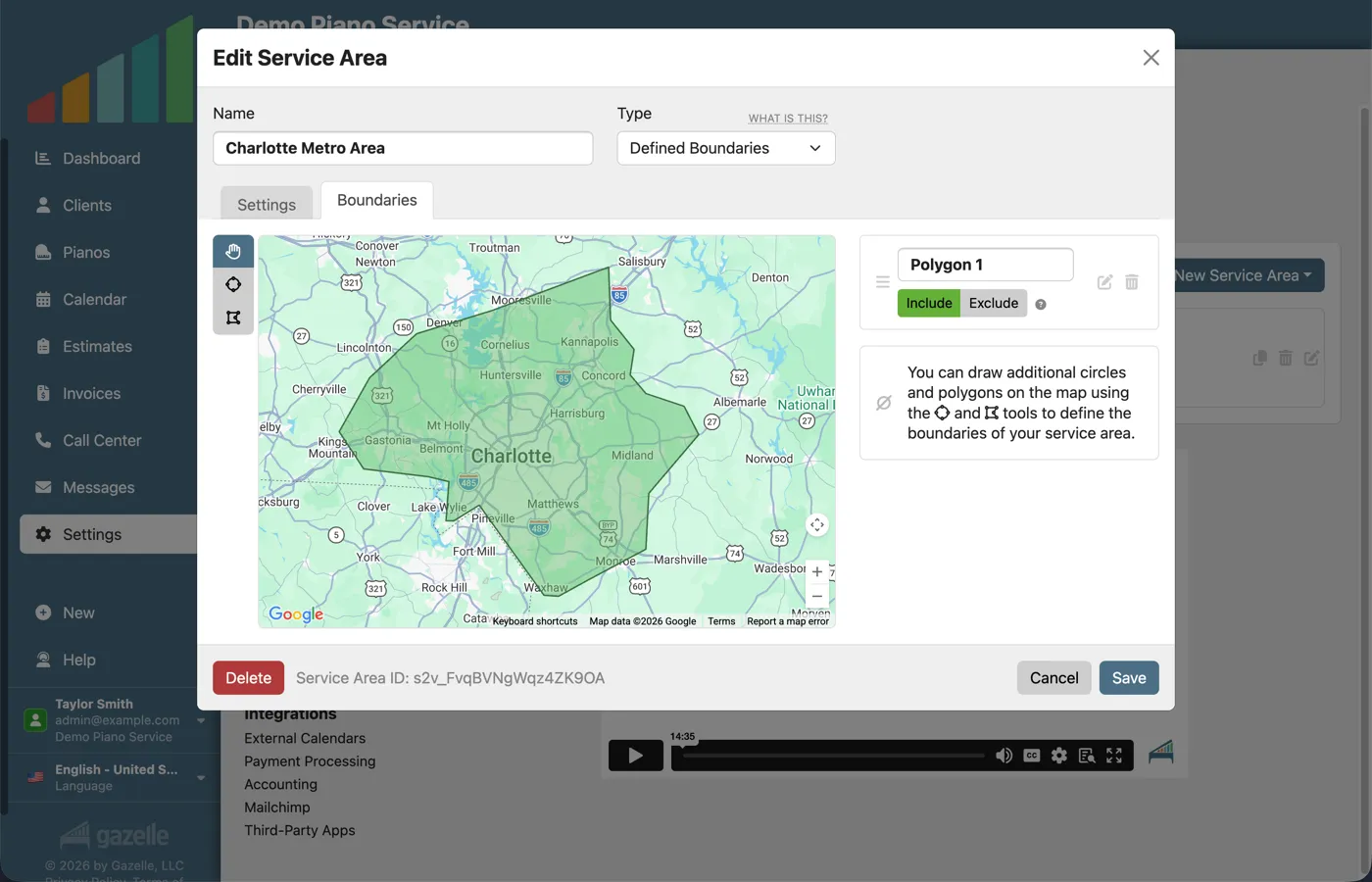
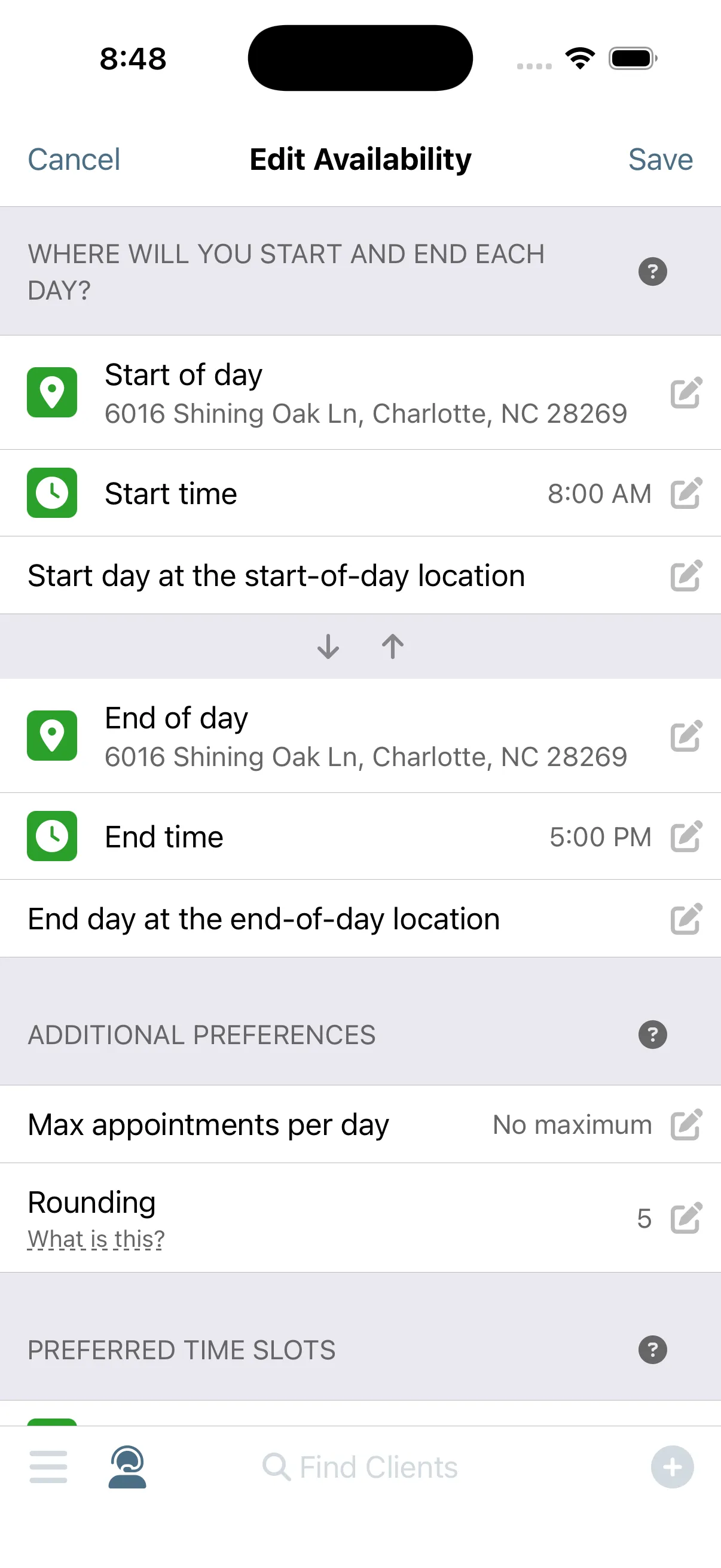
The windshield doesn't pay. Tell Gazelle where you work, when you work, and what you offer, and Smart Routes ranks every open slot green, yellow, or red by the driving it actually adds. Bookings chain onto days you already have, and the itinerary tells you when to leave the house.
Prevent the No-Show
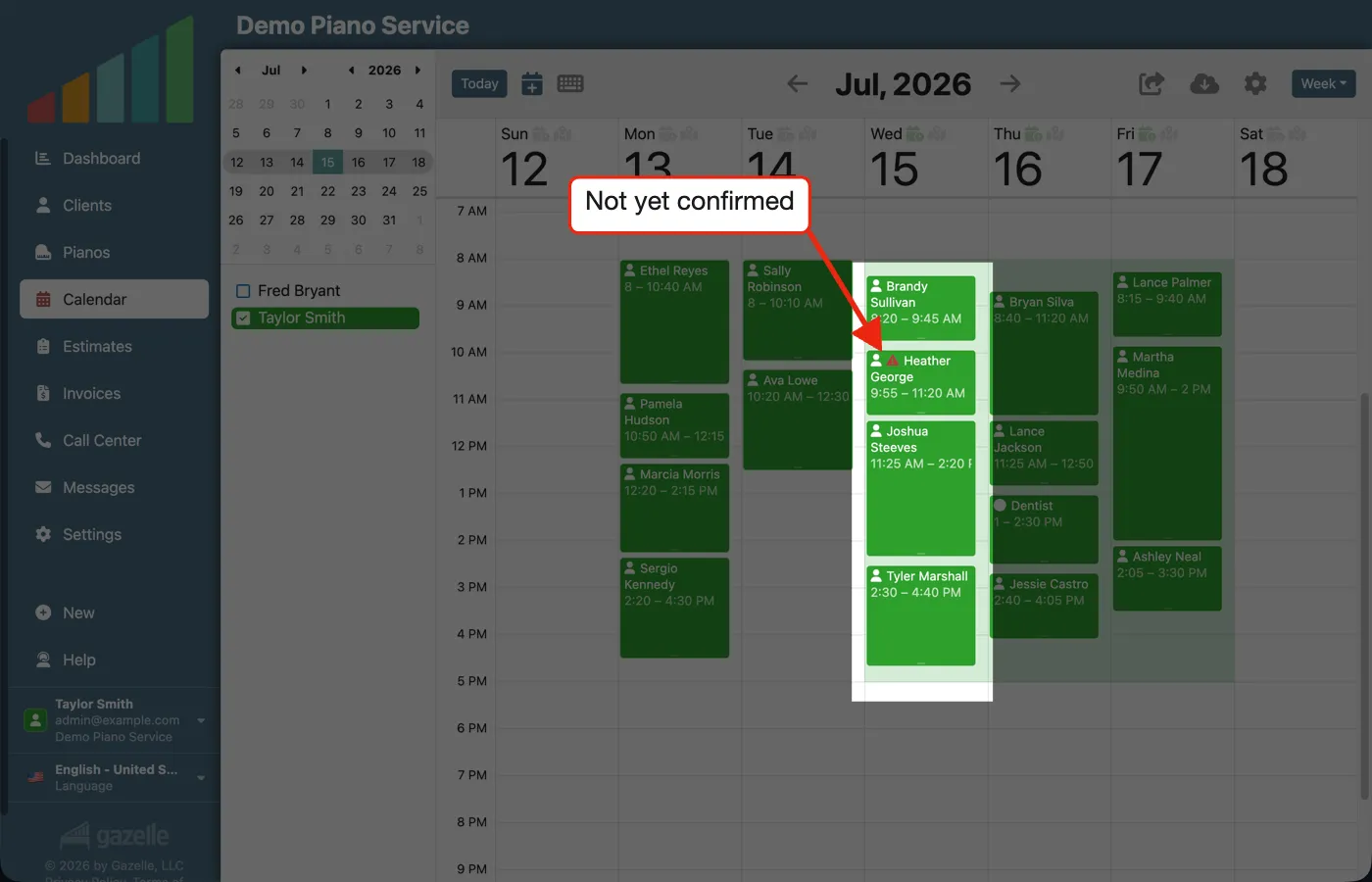
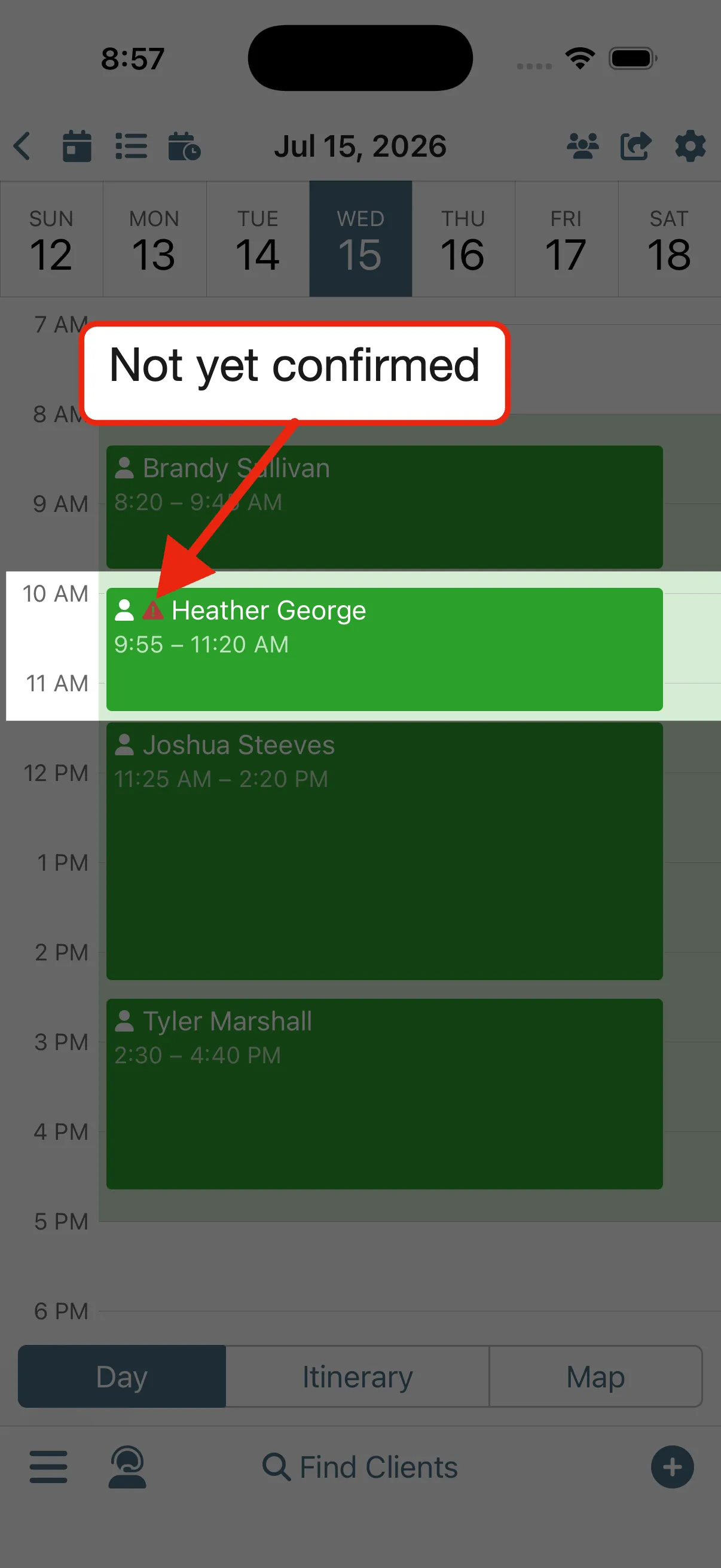
Never drive to an empty house. Gazelle asks every client to confirm ahead of time, then keeps asking when nobody answers. The holdouts are flagged right on your calendar, and you choose what happens next: reach out, drive over, or cancel.
Your Data Within Reach
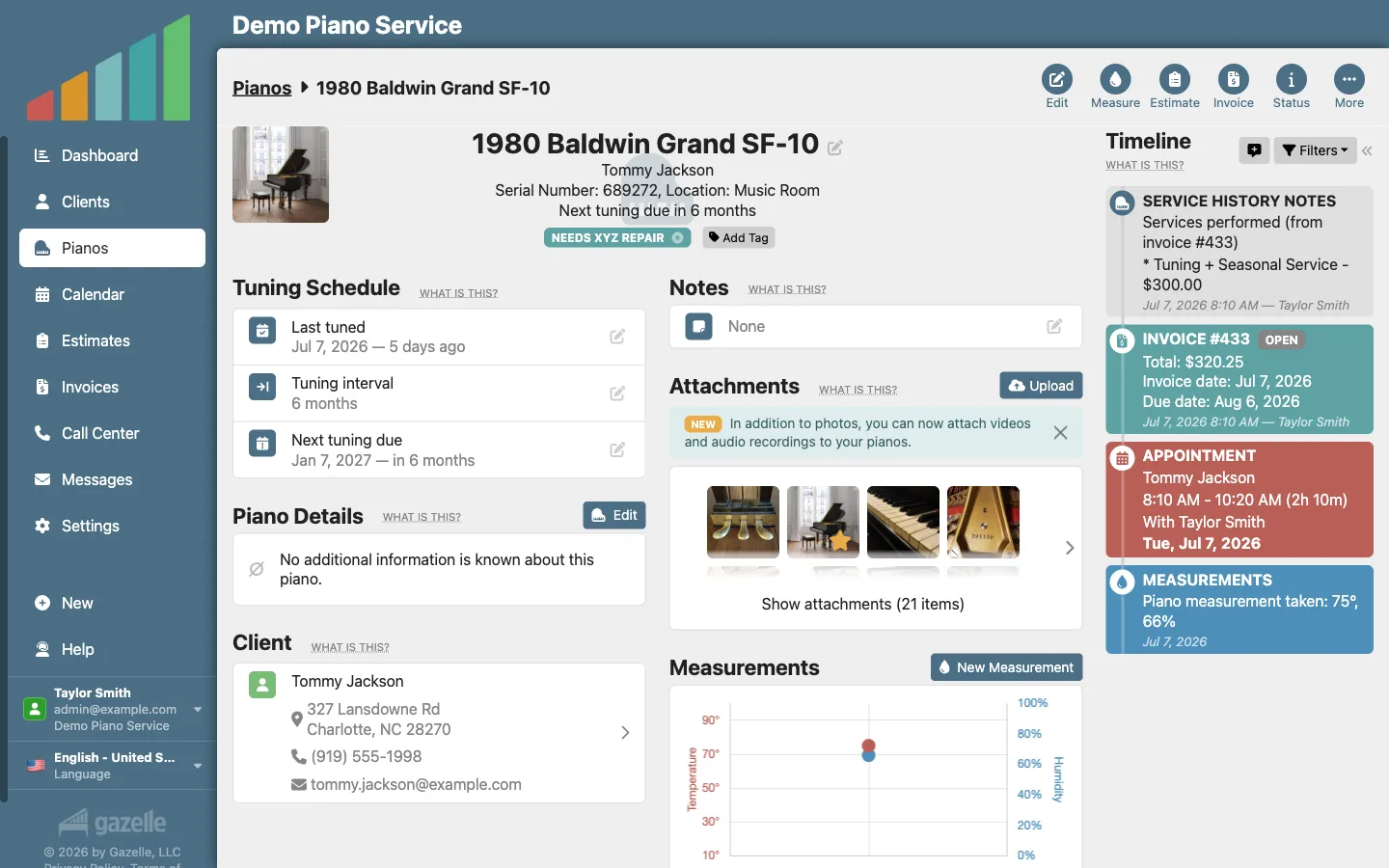
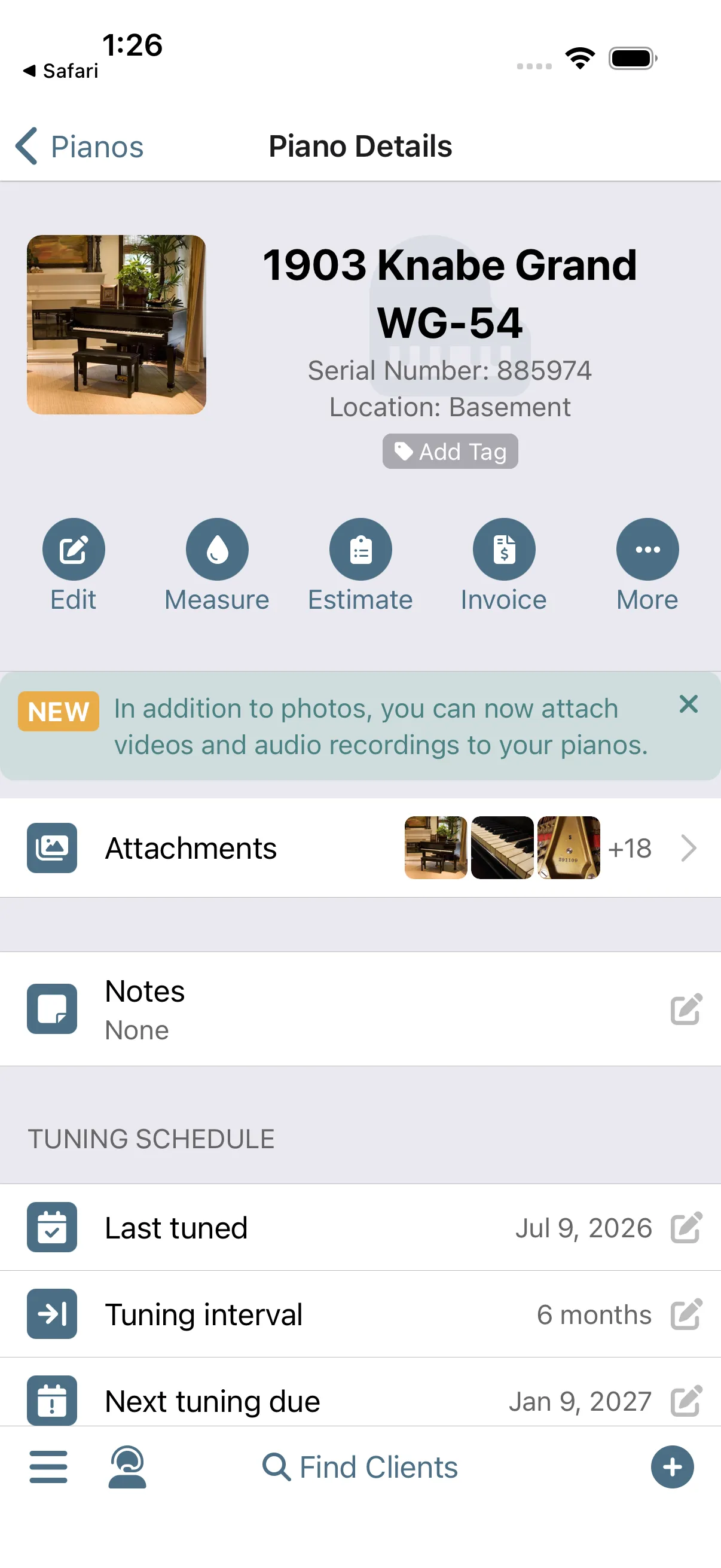
Every client and piano keeps one living record. The service history writes itself as you work, photos and measurements stay with the instrument, and the last visit's notes are a scroll away before you knock.
Or start with the tools themselves.
Every workflow above is built from these features. Pick any one and dig in; they all connect to keep you organized.
Client & Piano Management
Every client and every instrument in one place, with the full history of who, what, and when.
- Client management Every client in one place: contact info, history, preferences, and the notes you'd otherwise lose.
- Piano management Each instrument gets its own record: measurements, service history, and the details that make your next visit smarter.
- Attachments Photos, videos, and files stay attached to the client and piano they belong to, so they're there when you're standing at the instrument.
- Timeline A running history of every appointment, message, and invoice, so you can see the whole relationship at a glance.
- GDPR Compliance Client data handled to GDPR standards, wherever in the world you work.
Scheduling & Mapping
Plan your days, map your routes, and let clients book themselves.
- Calendar and Itinerary Your day as an ordered itinerary, not just a grid of time slots.
- Client Map Every client pinned on a map, so you can see where your work lives and plan around it.
- Smart Scheduling Smart Routes suggests times near where you'll already be, so each new booking tightens your day instead of scattering it.
- Online Self Scheduler and Reservations Clients book themselves from openings you control, even at 11pm.
- 2-Way External Calendar Sync Your Gazelle schedule and your personal calendar stay current in both directions.
- Multi-Tech Management Run several techs from one account, each with their own schedule, all visible to you.
Communications
Reminders, messages, and campaigns that go out on their own, so clients don't drift away.
- Automated Reminders Reminders go out on the schedule you set, so clients come back without you chasing them.
- Custom and One-off Messages Write a message once and Gazelle personalizes it for every client. One-off notes are just as quick.
- Appointment Confirmations Clients confirm upcoming appointments ahead of time, so you drive out knowing they'll be home.
- Unlimited Texting Text clients from Gazelle with no per-message fees, and every message you send is kept on their record.
- Call Center A ready-made list of who to call and why, with every outcome logged.
- Bulk Mailer Integrations Your client list flows into your bulk mail tool, so campaigns reach the right people.
Revenue Management
From estimate to paid invoice, the money side of your business in one flow.
- Master Service List One master list of your services and prices feeds your estimates and invoices, so nothing gets quoted from memory.
- Estimates Send professional estimates with options a client can approve online.
- Invoicing The appointment becomes the invoice, ready to send before you've backed out of the driveway.
- Payment Processing Accept card payments in person or online, recorded against the invoice automatically.
- Tax Support Sales tax calculated on estimates and invoices, the way your region does it.
- Accounting Integrations Invoices and payments flow to QuickBooks Online, so your books stay current without double entry.
Data Usability
Find anything fast and see your whole business at a glance.
- Interconnected Workflows Everything connects: the appointment becomes the invoice, the payment closes it, and the reminder books the next visit.
- Tags Tag clients and pianos your way, then pull up any group in seconds.
- Advanced Filtering Filter clients and pianos by nearly any detail, then act on the list you get.
- Dashboard Bookings, revenue, and what needs attention, on one screen.
- Notifications A push or an email the moment a client pays online or a new reservation comes in.
- Localization Gazelle speaks your language and writes dates, times, and currency the way your country does.
Support in the Field
Help when you need it, on the job and off, and a business school for when you're ready to grow.
- Mobile App with Offline Mode The full system in your pocket. And if the signal dies in a basement practice room, offline mode still gets you to your next appointment.
- Fast Personal Customer Support Real people who answer fast and stay with you until it's solved.
- Help Center Searchable help articles that answer most questions the moment you have them.
- In-Person Demos and Onboarding A live walkthrough with a real person, and onboarding help to bring your data with you.
- Gazelle School of Business Business training built for piano technicians: pricing, marketing, and running a healthier business.
Only pay for what moves the needle.
Start with the one result you need most, then add packages as you grow. Sized to the number of active pianos you manage, never more.