
Workflow deep-dive
One-Button Invoicing
How do I get paid without paperwork?
Invoicing is one button, not an evening at the desk. Because your services and prices live in one Master Service List, Gazelle carries them from the booking to the appointment to the invoice to the payment, with nothing typed twice. Complete the visit, press one button, and the client can pay before you've backed out of the driveway.
This workflow touches: Master Service ListCalendar and ItineraryOnline Self Scheduler and ReservationsInvoicingPayment ProcessingNotificationsTimeline
How it works, step by step
-
Define each service once.
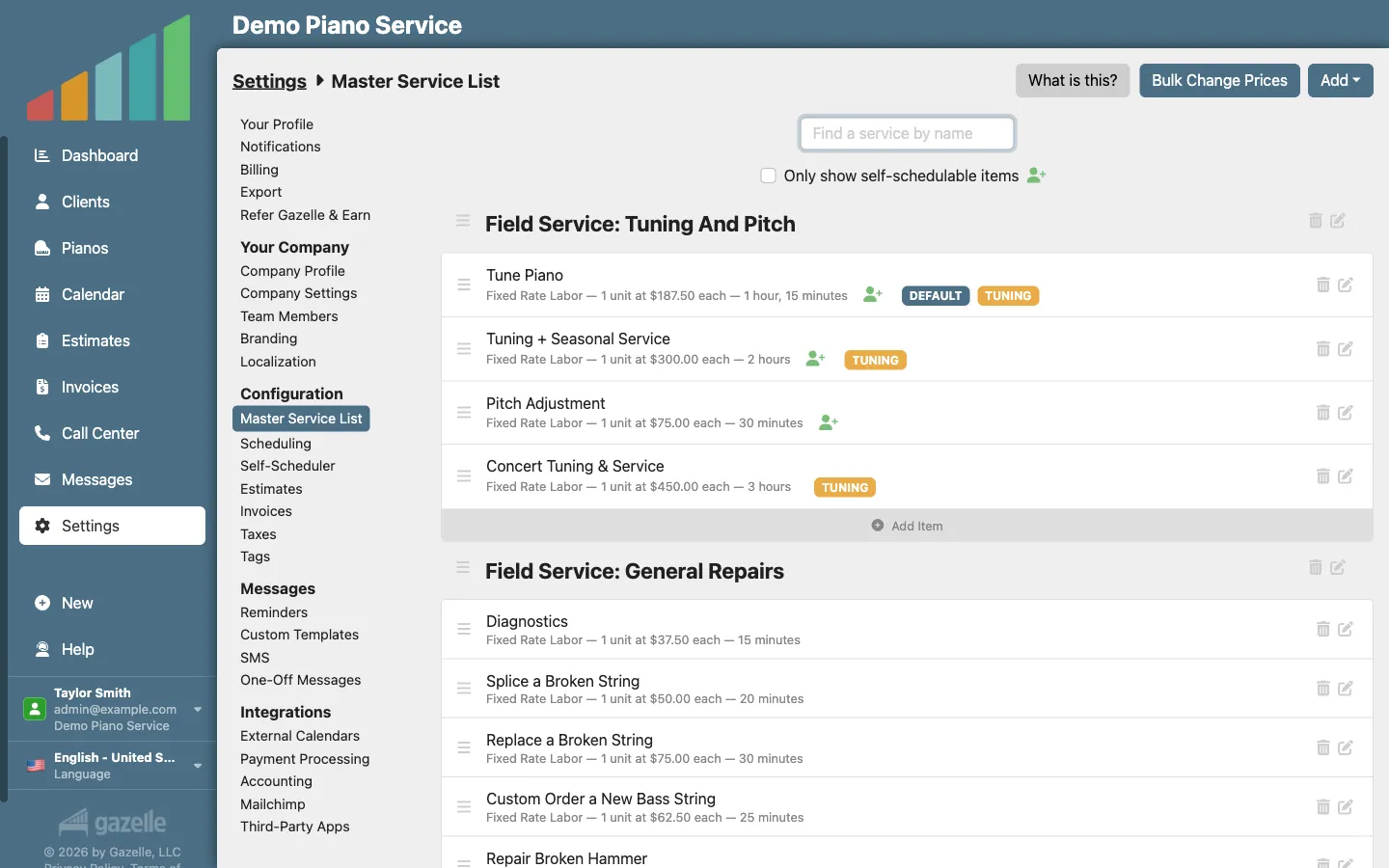
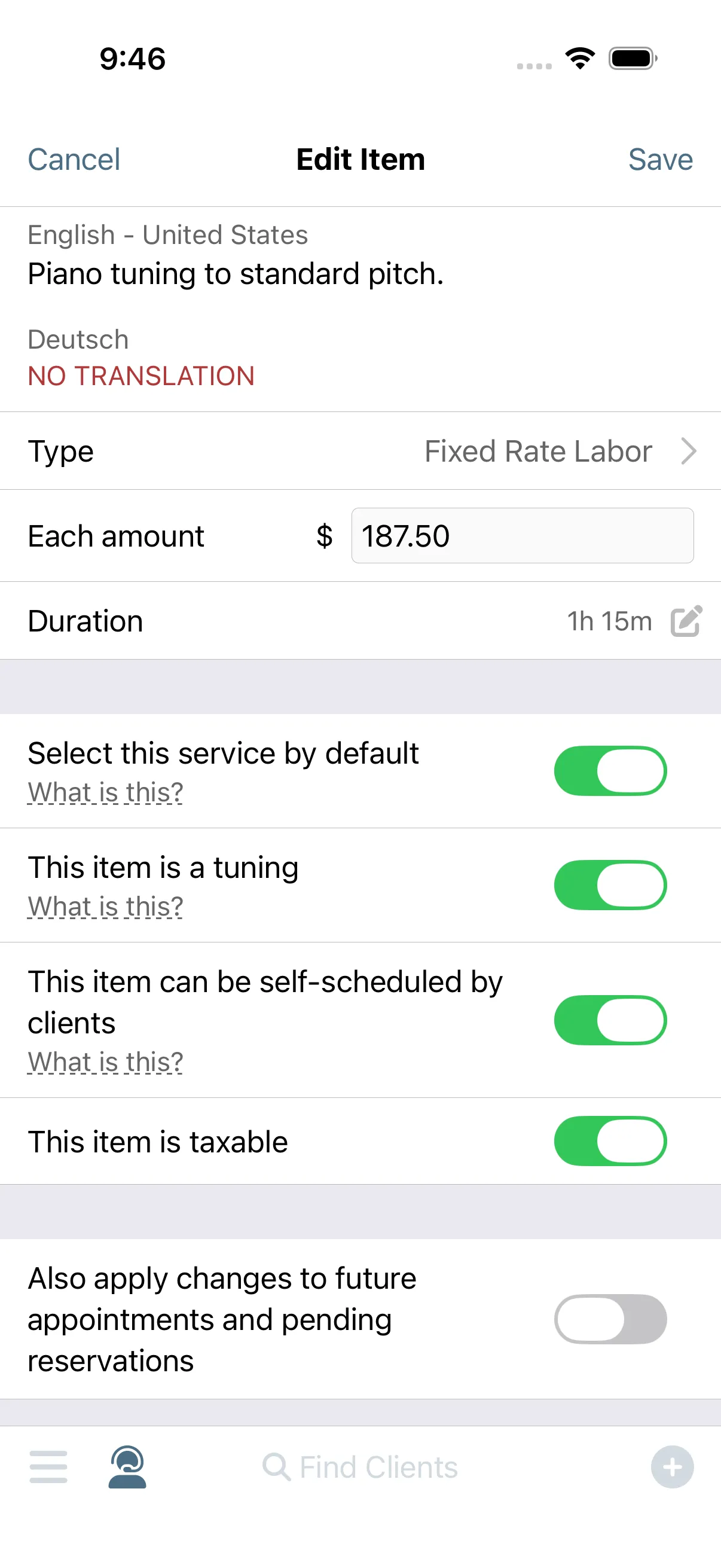
You only enter a price once. The Master Service List holds every service you offer: name, price, duration, and whether it's taxable. Appointments, estimates, invoices, and your online scheduler all draw from that one list, so nothing is ever priced from memory.
Master Service List
-
The appointment carries the services.
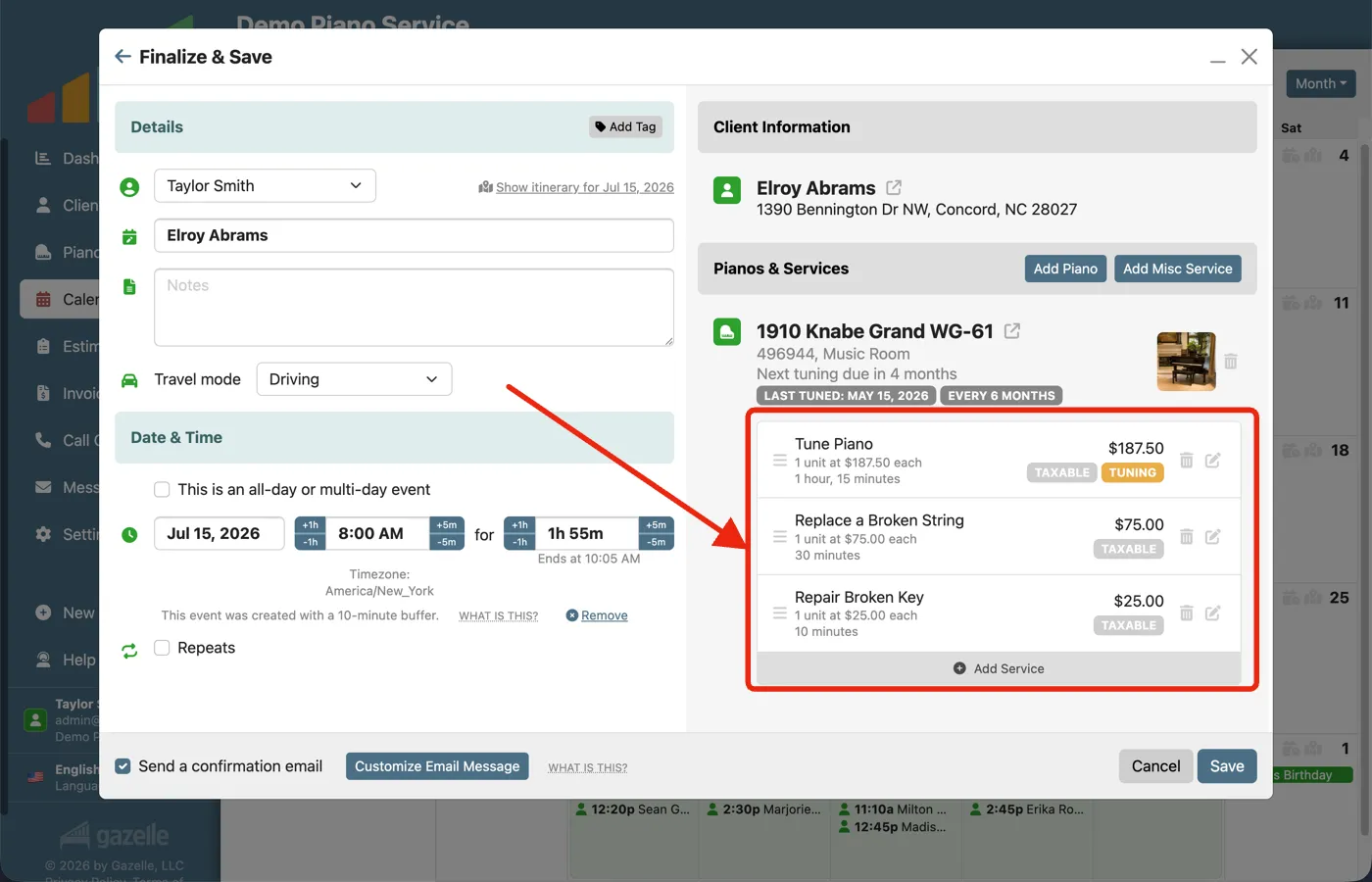
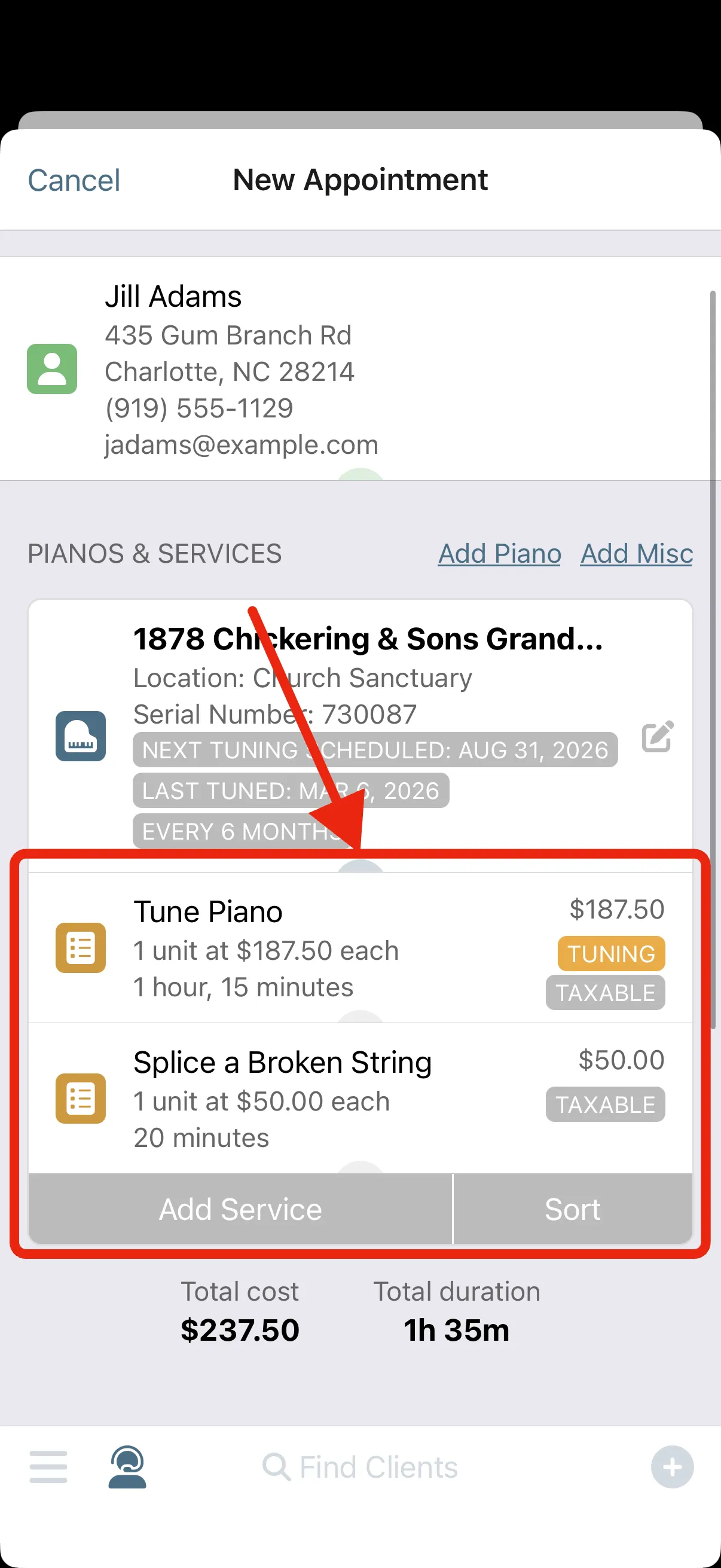
The pricing travels with the job. Whatever the client booked lands on the appointment already priced, and anything you add on site comes from the same list at the same rates. By the time you park, most of the paperwork is already done.
Calendar and ItineraryOnline Self Scheduler and Reservations
-
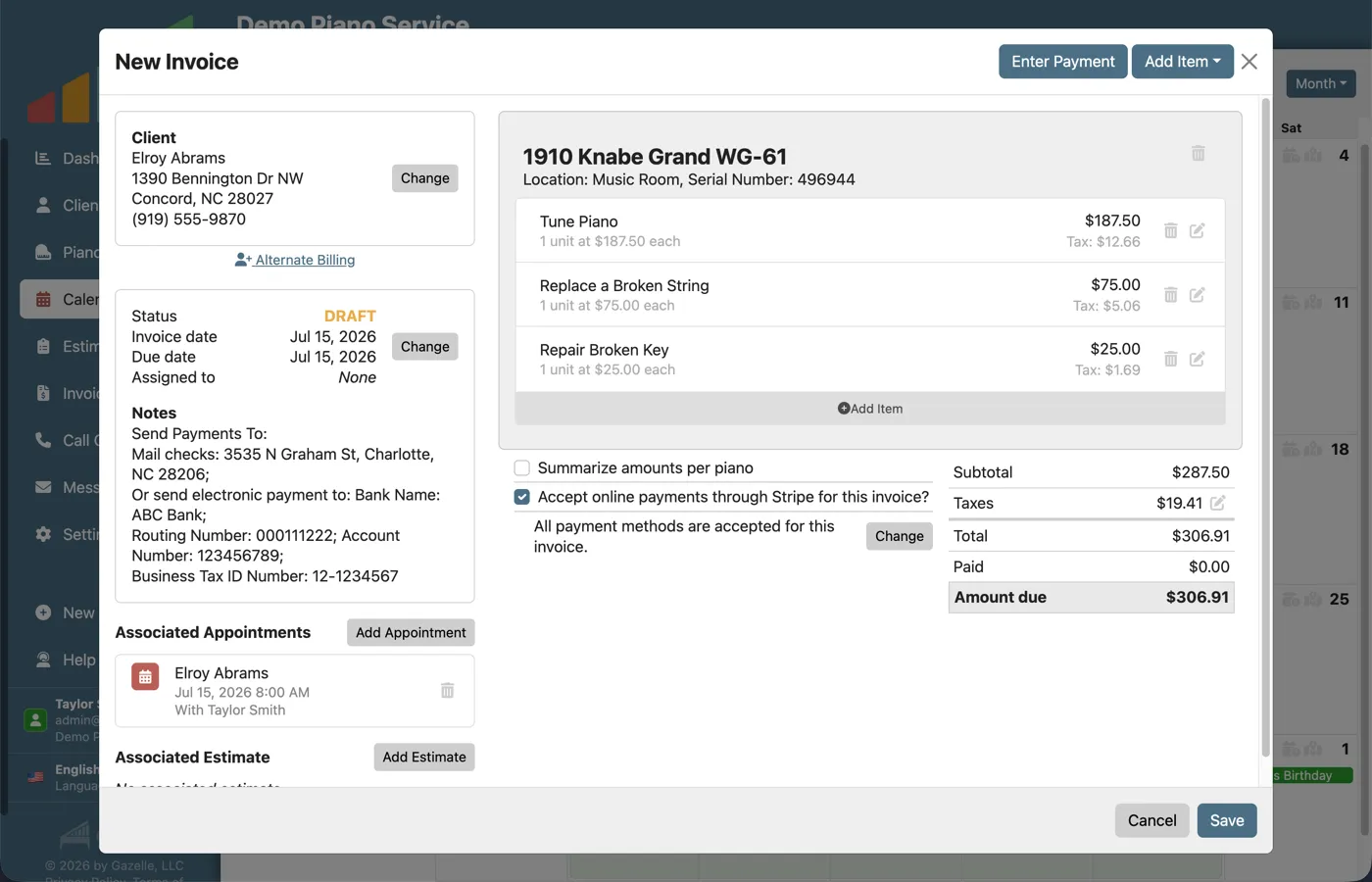
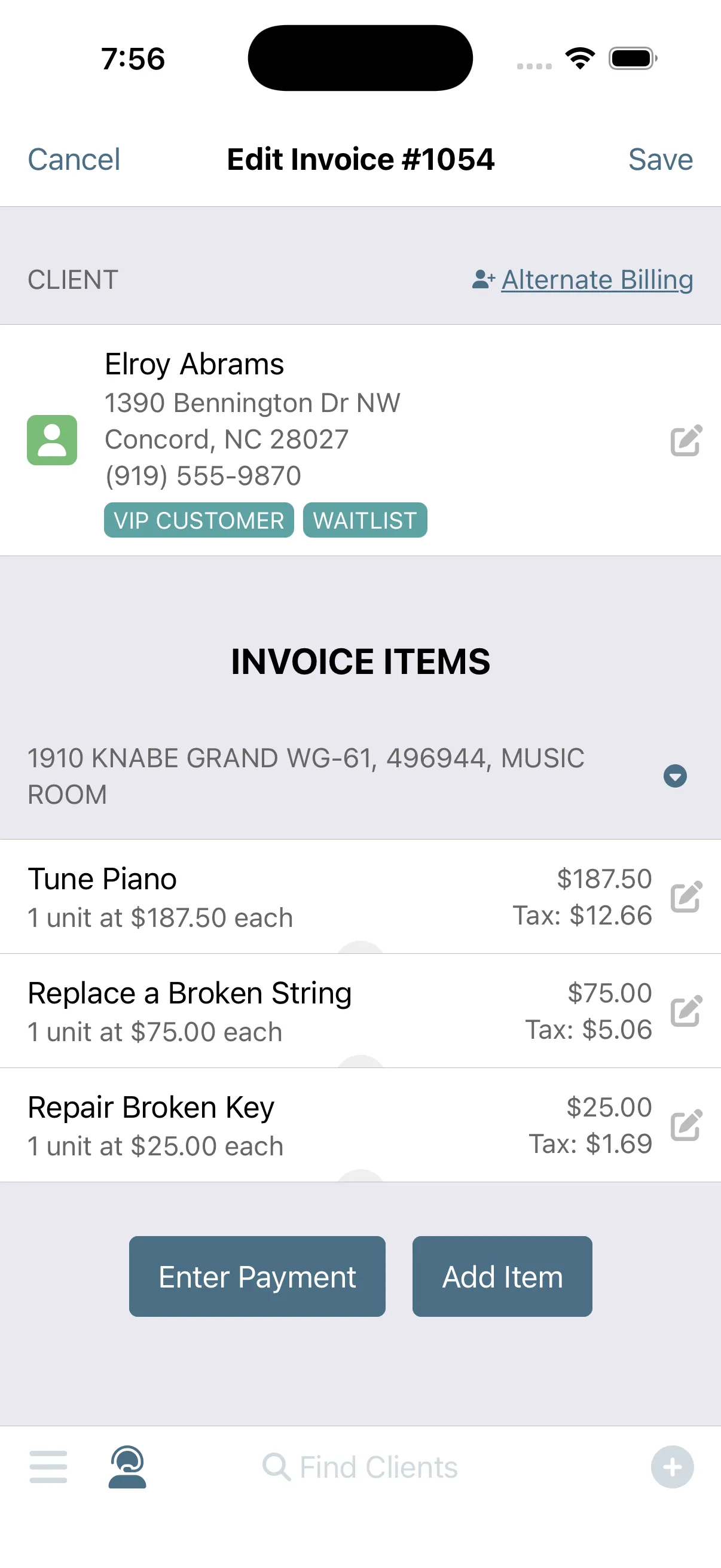
One button turns the appointment into an invoice.
The paperwork collapses into a single tap. Complete the visit and press one button: every service you performed becomes a line item, grouped by piano, taxes calculated automatically. Review it, adjust anything, and send it before you start the engine.
Invoicing
-
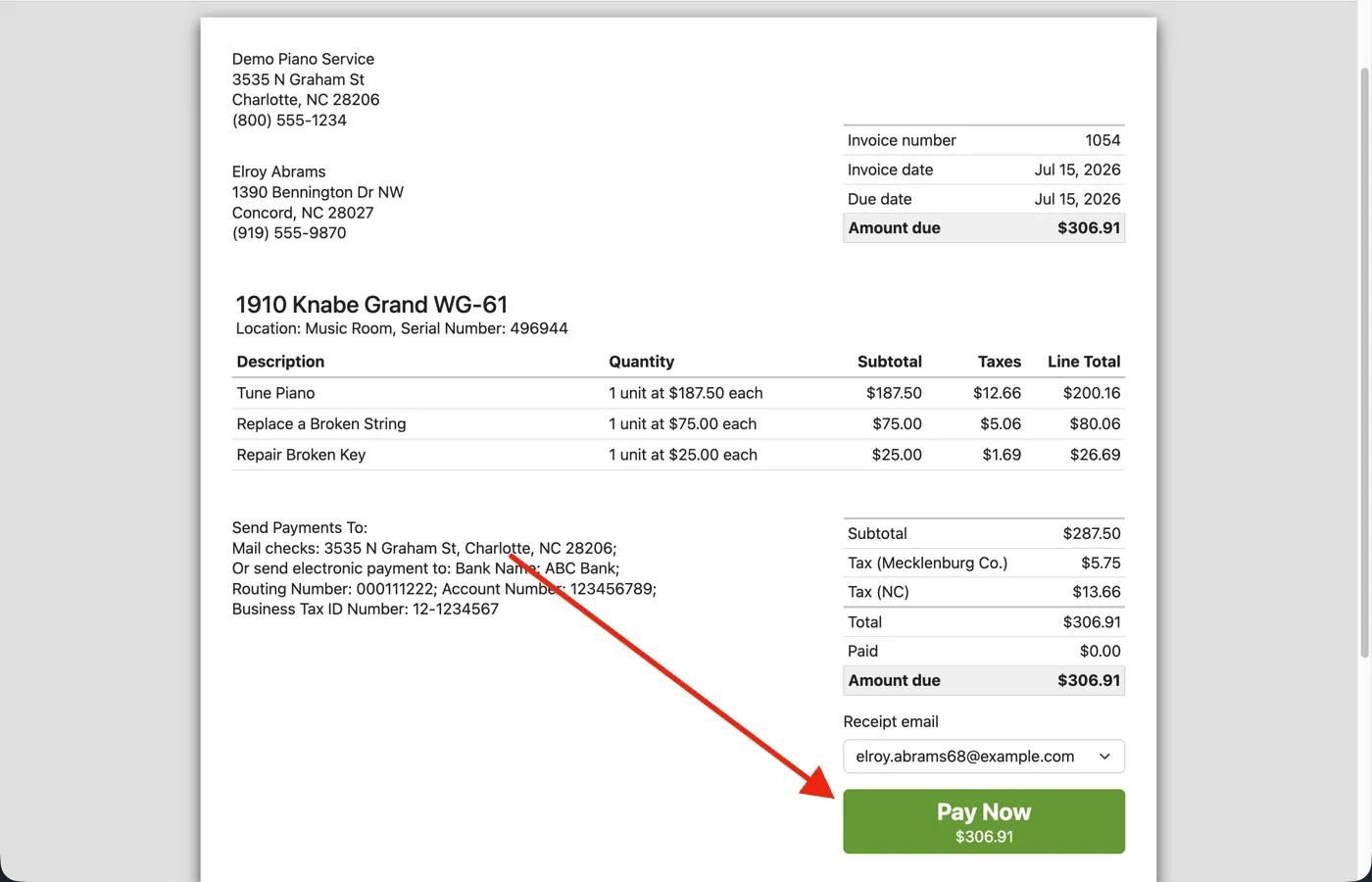
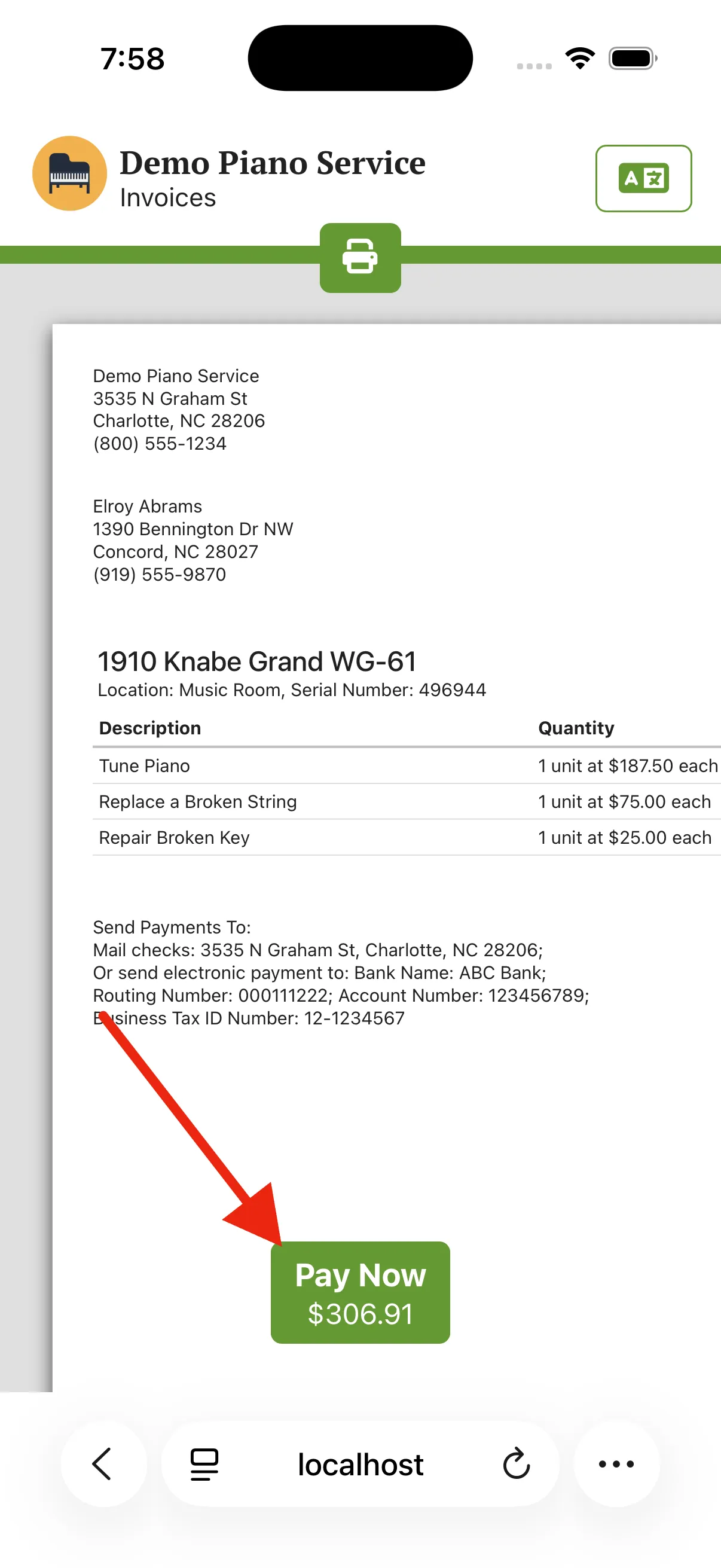
The client pays from their device.
Clients can pay the moment the invoice lands. Connect Stripe once, and every invoice email links to a branded payment page with a Pay Now button and an optional tip if you allow one. The payment is recorded on the invoice as soon as it clears.
Payment ProcessingInvoicing
-
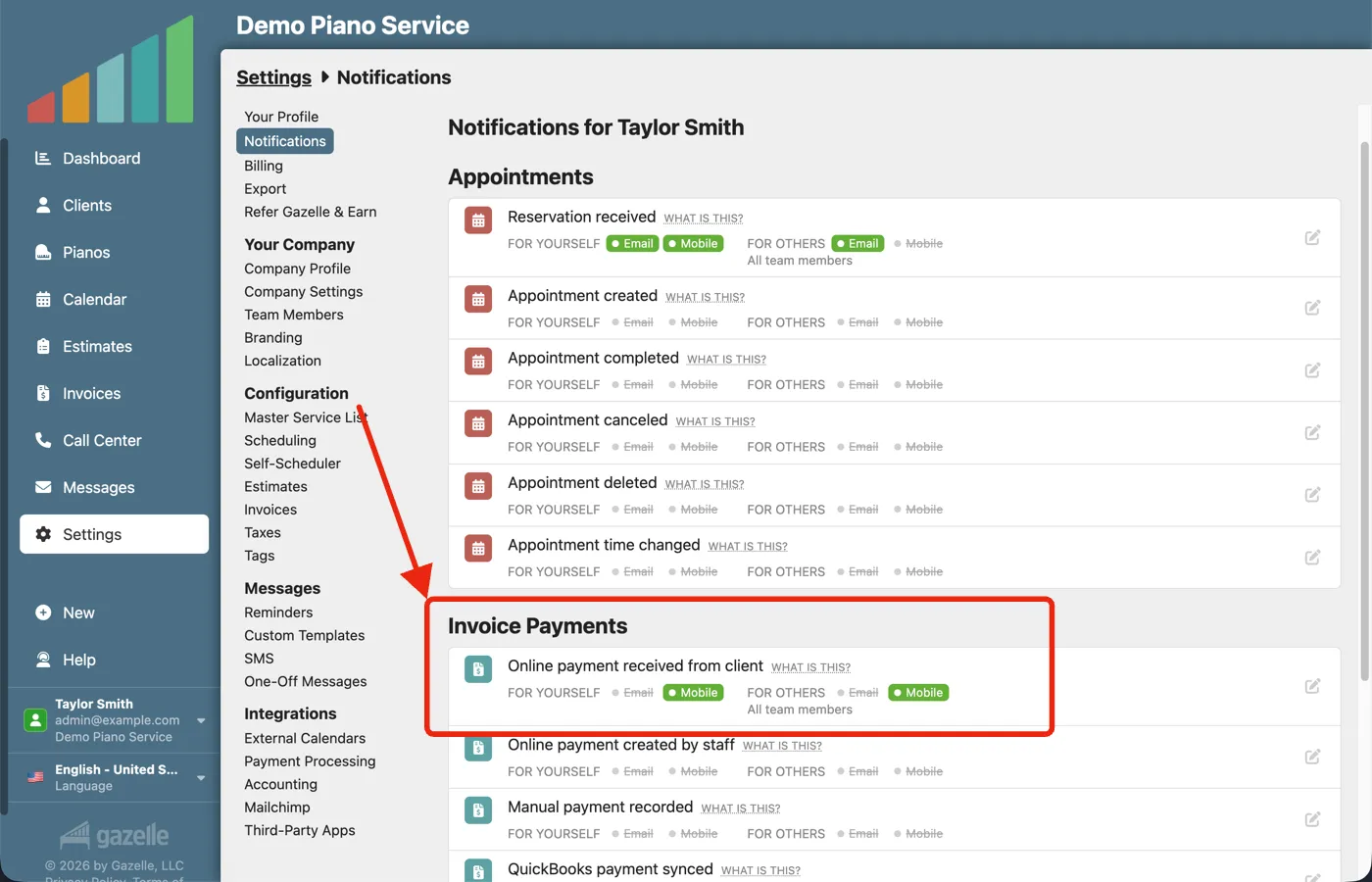
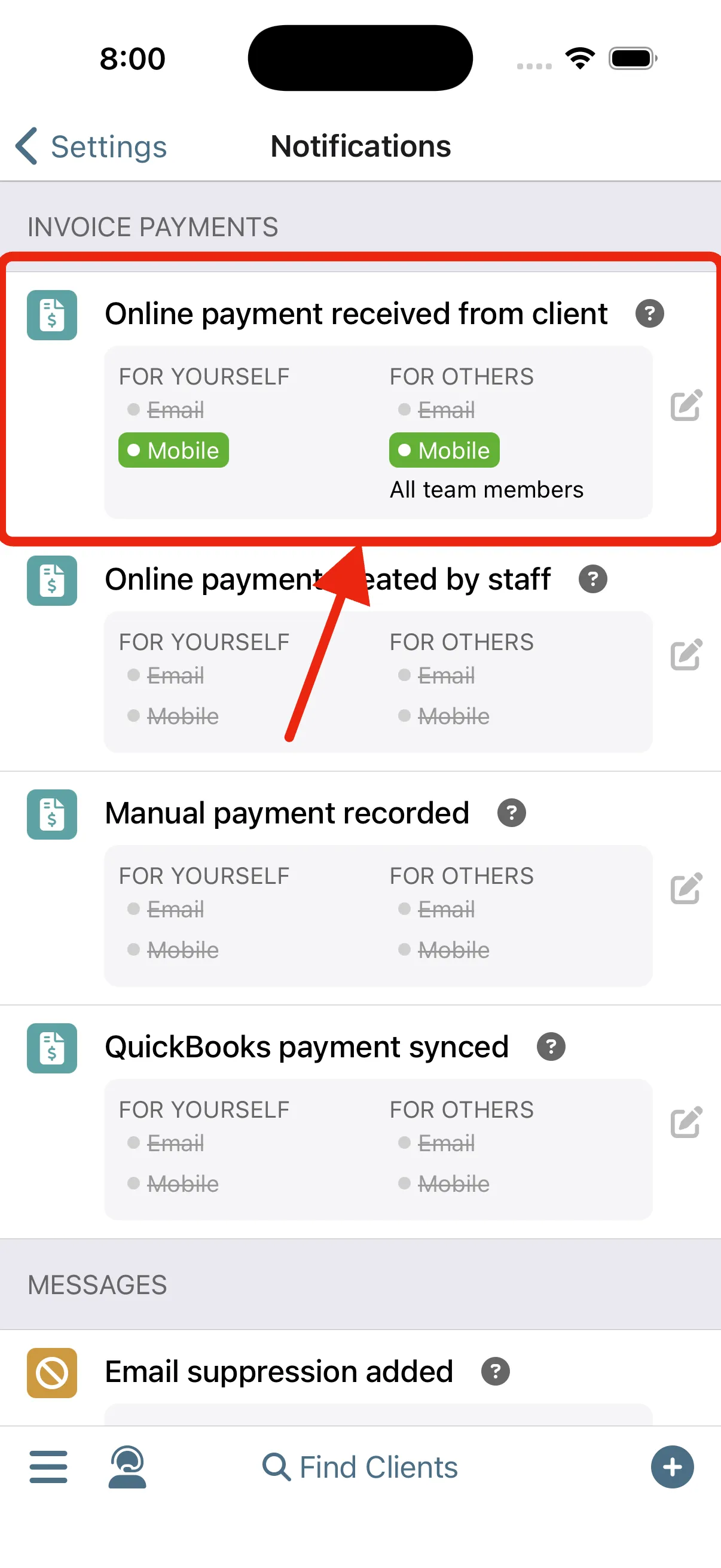
You're notified when it's paid.
You'll know as soon as it happens. The client pays online and Gazelle sends the notification straight to your phone. If a teammate records a check against the invoice, you hear about that too.
Notifications
-
The records keep themselves.
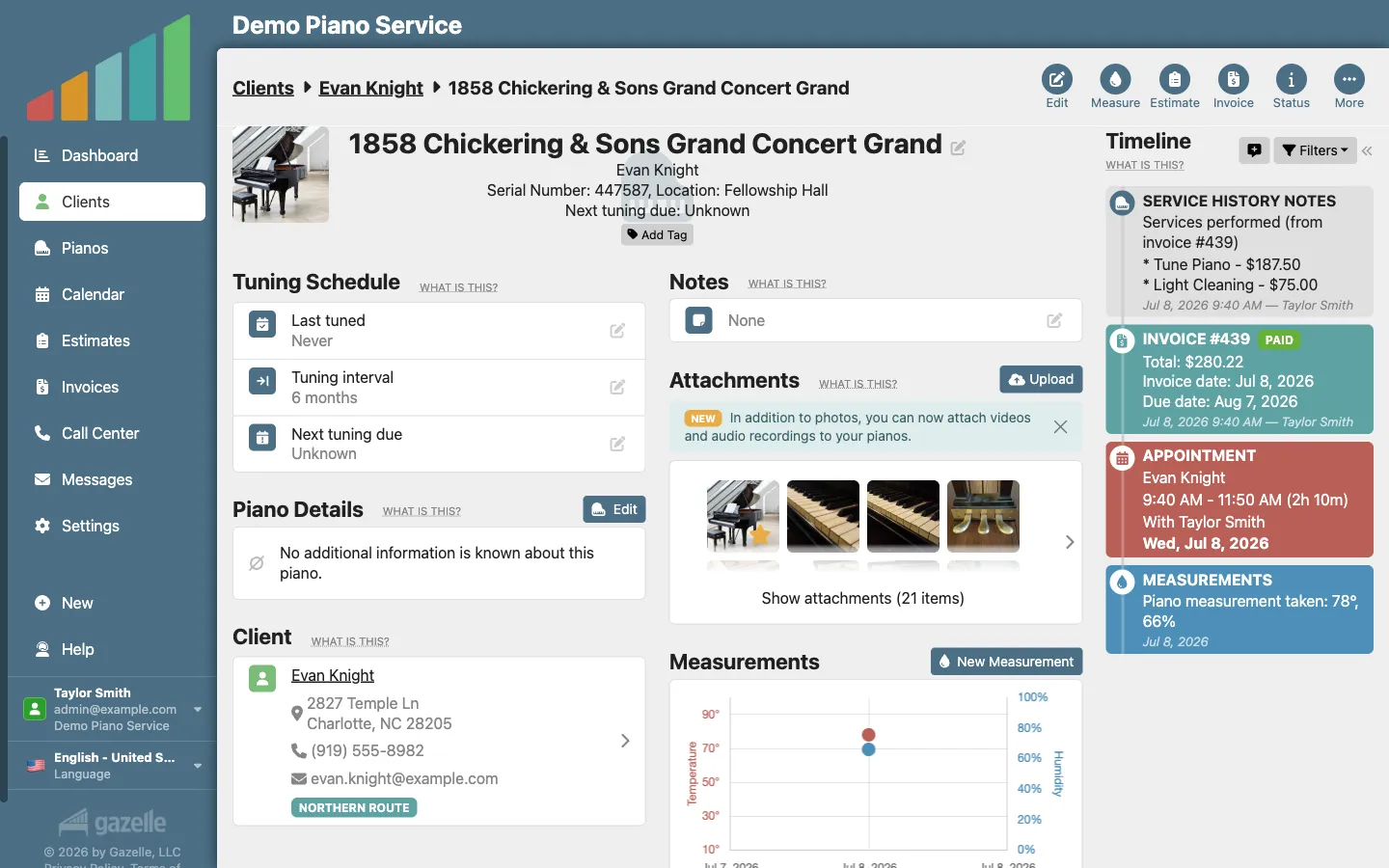
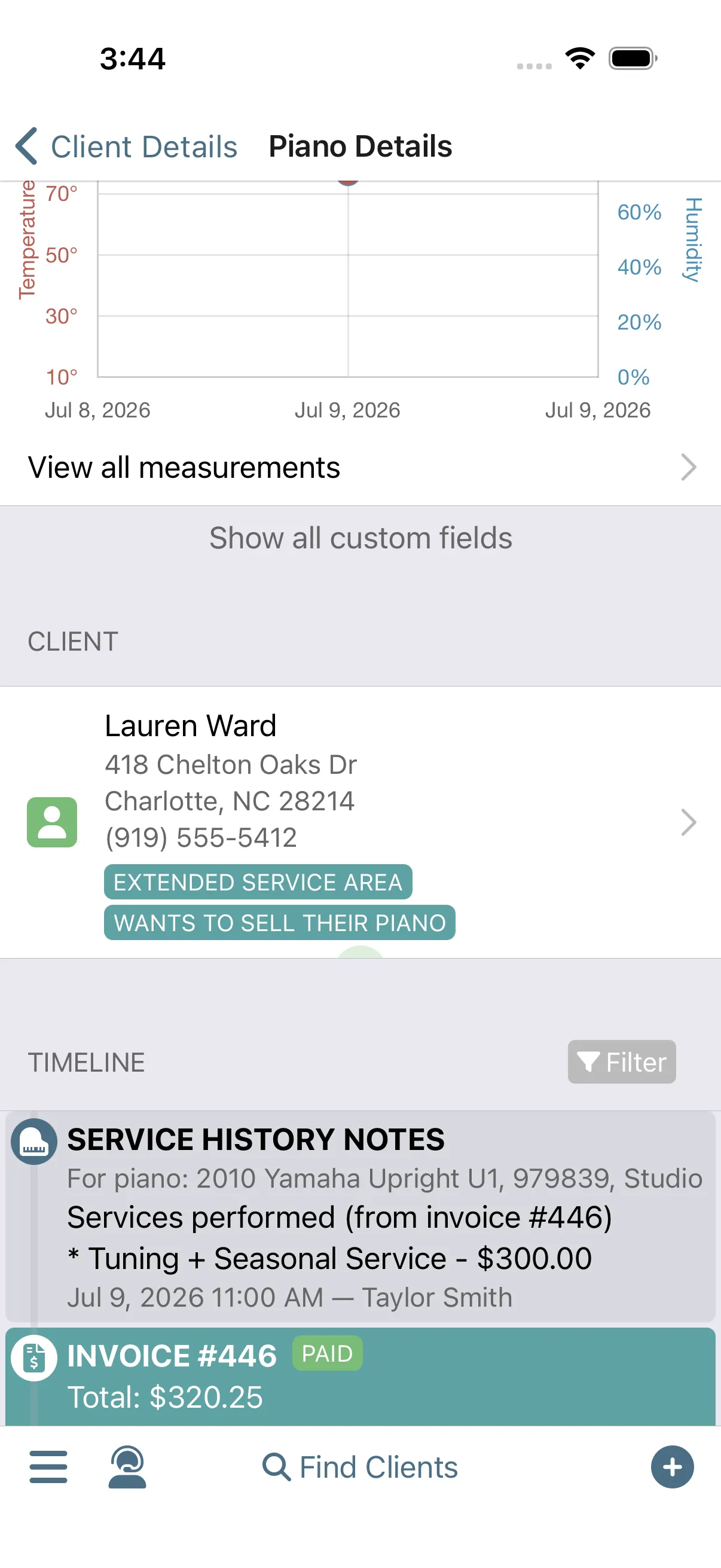
Your records are maintained automatically. The payment posts to the invoice, and the work is written to each piano's timeline as service history. When you're back at that piano next year, what you did and what you charged are already in the record.
TimelineInvoicing
Run this workflow on your own clients.
Every feature this workflow touches is included in your free trial. Free for 30 days, cancel anytime.
Features used in this workflow: Master Service ListCalendar and ItineraryOnline Self Scheduler and ReservationsInvoicingPayment ProcessingNotificationsTimeline
Related workflows
Make Your Accountant Happy
Two clicks send your invoices, payments, and Stripe payouts to QuickBooks Online, in the shape your accountant wants them.
A Well-Planned Day in the Field
Run your whole day from your phone, from when to leave the house to closing every visit paid.
From Quote to Cash
Build good-better-best Options right at the piano, let the estimate do the selling, and the client books the work the moment they say yes.