
Workflow deep-dive
Your Data Within Reach
How do I keep years of clients and pianos straight?
Your records are only worth what you can do with them. Gazelle keeps one living record for every client and every piano: who they are, what you did last visit, what the instrument needs next, even their pets' names, so you can greet the dog like an old friend. The records stay current as you work, and there's exactly one of each: no more history scattered across spreadsheets on three computers, wondering which version is the truth.
This workflow touches: Client managementPiano managementTimelineAdvanced FilteringClient Map
How it works, step by step
-
Start with what you already have.
Switching to Gazelle doesn't mean starting over. Send us your spreadsheet or an export from your old software, and we'll import your client list and clean it up with you, free. Day one starts with your history already in place.
Client management
-
One record per client, however complicated.
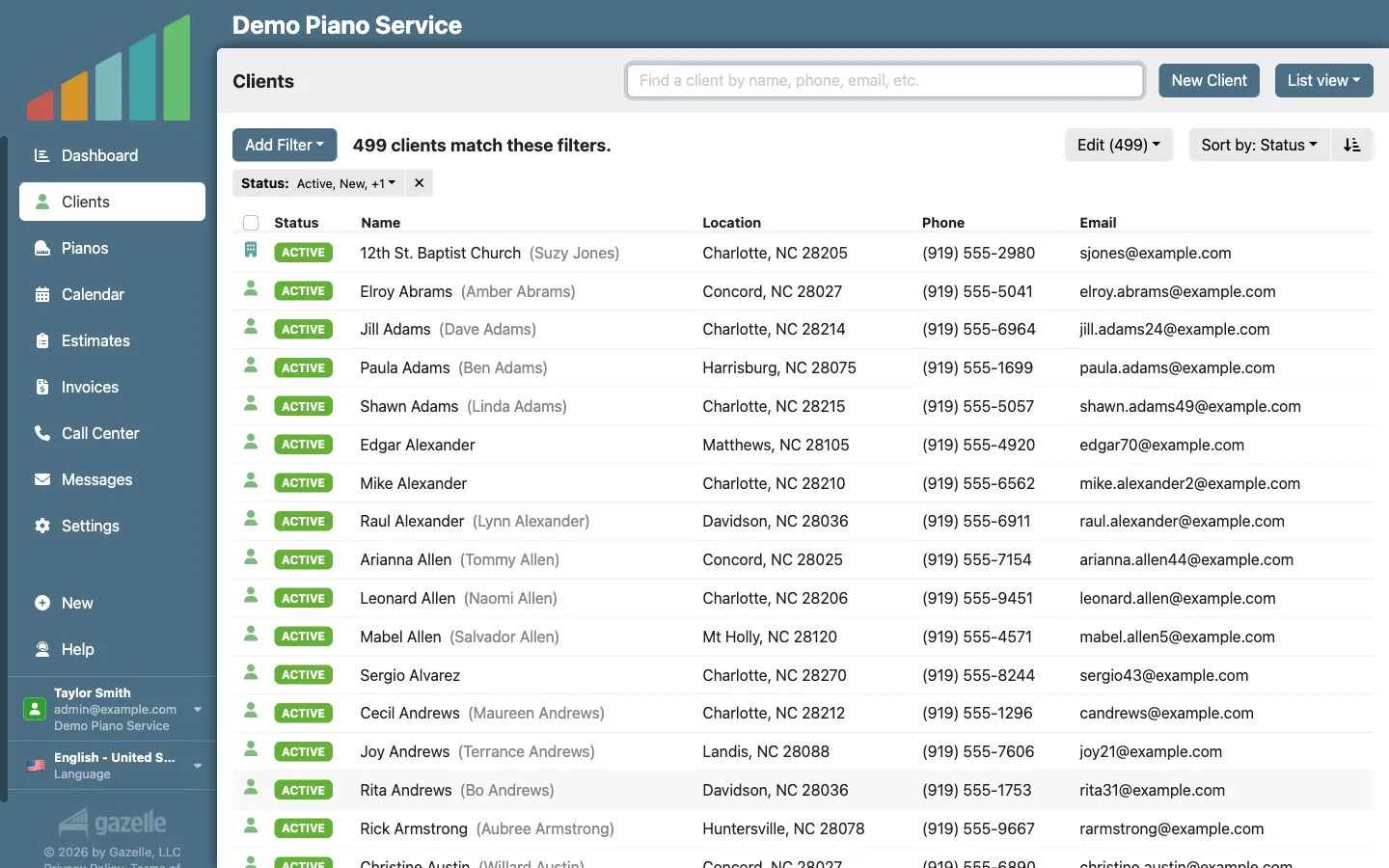
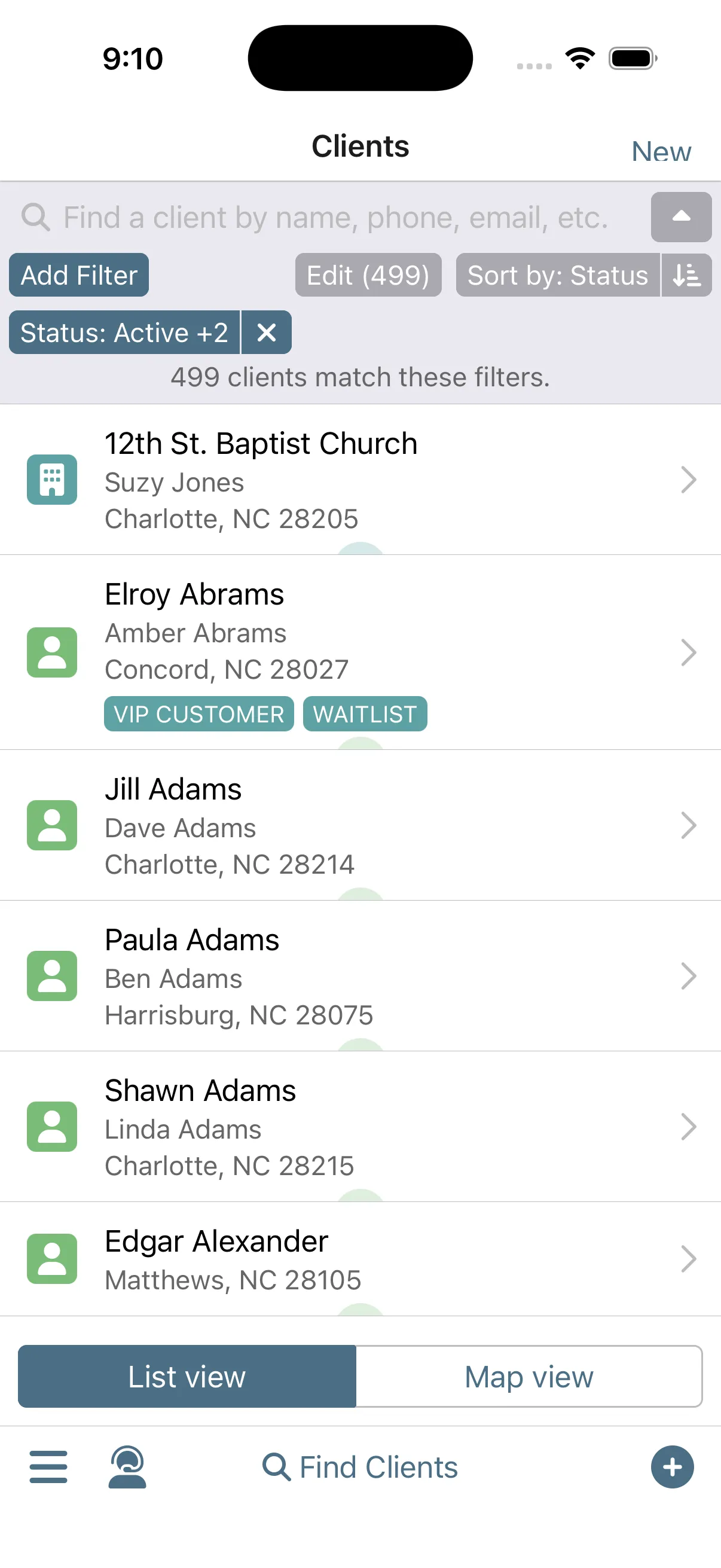
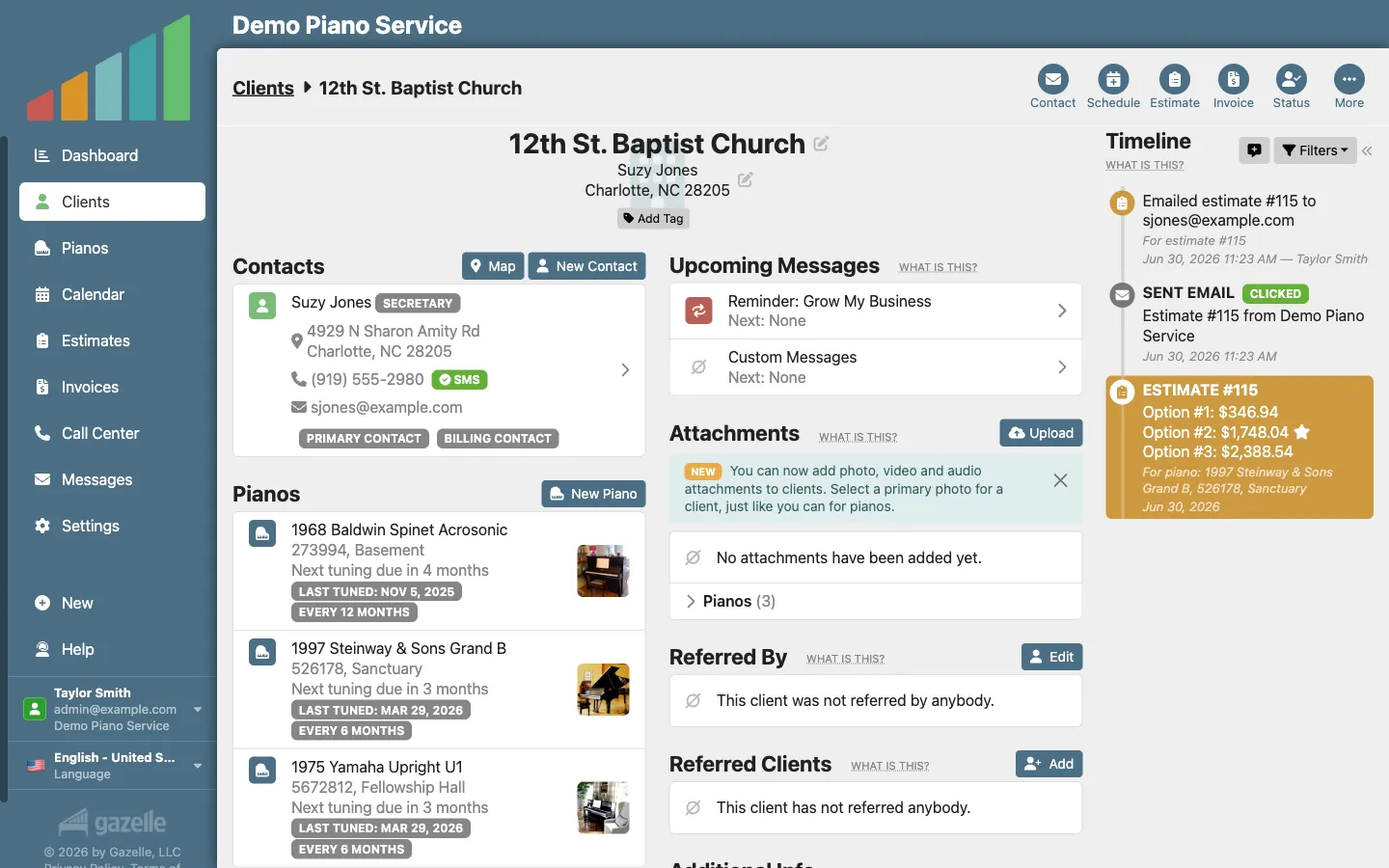
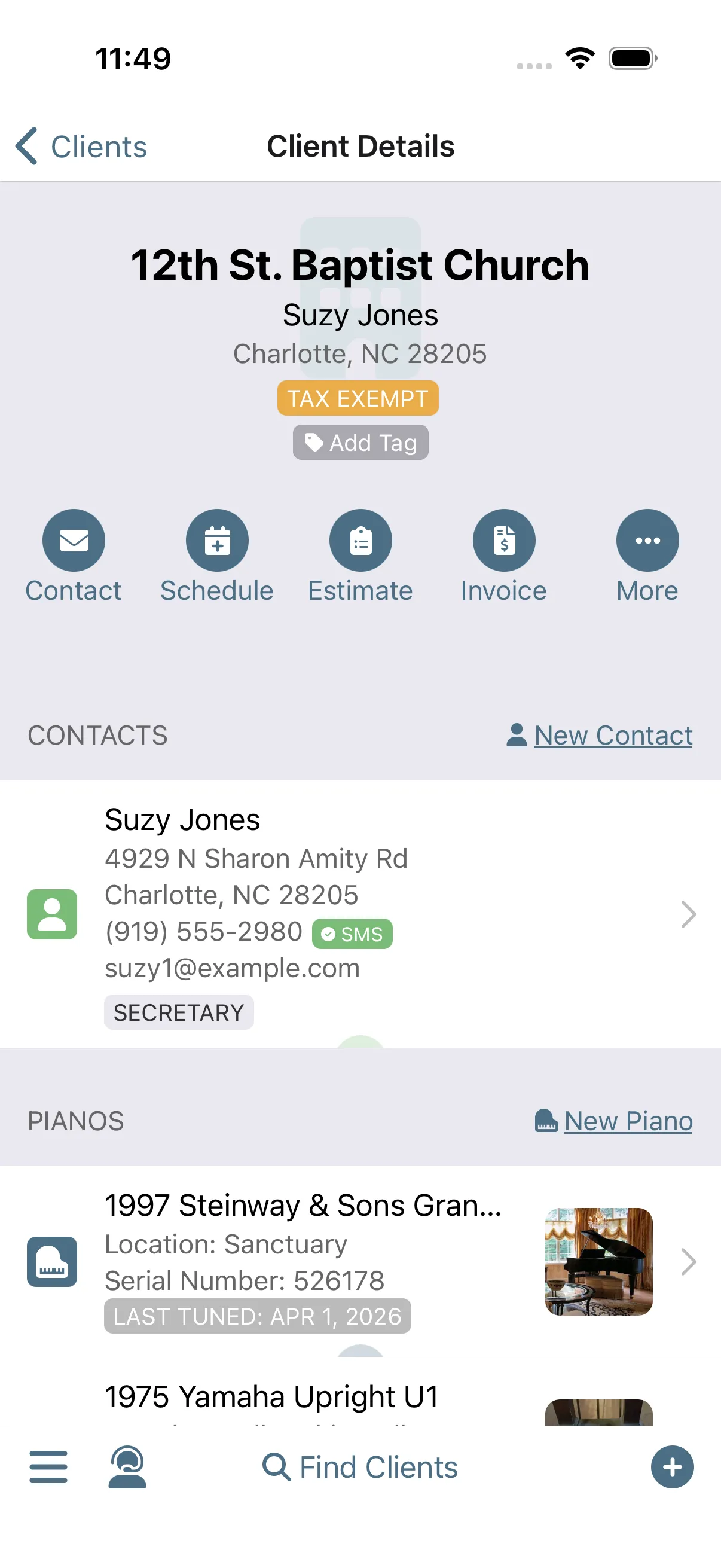
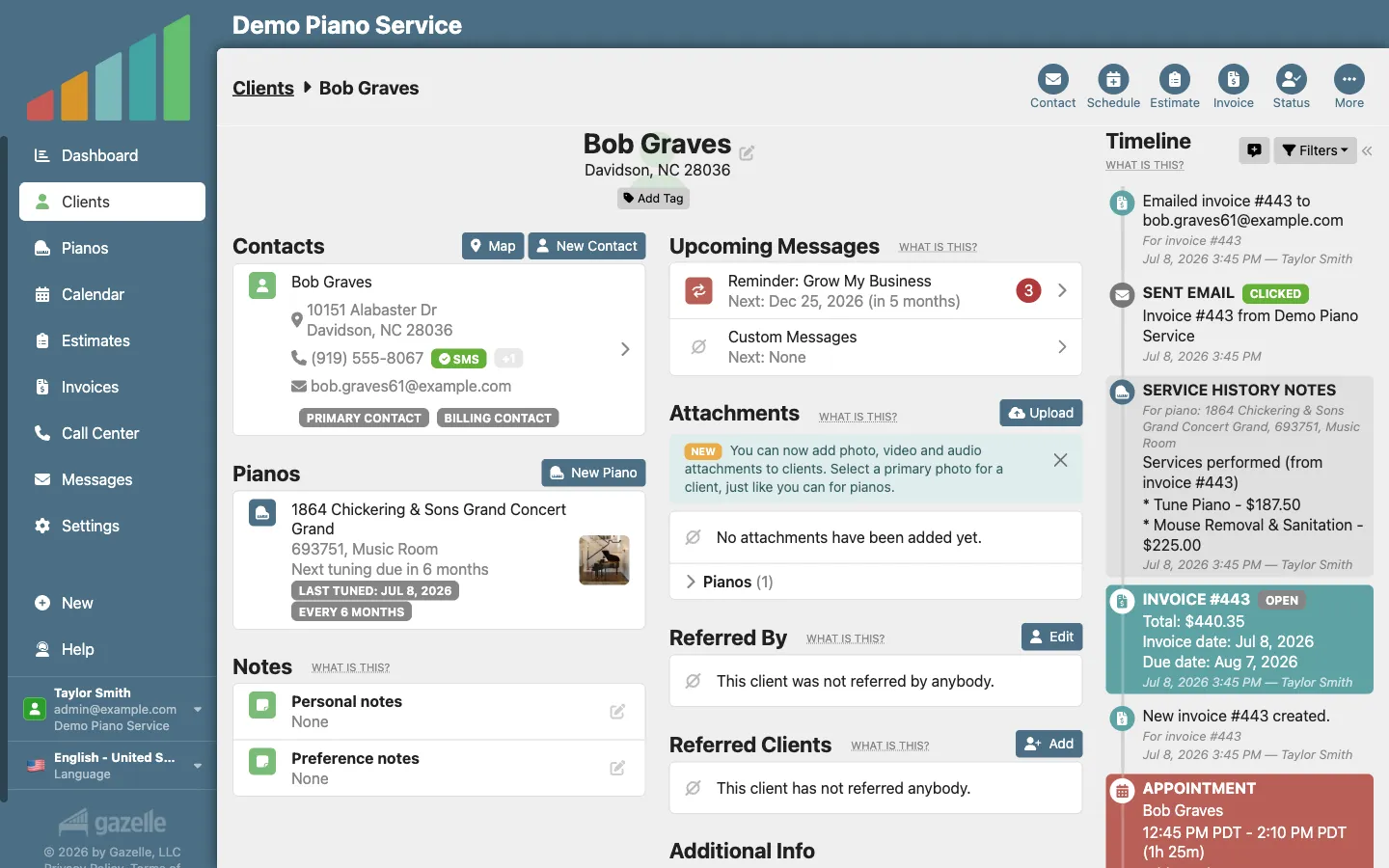
A client is rarely just one person. Each record holds every contact (the spouse, the church administrator, the school's front office), every piano they own, and your notes, tags, and custom fields, whether it's a living room or a concert hall.
Client management
-
Every piano carries its own story.
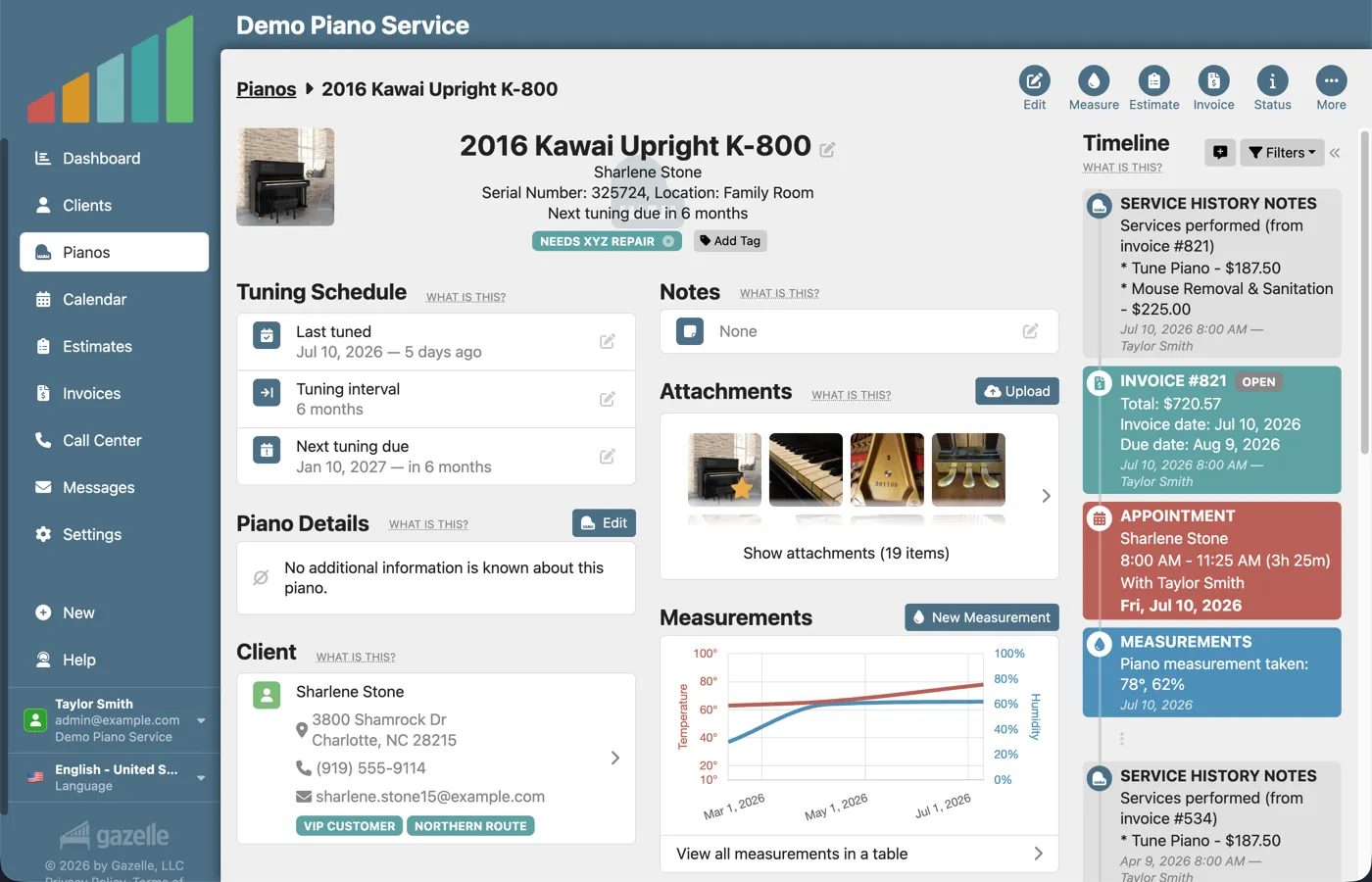
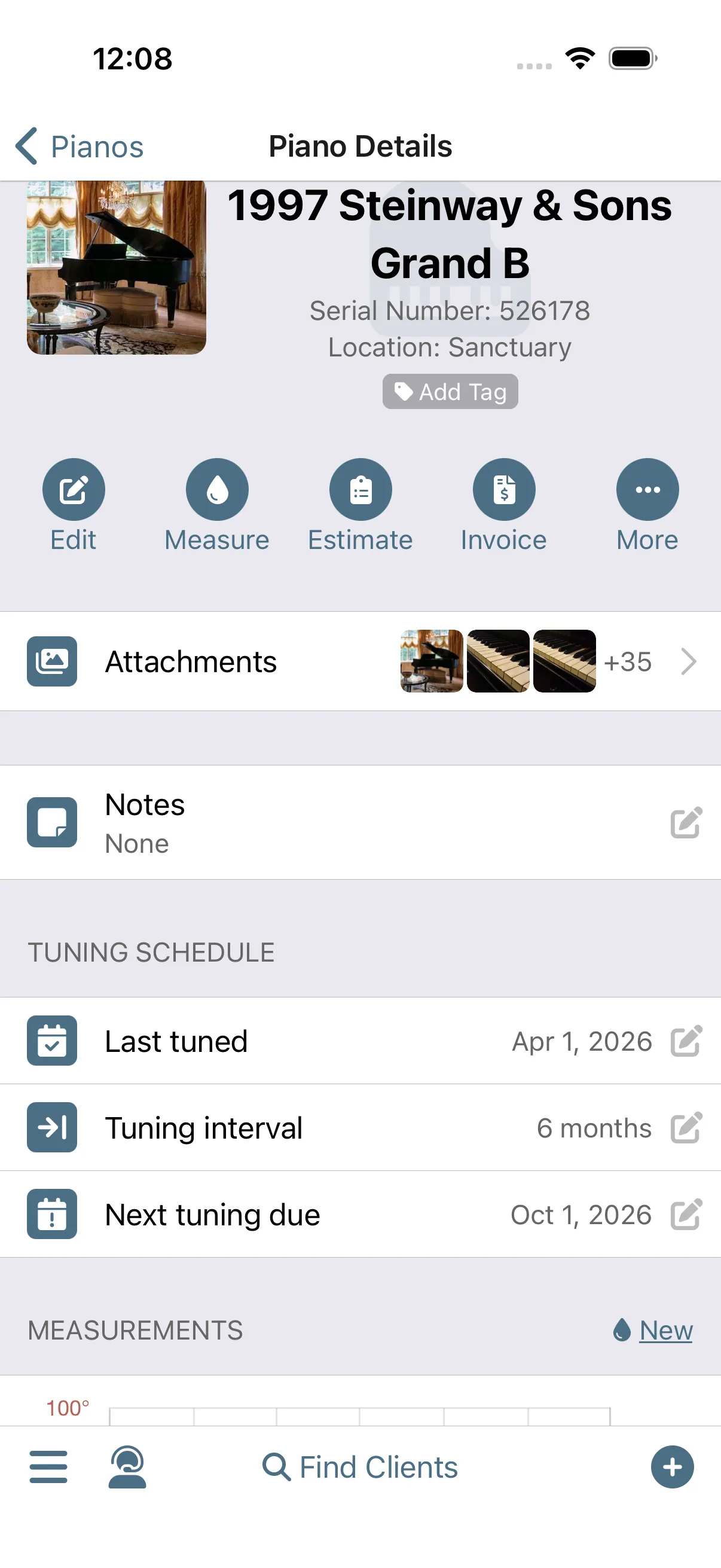
The instrument gets a record of its own: make, serial number, photos, humidity and pitch measurements over time, and its own tuning interval. When a piano is sold, reassign it to the new owner and its service history moves with it.
Piano management
-
The record keeps itself current.
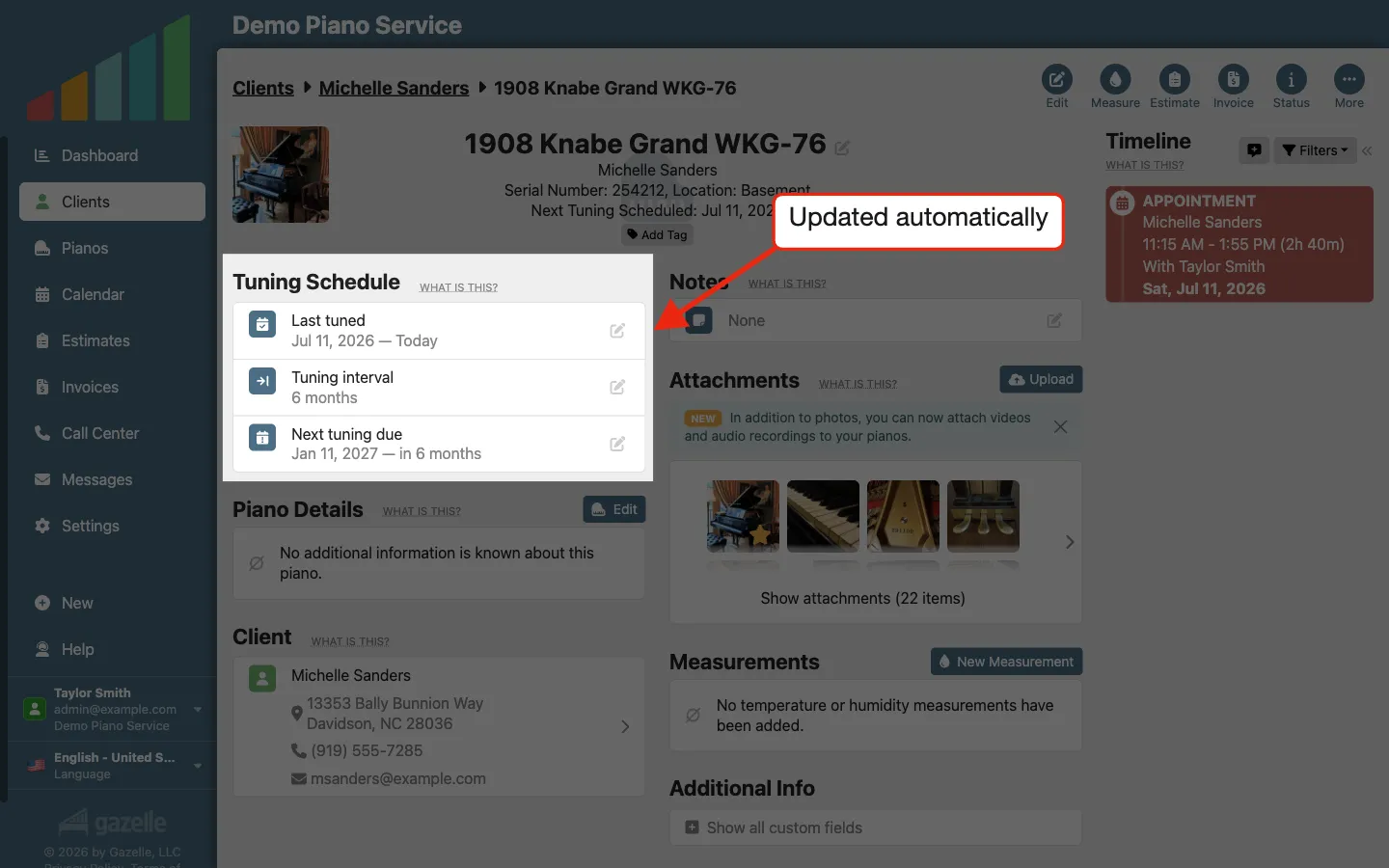
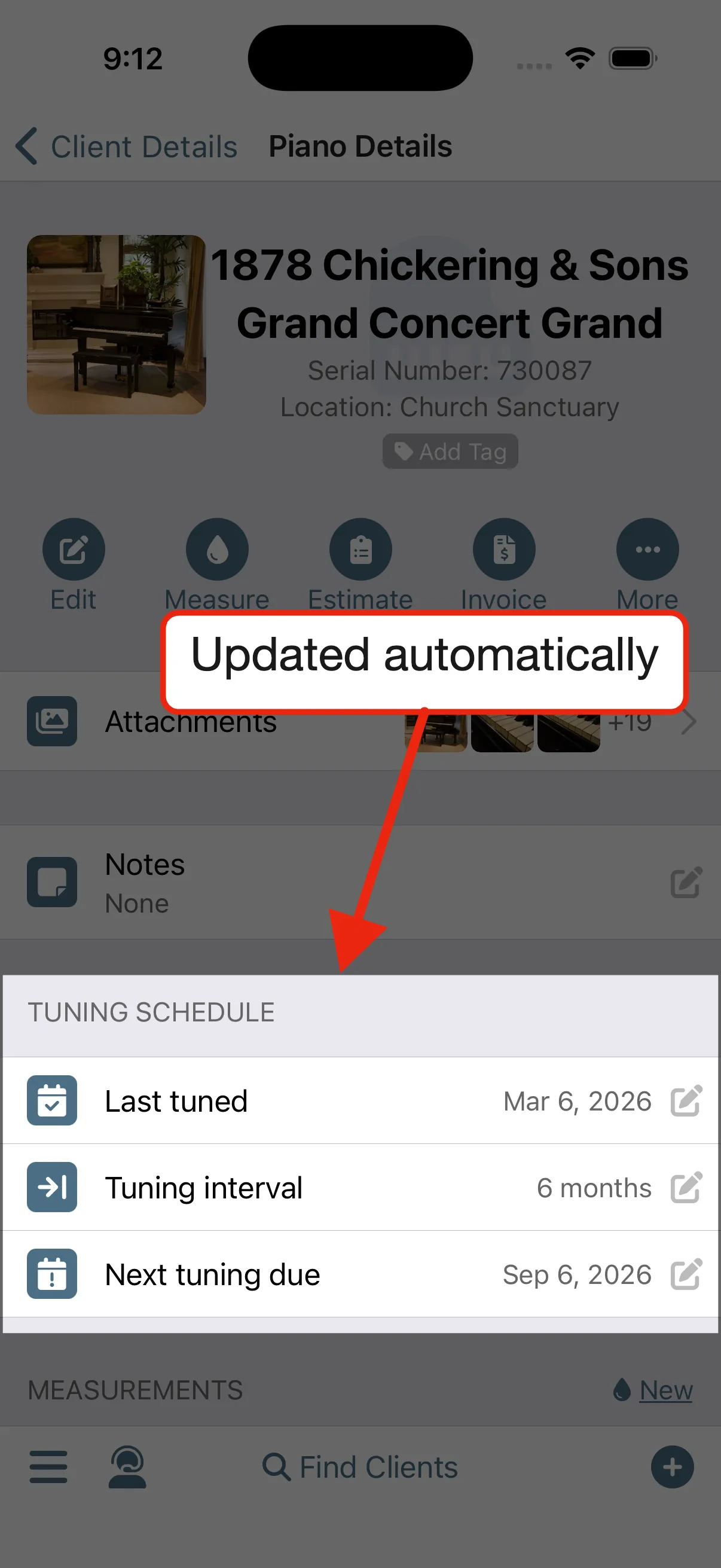
No end-of-day data entry. Complete an appointment and the service history writes itself: last tuned updates, next tuning due rolls forward, and client statuses progress on their own. A client who drifts away and comes back picks up right where they left off.
Piano management
-
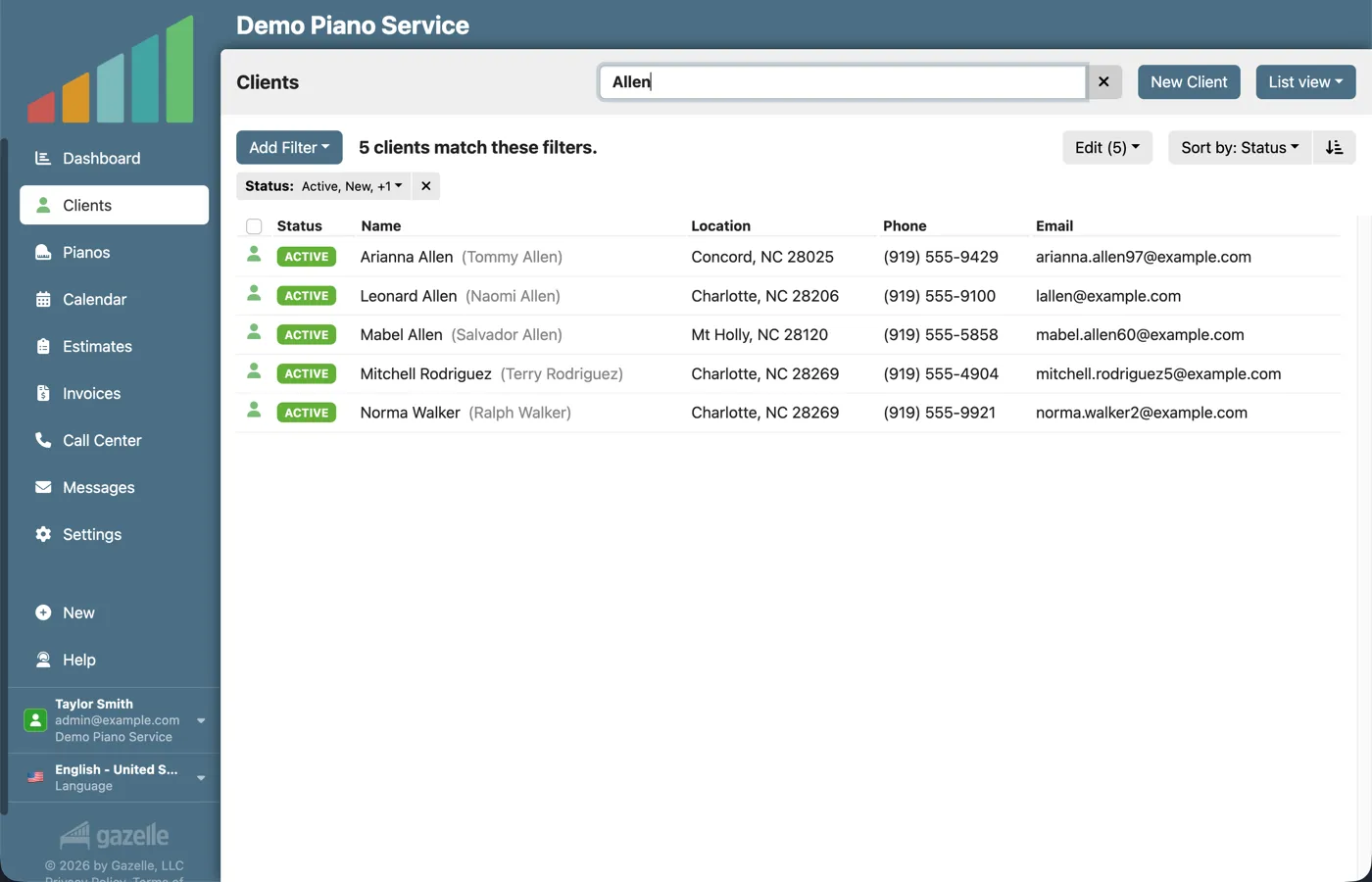
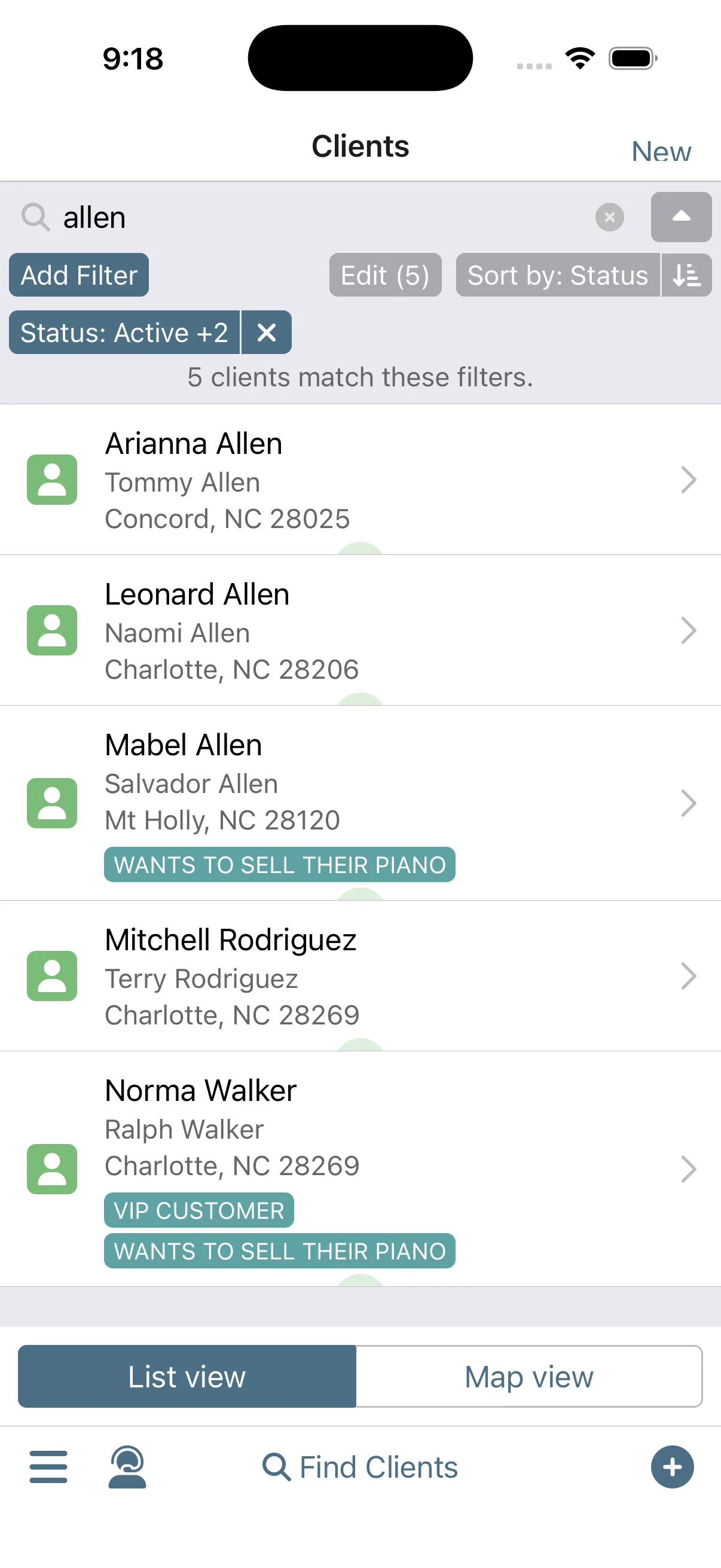
Find anyone in seconds.
One search covers every name, address, phone number, and email on file. Filter by nearly anything (who's overdue, who's in this zip code, who has a player system), and see the same list as pins on a map.
Advanced FilteringClient Map
-
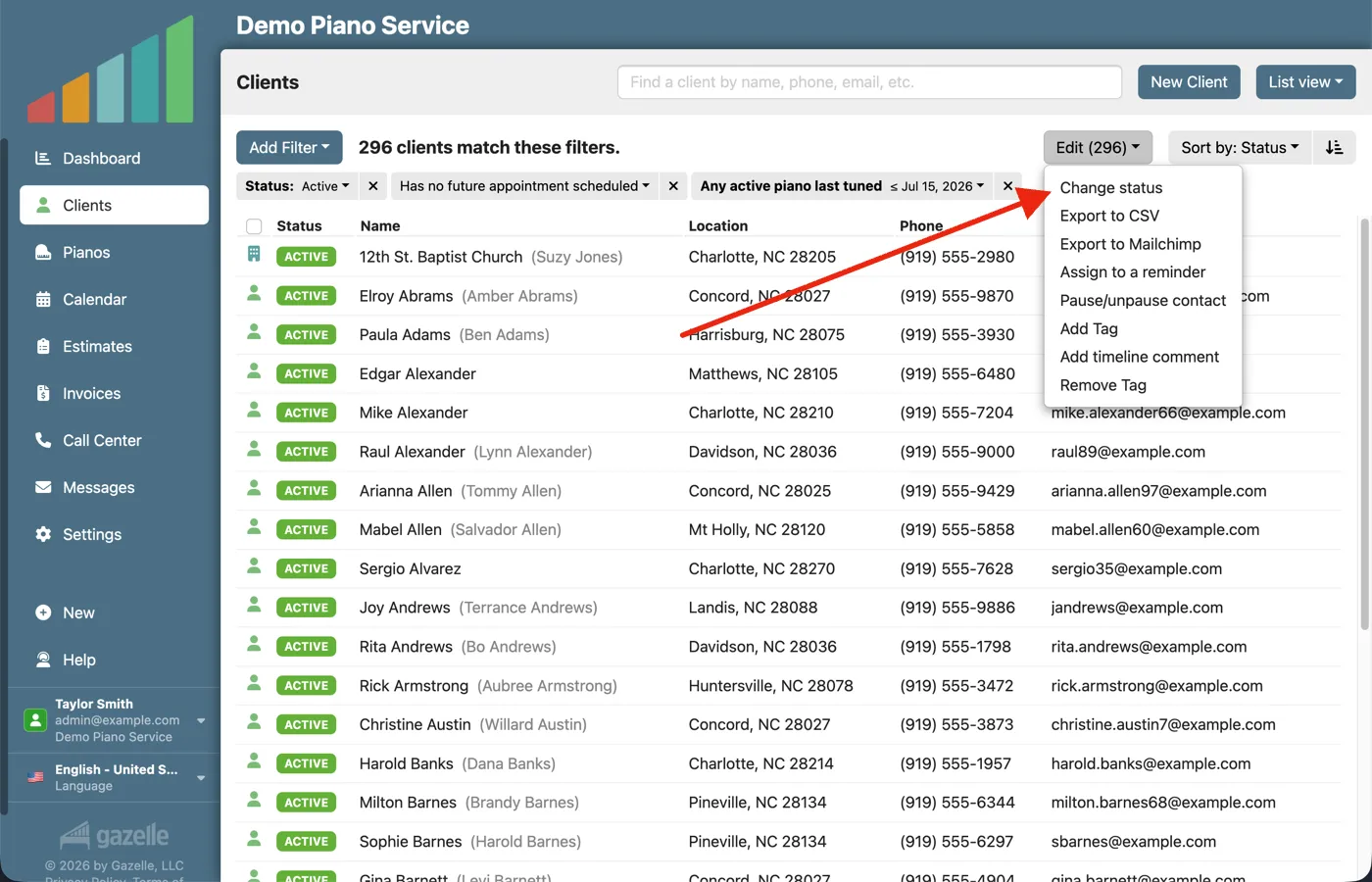
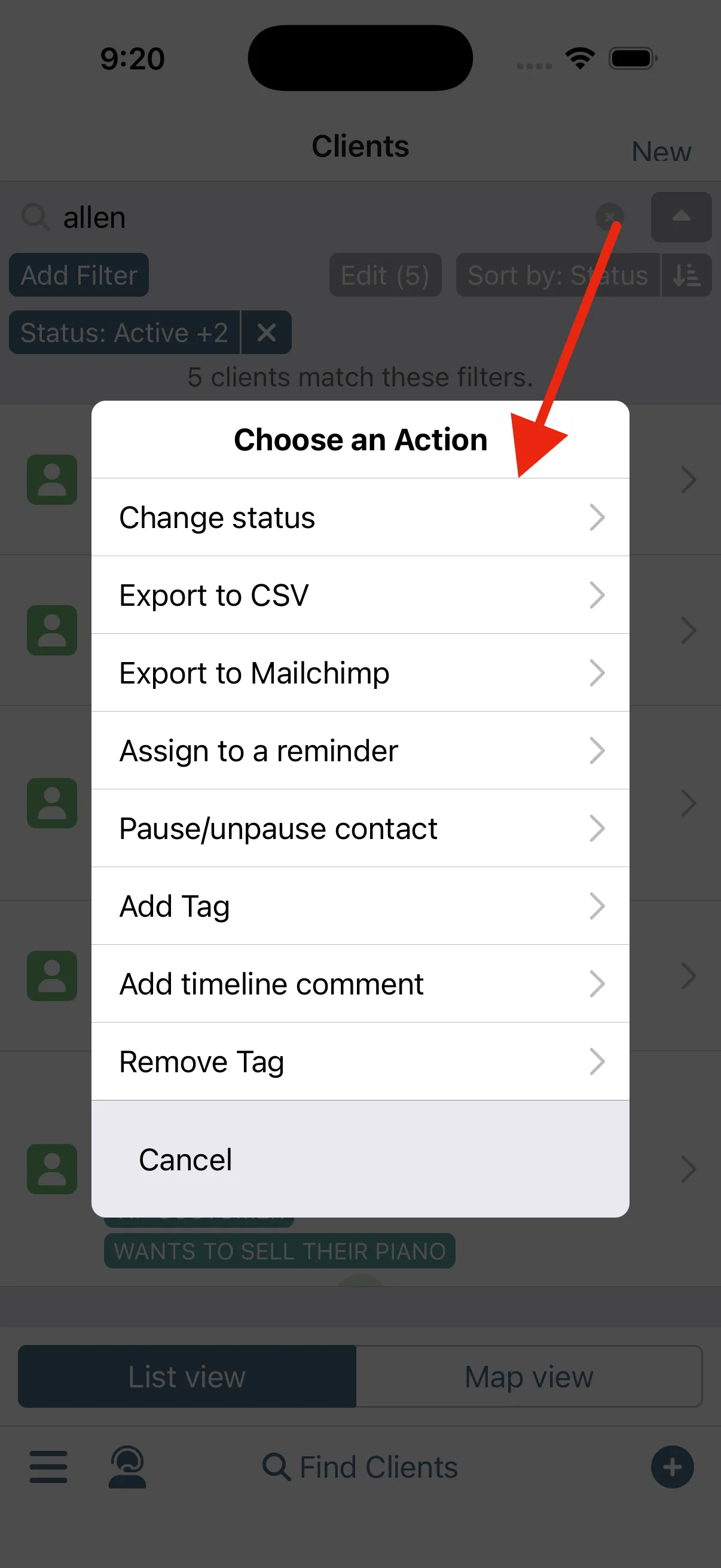
Clean up in bulk.
It doesn't have to get messy again. Filter to the exact set you mean, select them all, and make the change once: mark everyone you haven't seen in five years inactive, or tag every school in your book. The list stays as clean as the day we imported it.
Advanced FilteringClient management
-
Walk in knowing everything.
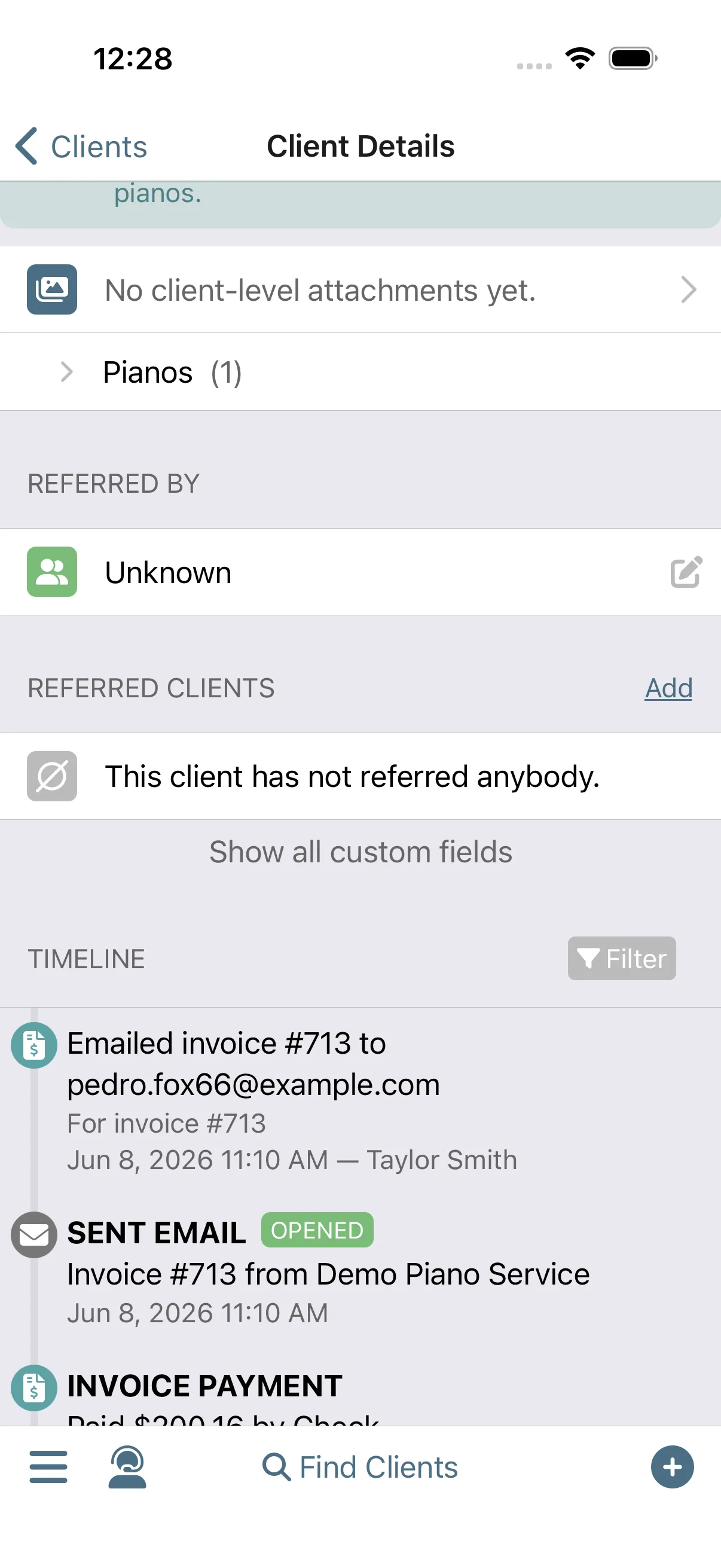
The timeline briefs you before you knock: last visit's notes, what you charged, the messages that were sent, and what the piano measured. You show up as the tech who remembers everything.
Timeline
Run this workflow on your own clients.
Every feature this workflow touches is included in your free trial. Free for 30 days, cancel anytime.
Features used in this workflow: Client managementPiano managementTimelineAdvanced FilteringClient Map
Related workflows
A Well-Planned Day in the Field
Run your whole day from your phone, from when to leave the house to closing every visit paid.
Keep Clients Coming Back
Complete an appointment and Gazelle starts the countdown to the next one: reminders that keep following up until the client books, and a cycle that resets with every visit.
Resurrecting Ghosted Clients
Filter to everyone who's slipped away and message them all at once, each with their own booking link.